
If you cant recover your lost google account that was recently setup on your Ulefone device. Then, after a hard reset, you must face a FRP protection on your device. If you also did not setup any PIN/Pattern protection and you also have forgotten google account. In this case, your device is required previously setup google account to bypass the google verification screen. Follow up steps from here to Bypass FRP Ulefone Armor X5 (Android 9). After that, you will be able to reach to your device main home-screen.
Warning: Do not try this frp method on a stolen phone, this is a serious crime, if you are trying to bypass frp on a stolen phone, you may also be jailed, this process is for device owner and for educational purpose only.
Let’s Start to Bypass FRP Ulefone Armor X5:
-First of all, turn on the device and connect WiFi.
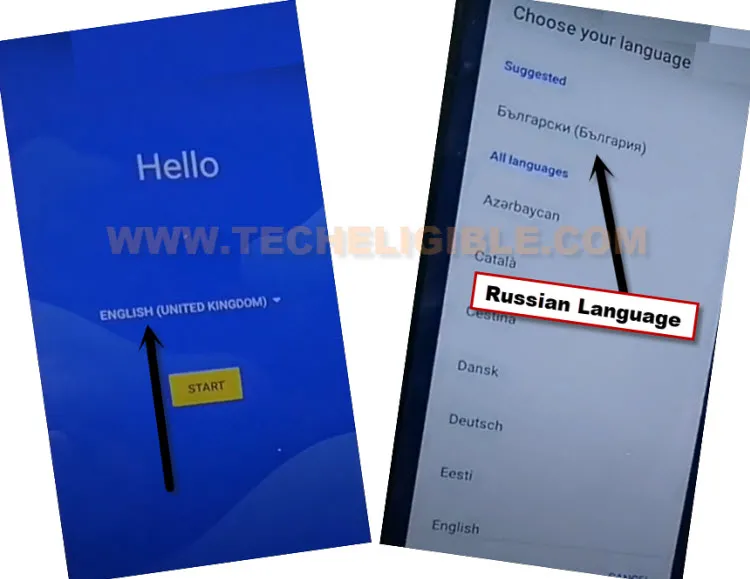
-Go back on first (Hi there) screen & Change your device language from English to (Russian) by following below image.
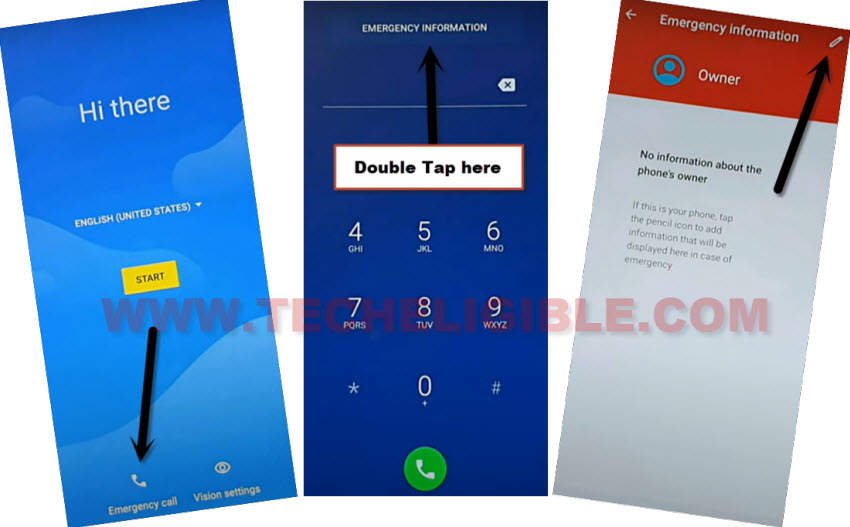
-After that, tap on “Calling icon” from bottom left corner.
-Tap two times on the top “Center Button”.
-Tap to “Pencil” icon from top right corner.

-Hit again on a “Pencil” icon option. After that, tap to first “Human icon” option. After that, another popup screen will appear up along with the device keyboard.

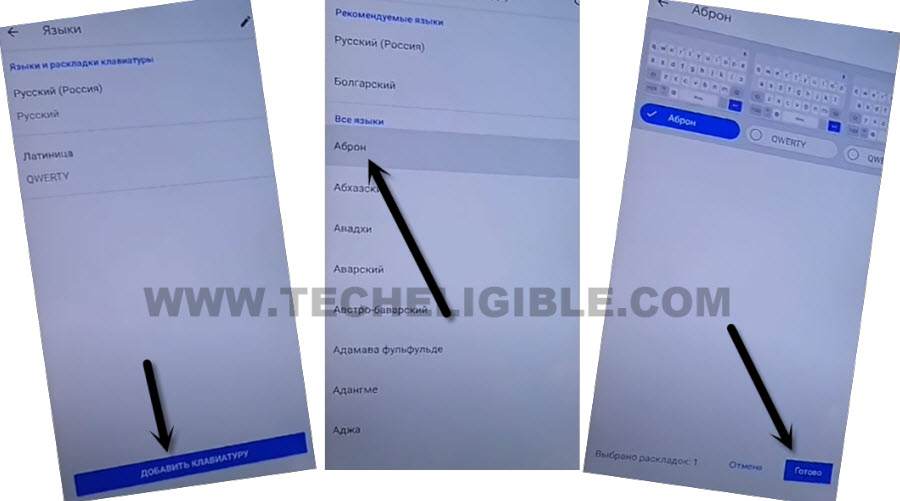
-Long tap on “World icon”. This will show you a popup window, from there, just hit on a last “Blue link” option same as shown in below image.

-Tap on a “Centered Blue” option.
-Tap at any language and then tap to “Blue option”‘ from bottom right corner. This will add your selected language into your keyboard language list.
-After adding the keyboard language successfully, just go all the way back on first (Hi there) startup screen.
Change Language to English:
-Alter the device language from Russian to (English).

-After changing language successfully, from first startup page, go to “Emergency Call”. Tap two times on the “Emergency information”.
-Tap to “Pencil” icon from top corner.
-Go to > Edit information > Name.
-From the keyboard, long tap on “World icon” and go to “Language Settings” link.
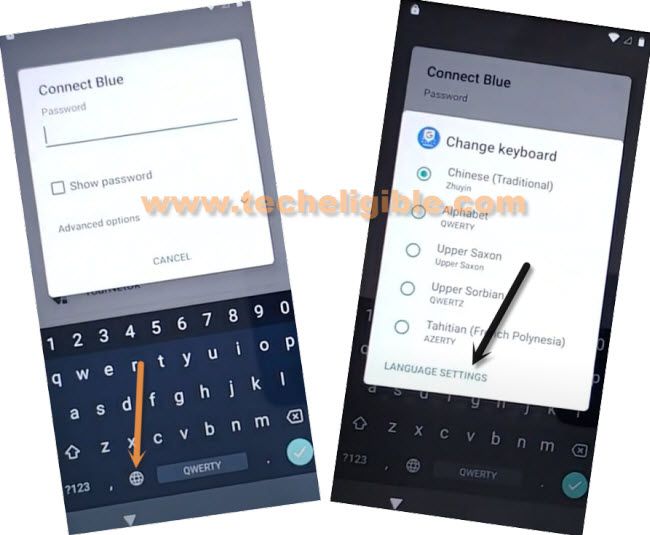
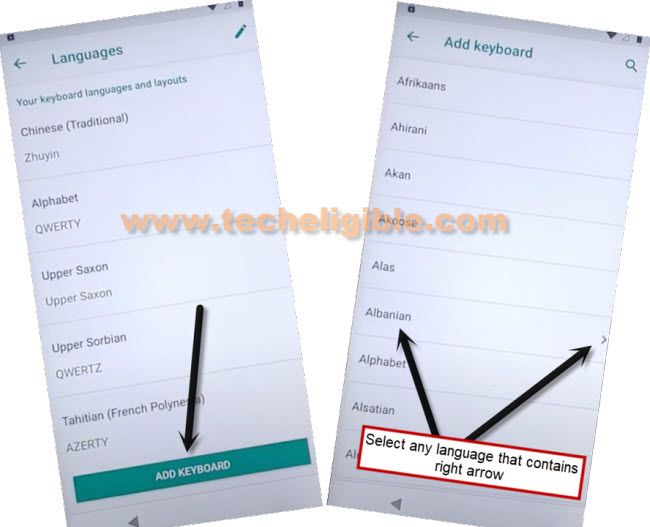
-Let’s tap to “Add keyboard” from bottom center.
-Choose the arrow mentioned language “Albanian”.
-Afterwards, hit on a “3 dots” kebab menu from top corner and tap to “Help & feedback”.
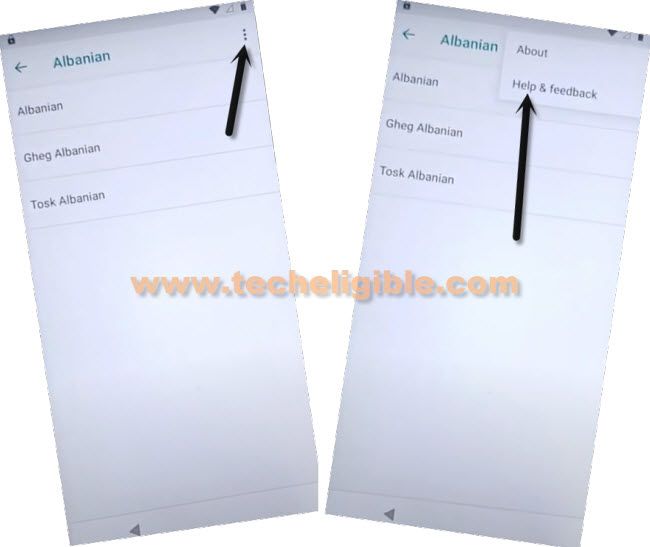
-Tap over the “About Switch access for android”. You will be taken on the (Support) page. Where youtube video would be appearing up.

-Tap on the “Play button” from the video screen.

-Afterwards, tap on > 3 dots > Share > 3 dots. (See below screen shot).

-After reaching to youtube page, simply, drag down the playing video and tap to “Account” icon from top corner.
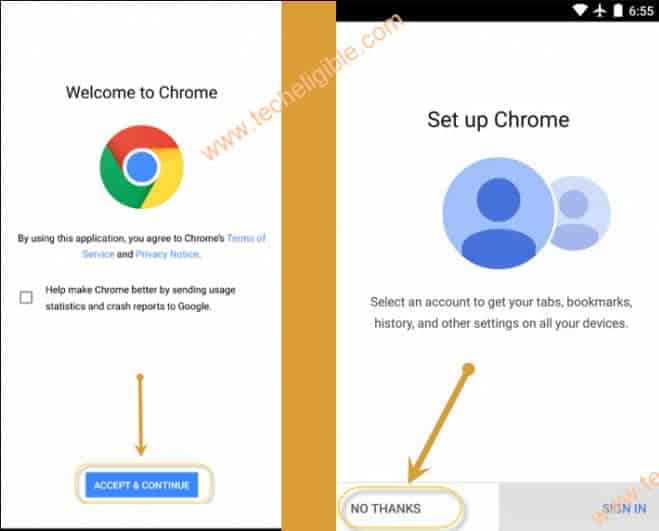
-Tap to “Terms of service” link from next page. This will redirect you to the chrome browser page.

-From there, hit on > Accept & Continue > No Thanks.
Reach to FRP Tools Page to Download Apps:
-Access to techeligible website. After that, go to official frp tools page from there by hitting on “Menu icon” from top corner.
-Tap to “Download FRP Tools” text from sidebar menu.

-Download from there “Google Account Manager 9“. Wait until downloading process is done.
-After that, tap to “Open” link from bottom of the page, this open link will appear up only after downloading process is completed.
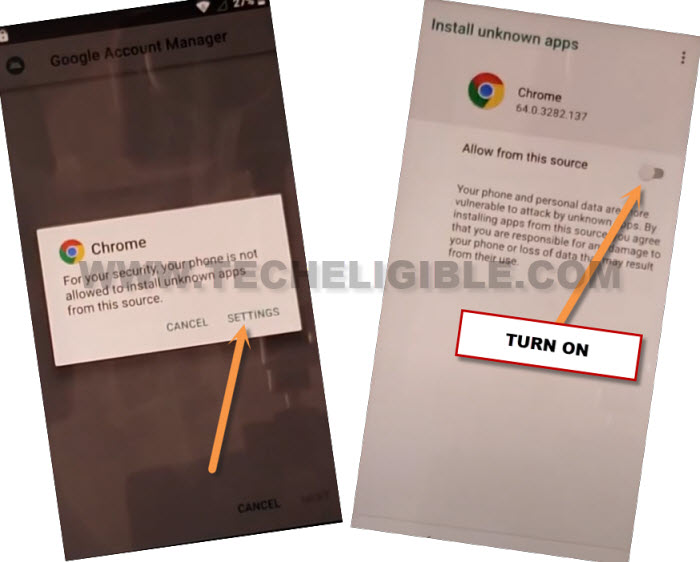
-You will be shown a popup window, just hit on “Settings” and turn on “Allow from this sources”.
-Afterwards, hit on “Back Arrow” icon from bottom to return on the installation screen.
-Let’s install this app now by tapping on > Install > Done.
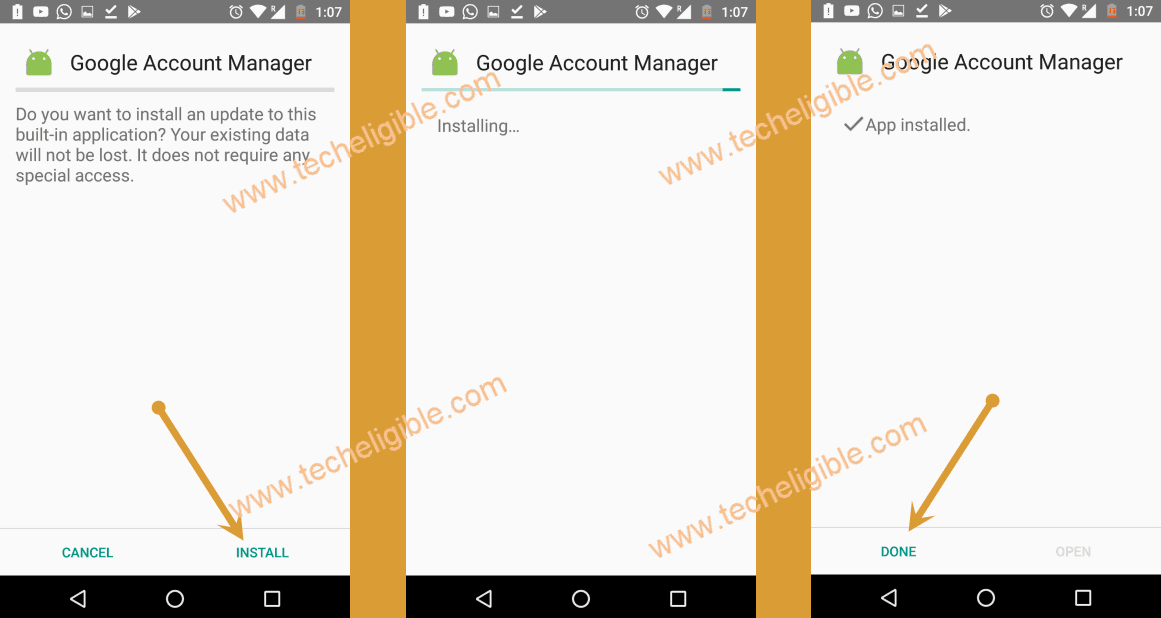
-Go back to frp tools page again.
-From there, download another app named “Account Login“.
-You will be shown a popup window with “Open” link after downloading is completed.
-Just tap to “Open” link from there to install this app directly.
-Tap to > Install > Open.
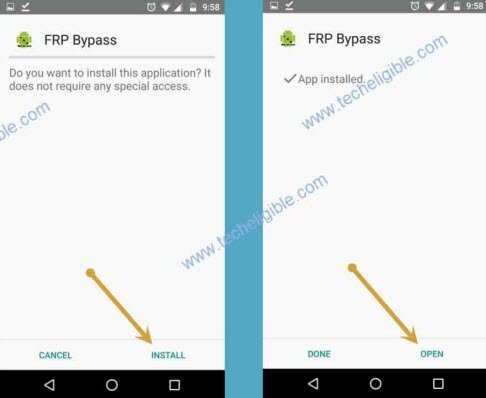
-After that, you will be on a (Retype password) screen. We can easily sign in here with another google ID to Bypass FRP Ulefone Armor X5 without using any paid tool.
-Let’s do this now by tapping on “3 dots” icon and go to “Browser Sign-in” option.
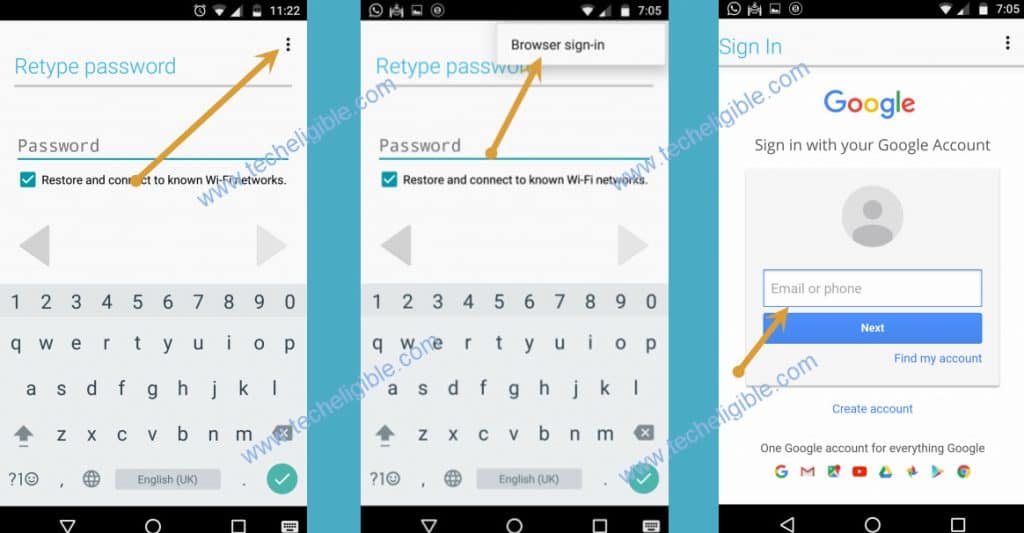
-After that, login with your any valid google account. New frp protection will be setup on your this newly setup google account.
-Restart your device and complete setup wizard steps on your own.