You can simply reach back to your device even after forgetting google account and hard reset it. If you bought used device or your child just mistakenly hard reset the device. In this case, you do need a same google account, that was already setup on that Ulefon device in order complete your ownership verification. If you don’t remember your google account, then, you can follow up this way to Remove Google FRP Ulefone Note 10.
Warning: Do not try this frp method on a stolen phone, this is a serious crime, if you are trying to bypass frp on a stolen phone, you may also be jailed, this process is for device owner and for educational purpose only.
Let’s Start to Remove Google FRP Ulefone Note 10:
-Turn on Ulefone phone & Connect WiFi first.
-Return on first (Hi there) screen. Let’s turn on talkback function by going at > Vision Settings > Talkback. After that, turn on “Use Talkback” option from the top.

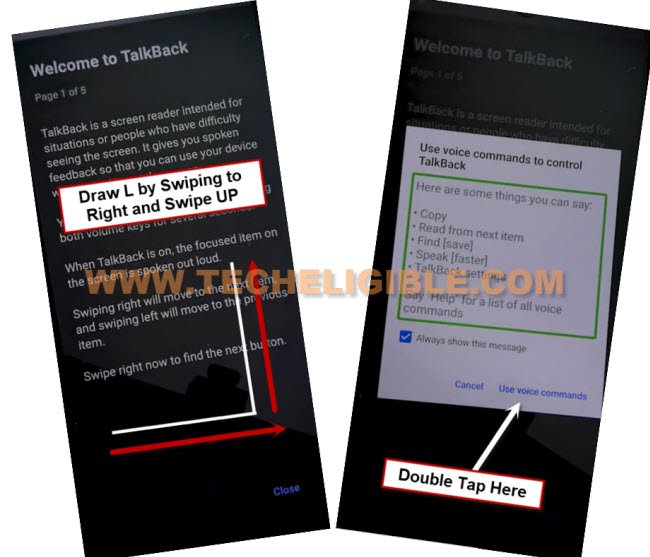
-After that, you will automatically reach to (Welcome to talkback) page, from there, swipe right and swipe up on screen same as mentioned in below image.
-From popup screen, double tap to > While using the app > Use Voice Command.
-When you see a (Green boarder) on screen. Just, speak loudly “Open google assistant”.
-After that, within few seconds, google assistant screen will be displayed to you. From there, double hit on “Keyboard” icon.
-Type there “Settings” and double tap to “Send” button.

-After that, double tap to “Open Settings”.

-After reaching to settings screen, swipe down little bit using two fingers together and double tap on “Accessibility” option.
-Double tap on “Talkback”. After that, turn off (Use talkback) option by double tapping on it.
-From popup screen, double tap to “Stop”. This will turn off talkback function.

-Get back to main “Settings” screen.
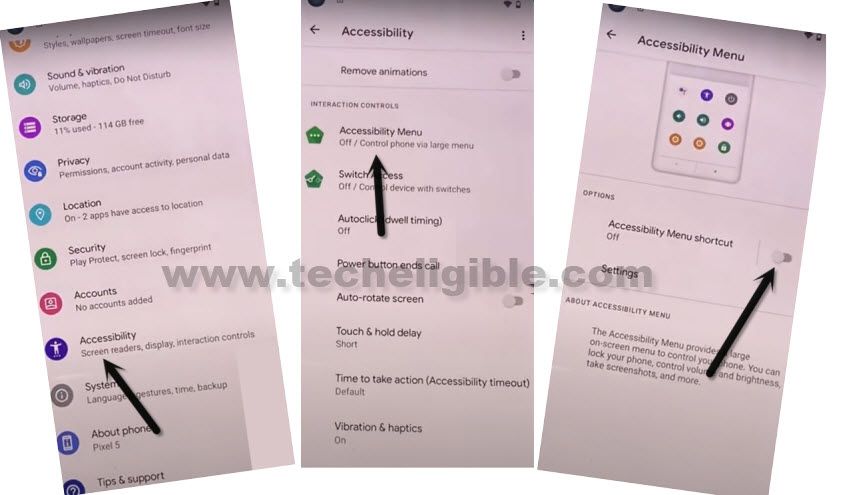
-After that, go to “Accessibility > Accessibility Menu. Turn on “Accessibility menu shortcut” option.
-From popup window, tap to > Allow > Got it.
-Swipe up from bottom using two fingers together. This will bring up the (Accessibility Menu Shortcut) window for you. That means, our accessibility function is working perfectly. We will use this later on.
-Go back again on main “Settings” screen to to Remove Google FRP Ulefone Note 10.
Disable Google Play Services:
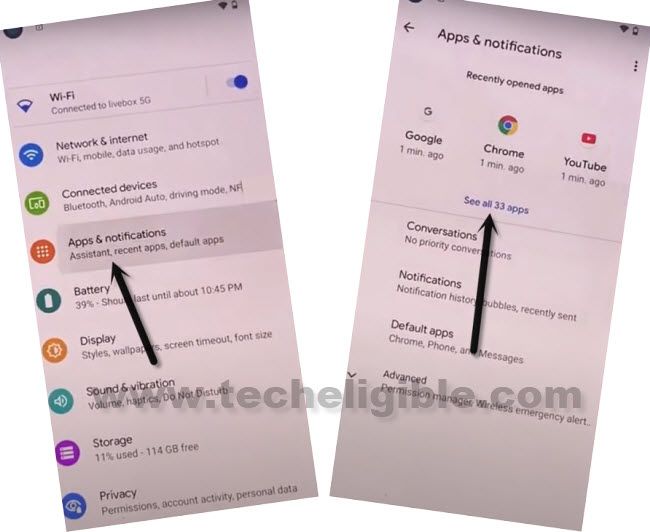
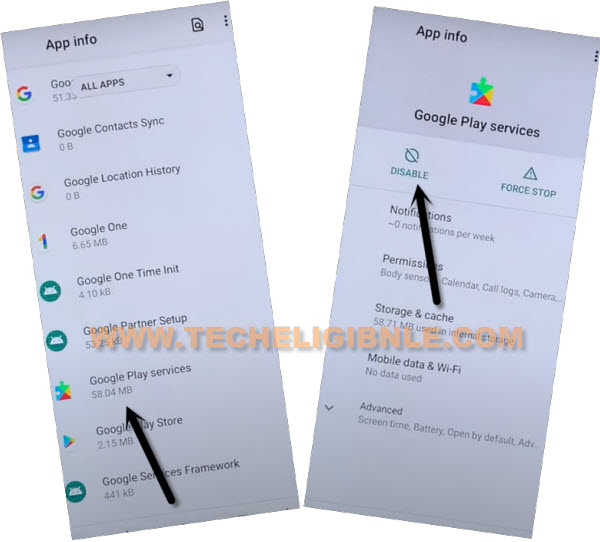
-From the settings page, just tap on “Apps & Notifications”. After that, tap to “See All Apps”. This will take you to the app list screen.
-From app list, just hit on “Google Play Services” application.
-Tap on > Disable > Disable App.
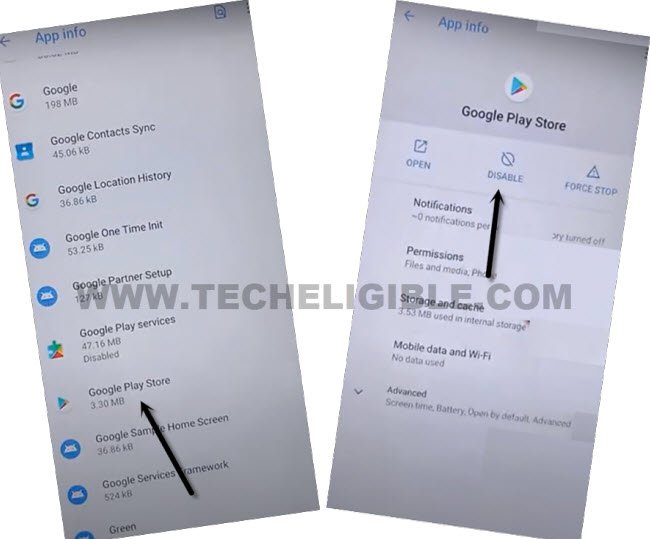
-Go back to app list screen. From there, tap on “Google Play Store” app as well.
-Tap to > Disable > Disable app.
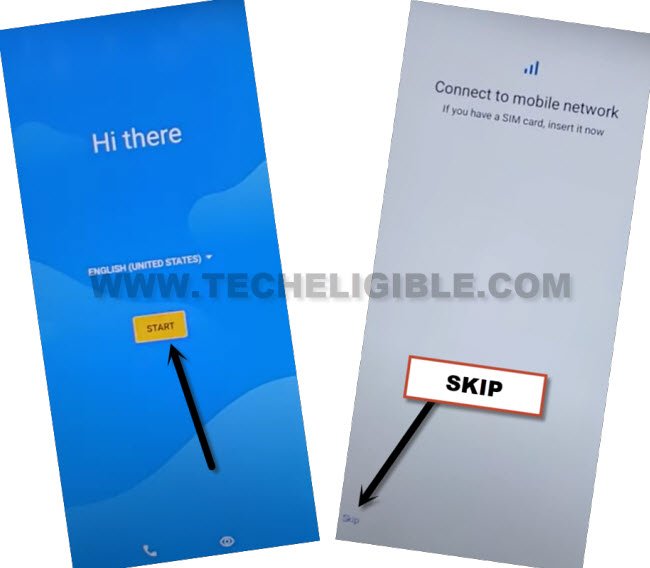
-Go all the way back on first (Hi there) screen.
-Let’s finish up setup wizard steps now. Tap on “Start”. Tap on “Skip” from bottom left corner.
-After few seconds wait on a loading screen, just hit on a “Don’t Copy” option.
-Wait for at least 30 seconds on a (Checking for update….) loading page. After that, tap two times on back arrow icon from bottom left corner to reach back to (Connect to WiFi) Page.
-Let’s bring up the accessibility menu shortcut by swipe up from bottom using two fingers together. Tap to “Assistant” option to to Remove Google FRP Ulefone Note 10.

-Tap on “Keyboard” icon and type there “Settings”. After that, tap on “Send” button.
-Hit on a “Open Settings” to reach your device settings page.
-After that, tap on “Apps & Notifications”.
-Tap on “See All Apps”.
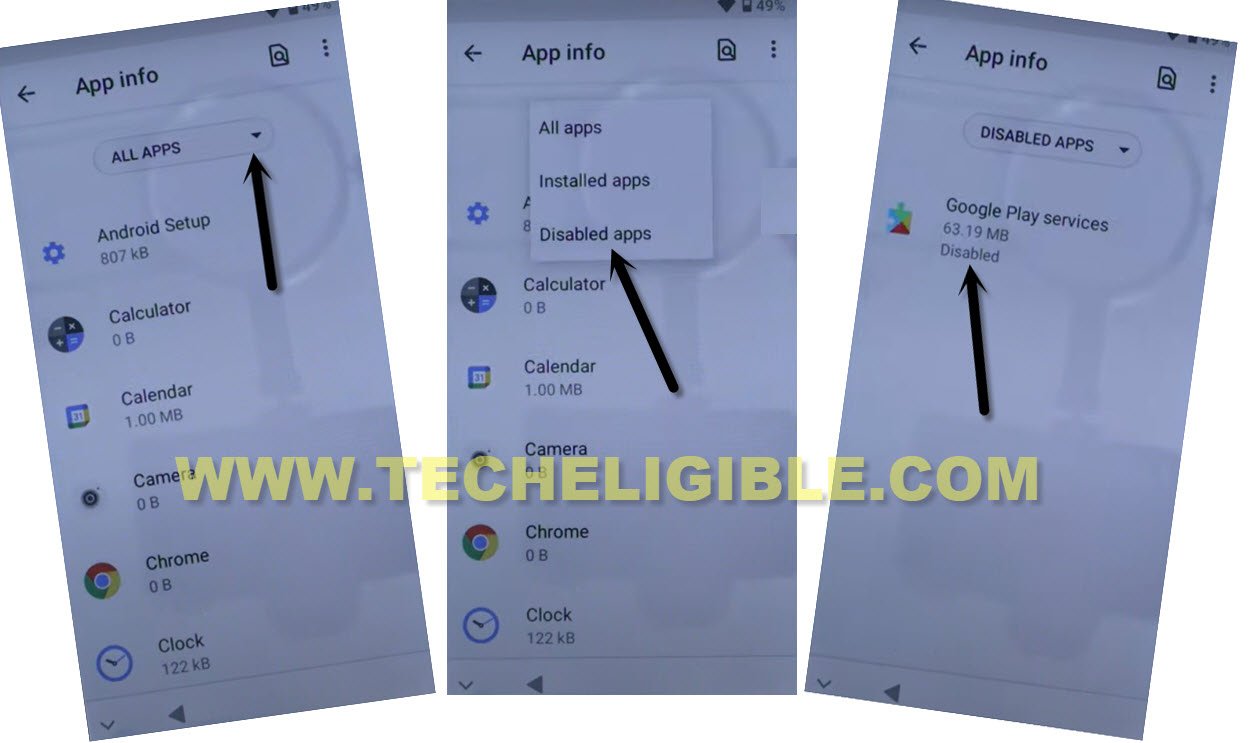
-Hit on the “All Apps” option and tap on “Disabled App”.
-You will be displayed your both recently disabled apps there.
-Firstly, hit on > Google Play Services > Enable.
-Tap on “Back Arrow” from top corner.
-After that, tap on > Google Play Store > Enable.
-Get back to (Connect to WiFi) screen. From there, hit on > Setup offline > Continue.
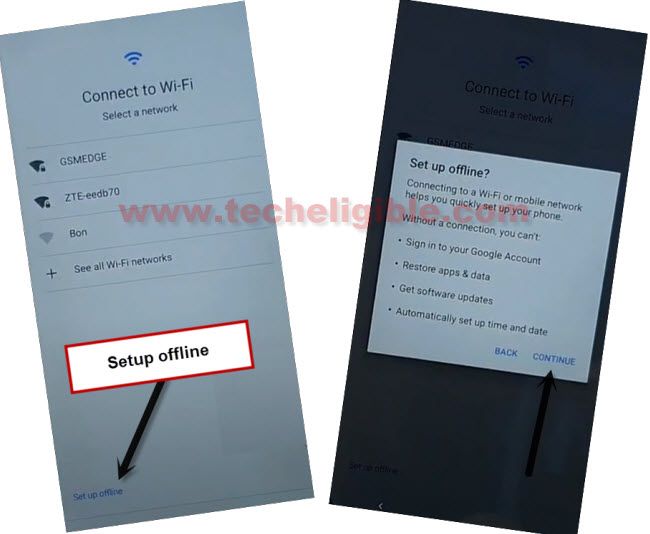
-Its all done from Remove Google FRP Ulefone note 10. You can complete all remaining steps easily by yourself without any help.