
Is your tablet engaging with frp lock protection after hard reset? This is mandatory to login with same google account, that was logged in before hard reset. Otherwise, you will have to recover your lost gmail account, that is not very difficult, if you know your recovery options. In some cases, this can also become headache. There, you have only 1 option, that is to go with the Bypass FRP Acer Predator 8 guideline.
Disclaimer: Do not attempt this frp method on a device that has been stolen, as it is a severe offense. Engaging in frp bypass procedures on stolen phones may result in imprisonment. This process is intended solely for the device’s rightful owner and for educational purposes.
Continue Steps to Bypass FRP Acer Predator 8:
-Start with Power on your device and establish a WiFi connection. Then, navigate to the (Verify your account) page.
-Select the “Email or phone” field to bring up the keyboard. Next, press and hold the “@” symbol, then choose “Google Keyboard Settings” option from the popup screen.

-Next, proceed to “Text Correction”, then “Personal Dictionary”.

-Then, select “English (United States)”. Following this, click the “+” icon located in the upper corner of the tab screen.

-Type “Google” in the space provided and tap the “Search” icon in the corner above.
-Next, choose “Google Keyboard”, then “Text-to-speech output” option.

Launch the Source Licenses Page:
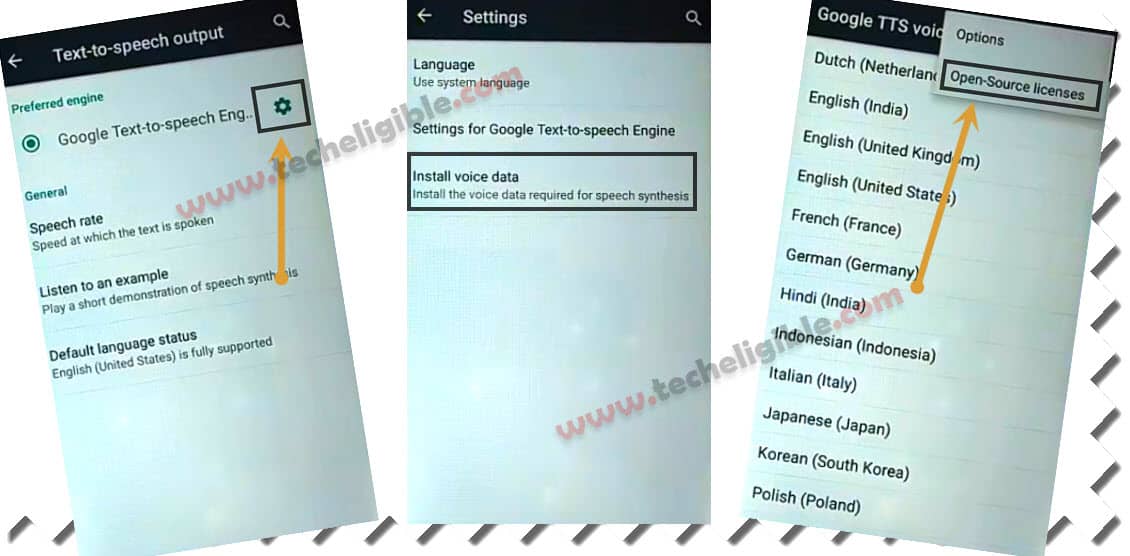
-Proceed by selecting “Settings” icon and “Install Voice data”. This will direct you to the (Google TTS Voice data) screen. From there, click on the “3 dots” icon and select “Open-Source Licenses” from the top corner.
-This action will display a popup with the source licenses page; long press any text and select “Search”.
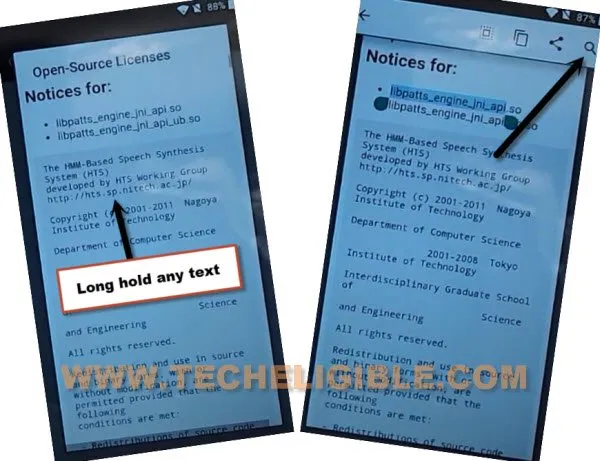
-You will be redirected to the Google application screen. At this point, enter “Ch” into the search bar and select the “Chrome” browser from the results.
-Now, click on > Accept & Continue > No Thanks.

Install App to Login Account:
-Conduct a search for “Techeligible“. Then, navigate to the first result that appears as depicted in the image below.
-Open the sidebar menu by selecting the “Menu” icon and go to “Download FRP Tools“.

-Scroll down the page of frp tools and download the “Account Login” application onto the device to successfully Bypass FRP Acer Predator 8.
-After the download is completed, press the back arrow icon 2-3 times carefully to return to the (Google App Search) screen.
-On that point, conduct a new search for “Down” and tap the “Download” option as shown below.

Sign in With New Account:
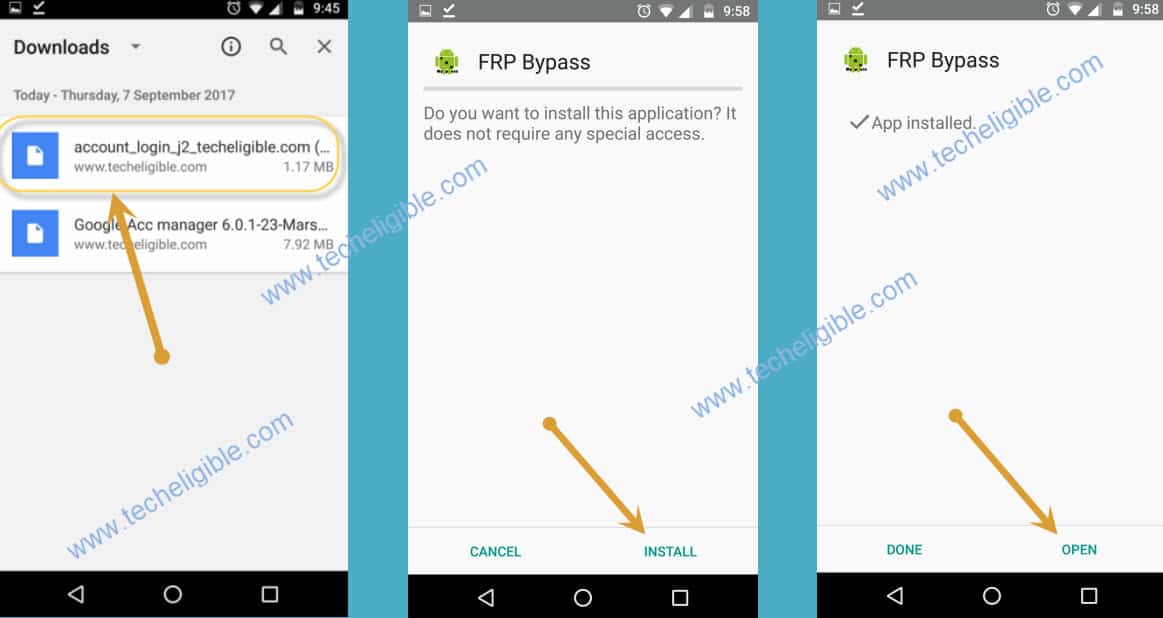
-You should see your downloaded application listed. Let’s select the “Account Login” app to begin installation.
-From the popup screen, select “Package Installer”, and then, hit on “Always” option.
-In the ensuing popup window, click on “Settings”, then activate the “Unknown Sources” option.
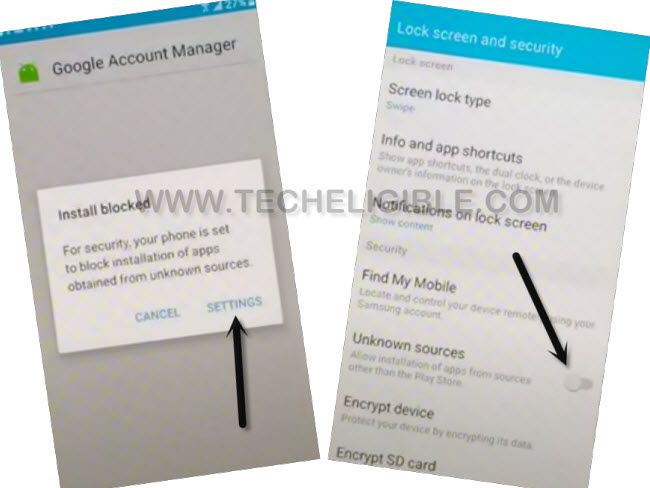
-Afterward, press the “Back Arrow” icon at the bottom once. Finally, install the application by tapping > Account Login > Install > Open.
-We must configure the Google account on our device by clicking the “3 dots” icon located in the upper corner, and then select the “browser sign-in” option. Then, enter your google account detail there to login with.
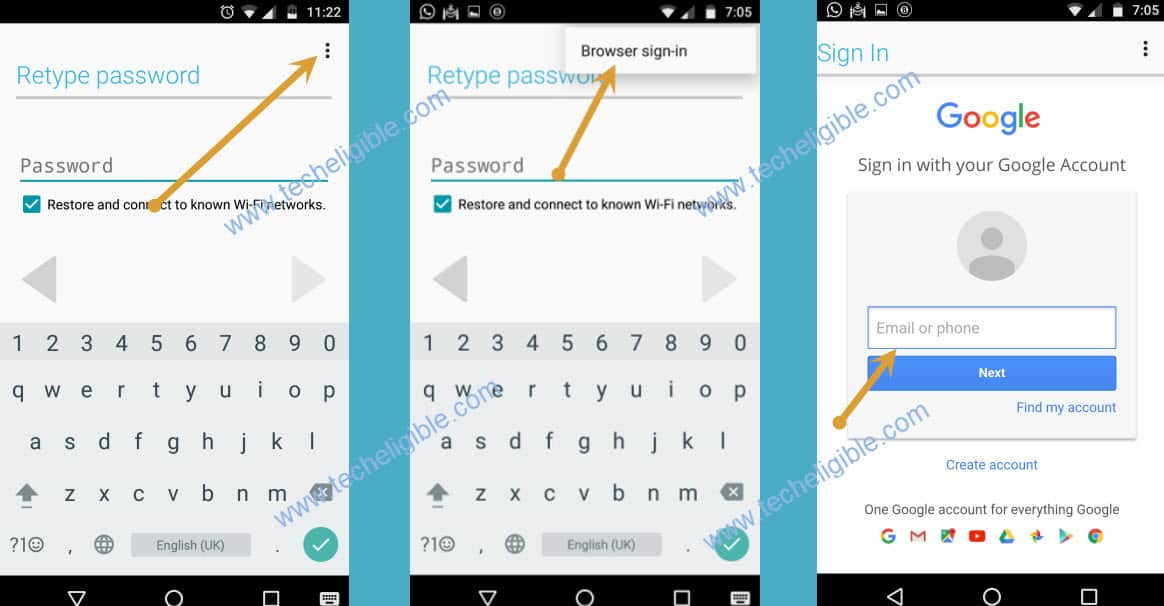
-Once the process of setting up the Google account is finished, you may proceed to restart your Acer Predator 8.
-You can now carry on with the setup wizard steps without encountering the Google verification screen.
The Bottom Line:
In this guide, we accessed the Chrome browser using options from the (Google Keyboard). Subsequently, we downloaded and installed the (Account Login) application. With this application’s assistance, we successfully established an additional Google account and completed the steps in the setup wizard without stuck over the google verification screen.