
Have you performed a factory reset on your device and forgot the Google account that was previously logged in? This indicates that your device has been activated with FRP lock security. Its impossible for you to proceed setup wizard steps until you log in with the account that was already signed in. If not, you will continue encountering the Google Verification screen. To resolve this access problem, you must recover your lost account; if that is unfeasible, the alternative is to look for the steps to Bypass FRP Xiaomi Redmi A5.
Disclaimer: It is strongly advised that you utilize this technique solely on your own device. If you are not the legitimate owner or have come across this information elsewhere, you must return it to the rightful owner. This technique is intended for instructional purposes only.
Bypass FRP Xiaomi Redmi A5 (BY PC TOOL)
In this guideline, firstly, we will download and install the (BFT tool) on desktop system. After that, with the help of the bft tool, we will download ZTE phone drivers and installed it properly. Finally, we just have to connect the device with PC and click to (Reset FRP) option from the tool. Check steps below.
Steps to Follow
-Download and Install below free PC tool on your computer. The link is given below, just follow steps from that link to from downloading to installation.
| ⇒ BFT Tool V1.7 [DOWNLOAD]. |
Note: Turning off the @ntivirus software before launching the (BFT) tool is necessary step, otherwise, you won’t be able to use this tool smoothly.
-You may face a username and password login popup screen, you just have to hit on “Login” option.
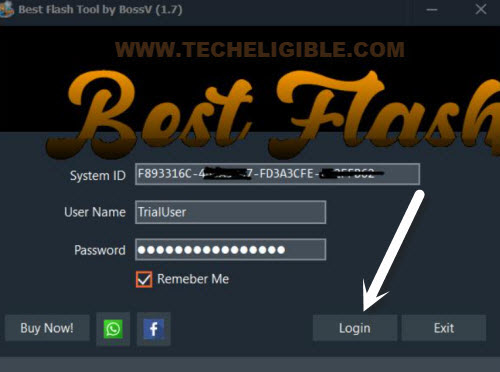
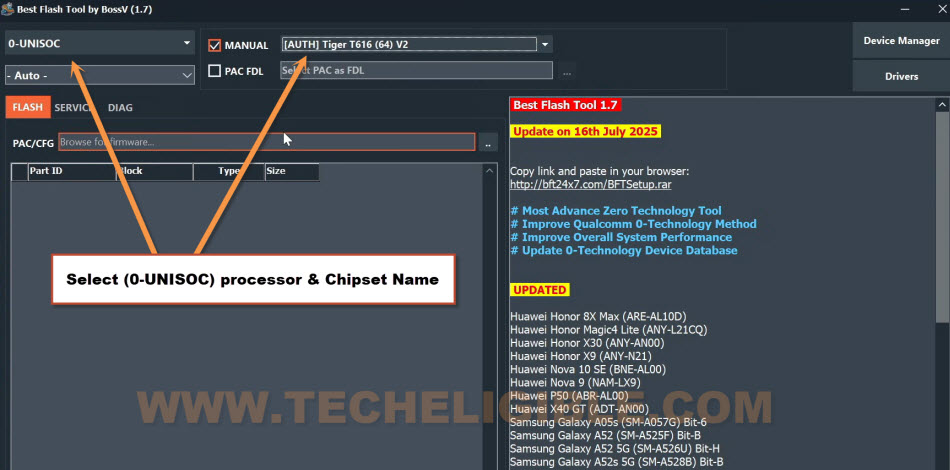
-Congrats, we are now on our BFT tool interface. Let’s change some settings from the tool to match with the detail of our Redmi A5 processor.
-Firstly, from top left corner, select the device processor “0-UNISOC“.
-After that, select the chipset name to “[AUTH] Tiger T616 (64) V2“.
Arrange Drivers on PC
-Go to “Drivers” and select “Install SPD Driver” for downloading this on your PC.
-After that, install this driver.
-Next, we have to click again on “Drivers” option, and download “Install LibUSB Filter Driver“.
-After downloading is done, just install this driver as well on your PC.

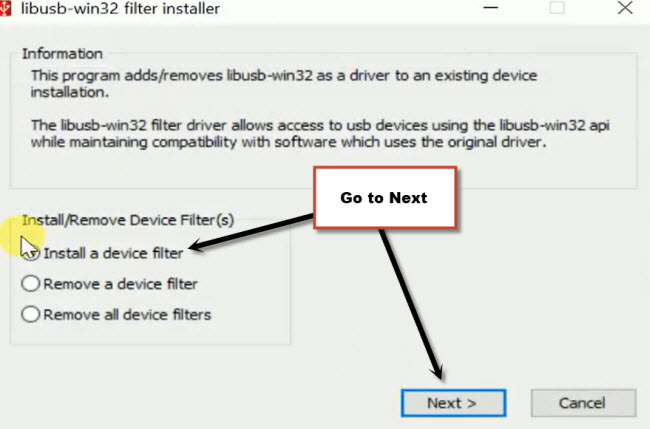
-Finally, you will be displayed a (libusb-win32) popup screen, from there, choose the option “Install a device filter” and go to “Next”.
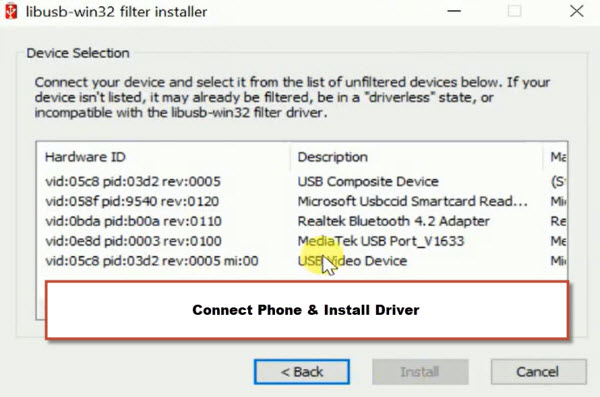
-Its time to get detected our phone driver, for this, turn off Redmi A5 phone and connect it to PC while long holding both buttons (Volume UP+DOWN).
Repeat: Keep holding both (Volume up/down) buttons and connect it to PC using USB Cable.

-Within few seconds, you will see a new driver will popup on the (libusb-win32) popup window. Just, select that driver and click to “Install” button for the installation of this driver.
-After you are all done from downloading and installing drivers, just disconnect the phone from PC.
Note: If you are facing issue in downloading and installing driver directly through BFT tool. You can install it manually from below.
|
-From BFT tool screen, go to “Service” tab, afterwards, click on the “Reset FRP” option.
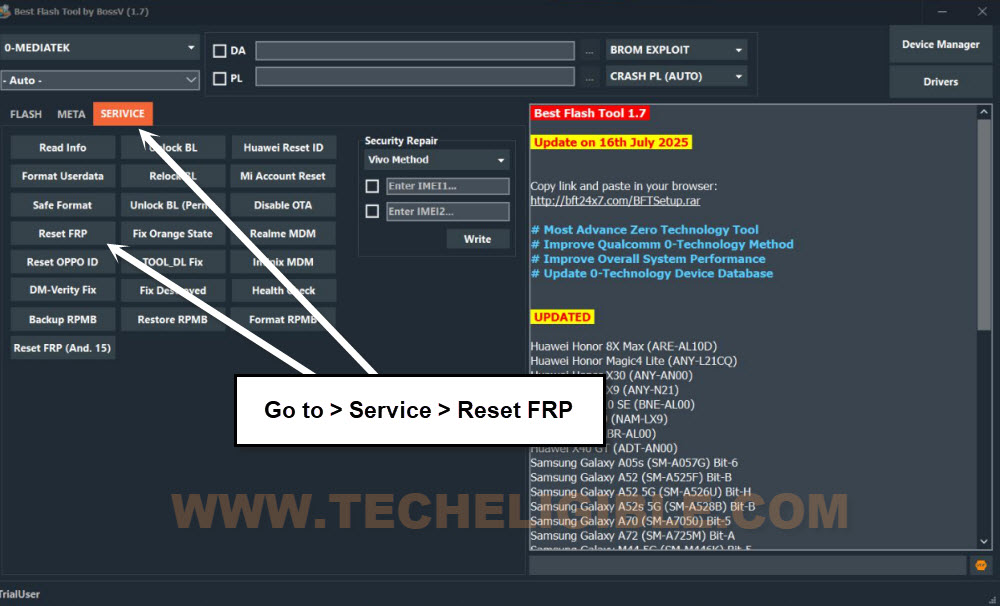
-Connect the phone again to PC by long pressing the (Volume UP + Down) keys.
-Finally, the device will be detected by the tool and it will continue its frp bypass process on Xiaomi Redmi A5 phone.
| Note: If you encounter an error and the FRP is not bypassed, close and restart the BFT Tool program. Then, attempt again by selecting a different chipset name from the (Manual) section, such as [Tiger T610 (64)] or [Tiger T606 (64) V2].
|

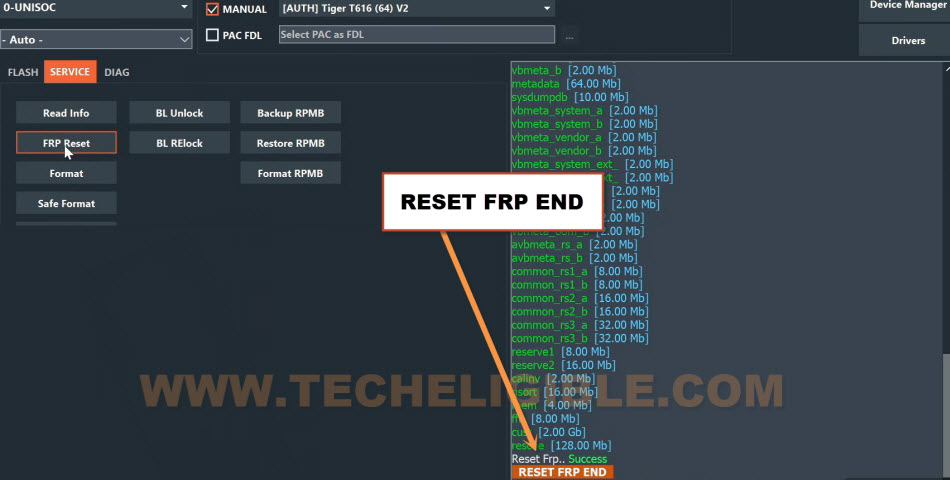
-After frp unlocking process is completed, you will have a (FRP Reset END) message on screen.
Disconnect Phone & Finish up Setup Wizard Steps
-You can disconnect your device.
-Turn on the phone and from the first (Hi there) startup page, just go to > Start > Next.
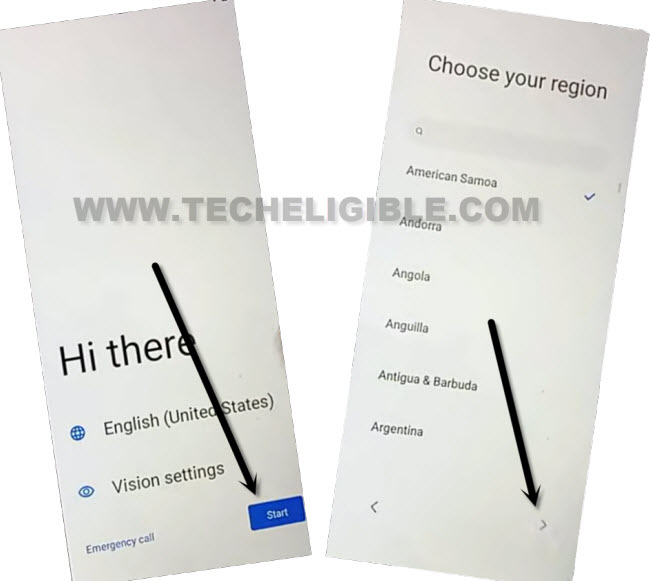
-Check mark option “i have read and agree..” and go to “Next”.
-From (Connect to mobile network) page, just go to > Skip > Skip.
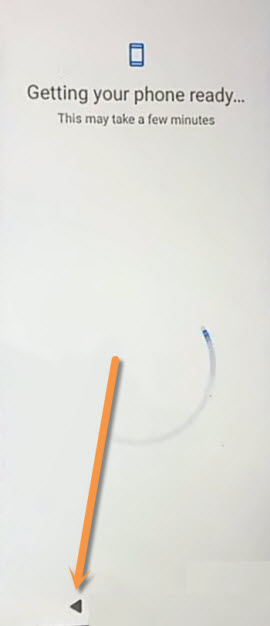
-As soon as, you see (Getting your phone ready) screen, just, hit on “Back Arrow” option for once.
-You will reach on a (Connect to WiFi) page, from there, tap on > Setup offline > Continue.
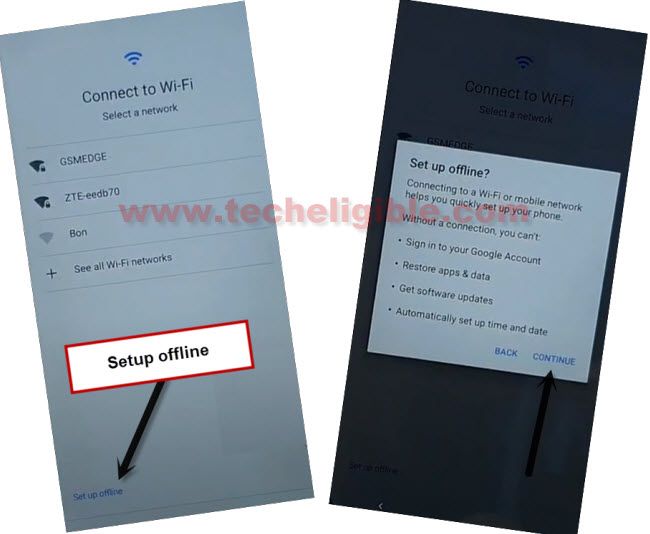
Remember: If your phone is stuck on loading page while completing the setup wizard steps, simply hard reset it by getting into (Android Recovery Mode). After that, complete setup wizard steps again.
The Bottom Line
Steps are quite simple, we just downloaded and installed PC tool named (BFT V1.7). Once its done, then, downloaded and installed (SPD + LibUSB) drivers. Finally, selected correct processor and chipset name from the tool screen. After that, clicked on the (Reset FRP) option and connected our Redmi A5 phone to PC. In a very short time period, the device is bypassed from FRP lock protection. After that, completed all startup steps in offline mode.