
If you are stuck on a google verification screen because of forgetting already added google account. That means, you are device is on a FRP protection. To Bypass FRP LAVA Z3, Z3 Pro at home. You can follow up easy guideline from below. We will use (Accessibility Menu Shortcut) method. Firstly access device settings by following below steps. After that, we will turn on accessibility shortcut feature to fix FRP problem from this device.
Note: This method is only for Device Owner and for educational purpose only, if you are not owner of this device LAVA Z3, Z3 Pro, kindly do not follow this process, otherwise you will be jailed.
Let’s Start to Bypass FRP LAVA Z3, Z3 Pro:
-Turn on LAVA phone. Connect WiFi. Go back on first (Hello) homepage.
-Turn on talkback feature by long hold both ((Volume UP + Down) buttons simultaneously.
-Tap on “Turn on” option from popup window.
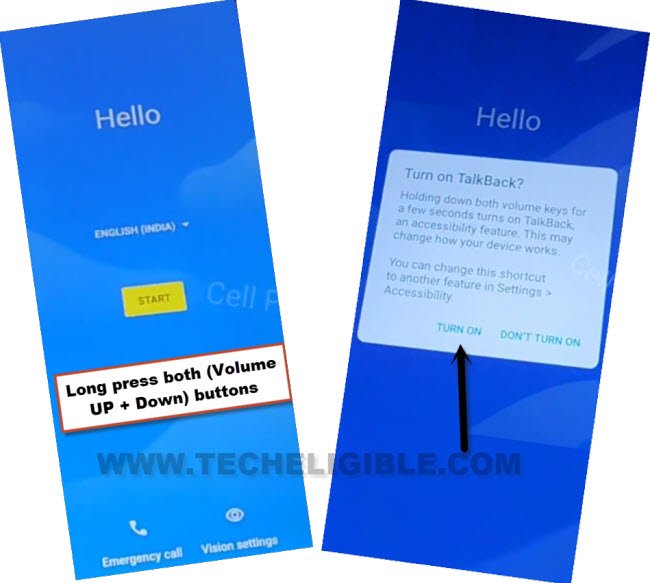
-We have to long press again both buttons (Volume UP/Down). This time, the you will be redirected inside (Welcome to Talkback) screen.
-Make reverse “L” gesture on screen by swiping right, and then swipe up. (See below image).
Note: You may have a popup window of (Allow android accessibility…), just hit on “While using the app”.
-Double tap on “Use Command Voice”.
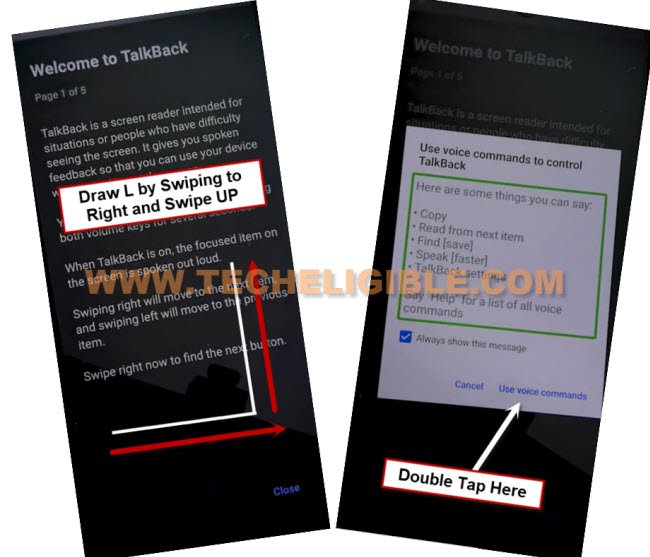
-As soon you see green border, just speak there loudly “Open Google Assistant”.

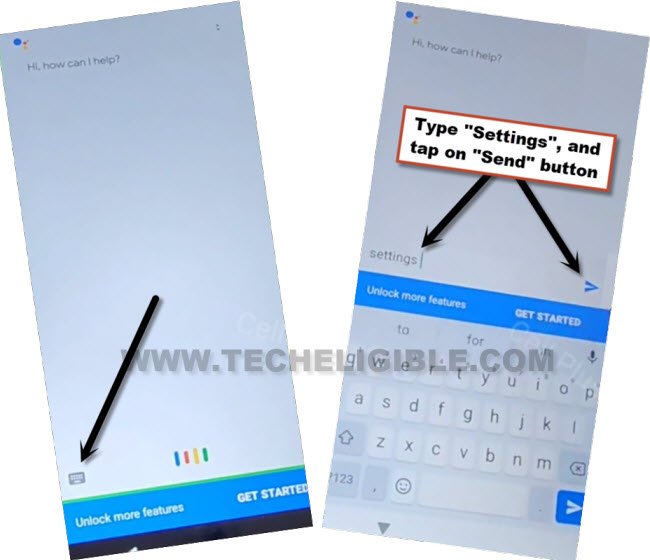
-Its time to Turn off talkback by long press again both (Volume UP + Down) keys at the same time. After that, the talkback feature will be fully deactivated.
-Go to “Keyboard” icon, and type “Settings” and tap to “Send” icon button from there to open device settings to Bypass FRP LAVA Z3, Z3 Pro.
Enable Accessibility MENU & Disable Some Apps:
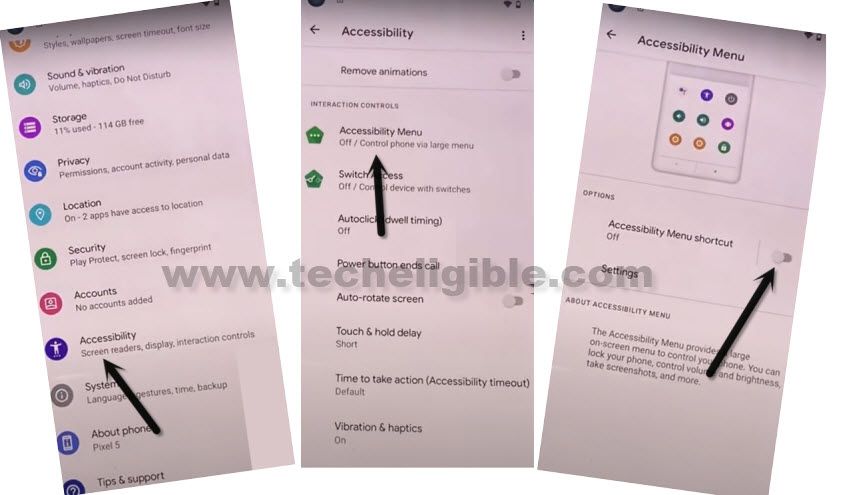
-Congrats, we have accessed inside LAVA Z3, Z3 Pro settings without signing in with any google account.
-Switch on “Accessibility Shortcut”. So, tap on > Accessibility > Accessibility MENU > Turn on > Allow > OK.
-Go back again on “Settings” app.
-Access to device app list page by tapping to > Apps & Notification > App info.
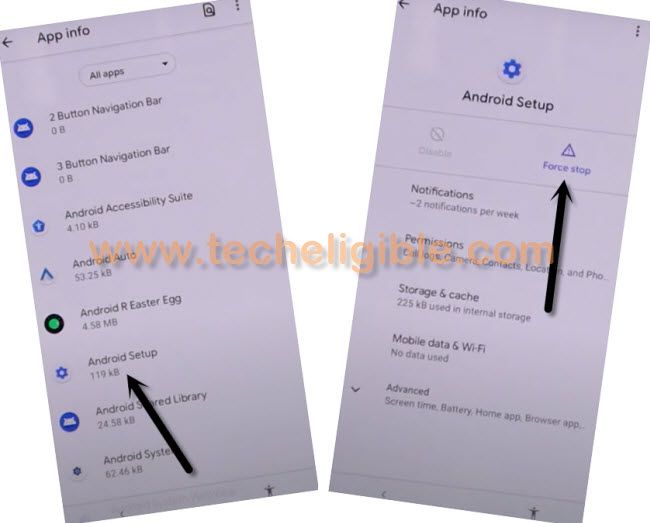
-Tap to > Android Setup > Force Stop > OK. (Same as shown in below image).
-From google app list, find and go to > Google Play Services > Disable > Disable App.
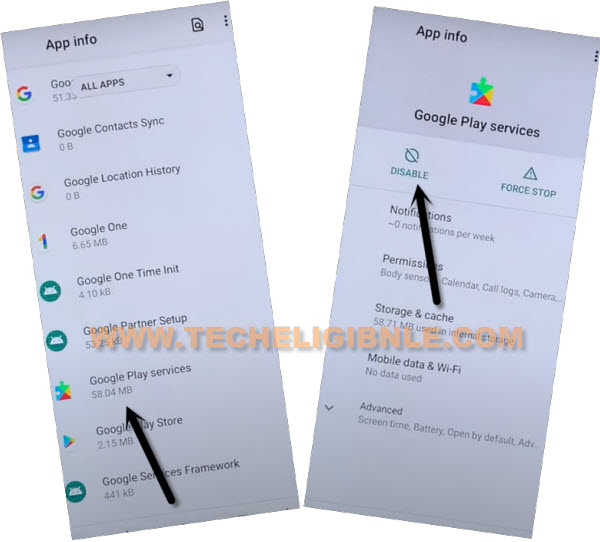
-After disabling and force stop both apps successfully, lets go all the way back on (Hello) screen.
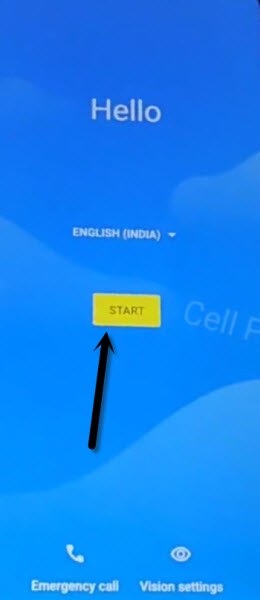
-Tap to > Start > Skip > Don’t Copy.
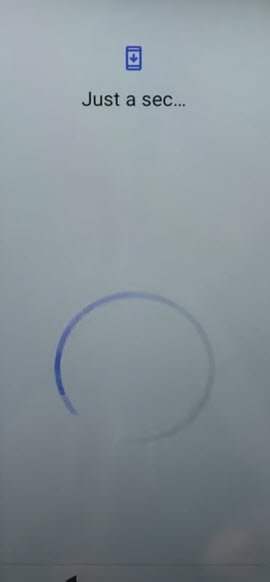
-Wait 20-30 seconds on (Just a sec…) loading screen.
-After that, we have to repeat below steps multiple times to hit on (Mic icon) successfully.
Access LAVA Z3, Z3 Pro Settings:
-You have to follow below steps very fast, in case of hitting (Mic icon) at the right time, just keep repeating below steps for about 10-20 times you successfully hit on “Mic icon”, and go inside settings.
⇒ Apply Steps Very Fast: Quickly tap on > Human icon > Assistant > Mic icon.
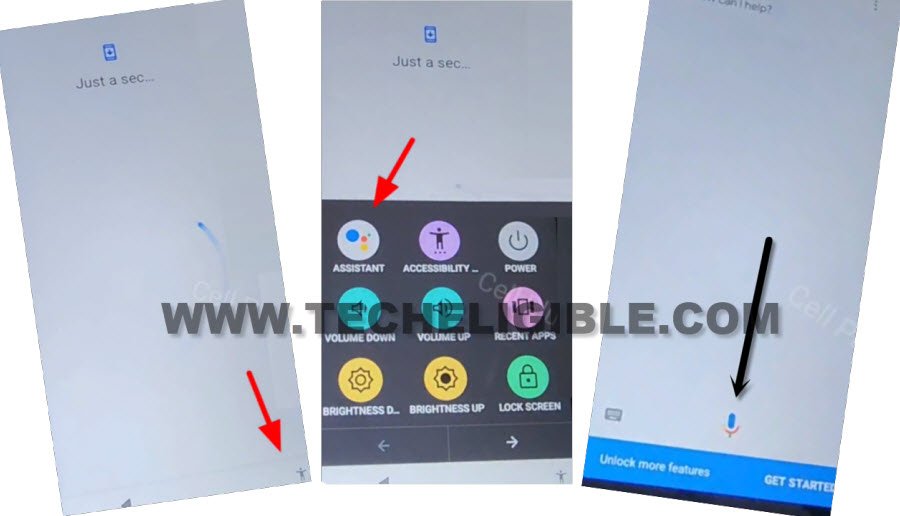
-After hitting on (Mic) icon successfully, you can easily access device settings. So speak loudly “Open Settings” from listening screen.
-From settings, go to > Apps & Notification > See all apps.
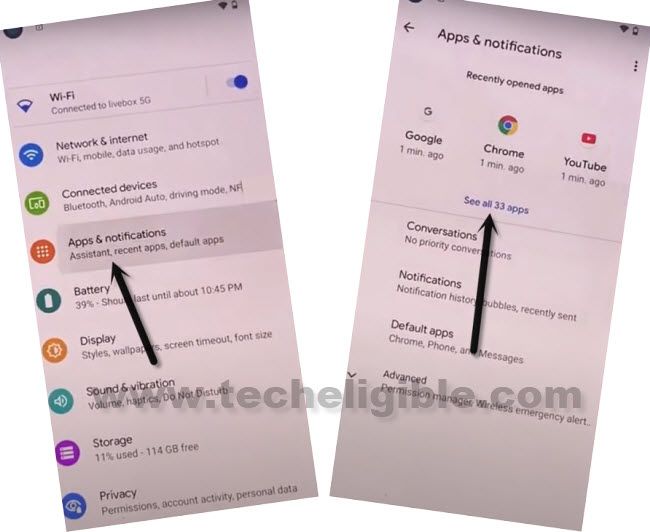
-Let’s enable back the google play service. Find and hit over > Google Play Services > Enable.
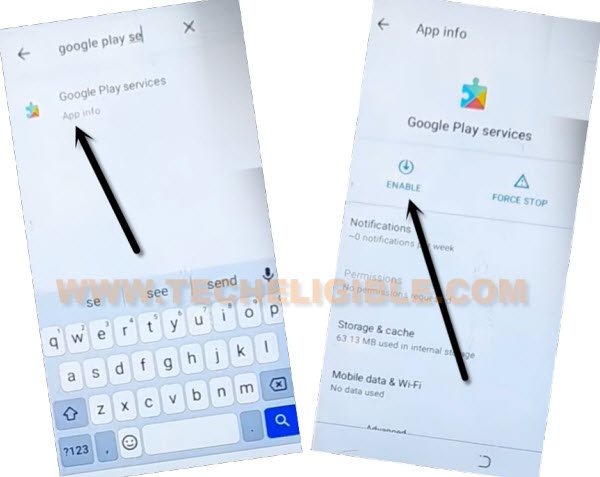
-After that, by hitting over “Back Arrow”‘ carefully, just get back on a (Just a sec or Checking for update) screen, wait there, this loading screen will complete shortly.
-The just a sec… loading screen will finish up shortly. Complete all remaining steps to access your device normally without facing any google verification screen. Because, you are all done from Bypass FRP LAVA Z3, Z3 Pro. Thanks for visiting us.