This method is for all Xiaomi HyperOS devices. We will use a (Second Space) feature from our device settings to successfully Bypass FRP All Xiaomi HyperOS Android 14. To access the device settings, you are required a PIN locked and without PIN locked SIM cards. After that, we can easily get back our device with new google account. Follow steps from below.
| Note: This method is only for Device Owner and for educational purpose only, if you are not owner of this device Realme Note 50, kindly do not follow this process. Return this device to its real owner. Allah (God) is seeing you. You won’t be able to enjoy other person property for long time. You will have to pay for this in some other conditions here in this world, and hereafter. |
Required Tool:
1: PIN locked SIM Card.
2: Without PIN locked SIM Card.
3: WiFi Connection.
Let’s Start to Bypass FRP All Xiaomi HyperOS Android 14:
Note: You have to arrange 2 sim card, 1st is with PIN locked, and 2nd is without PIN. That’s up to you, you can use 1 SIM card at the same time as well. For this, you will have to quickly remove PIN code after we need without PIN locked SIM card.
-Turn on your Xiaomi device & Connect WIFI first.
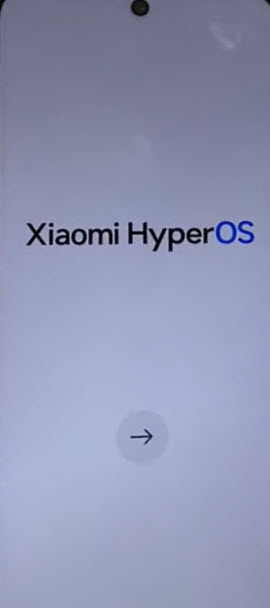
-After that, put your device back on first (Xiaomi HyperOS) screen.
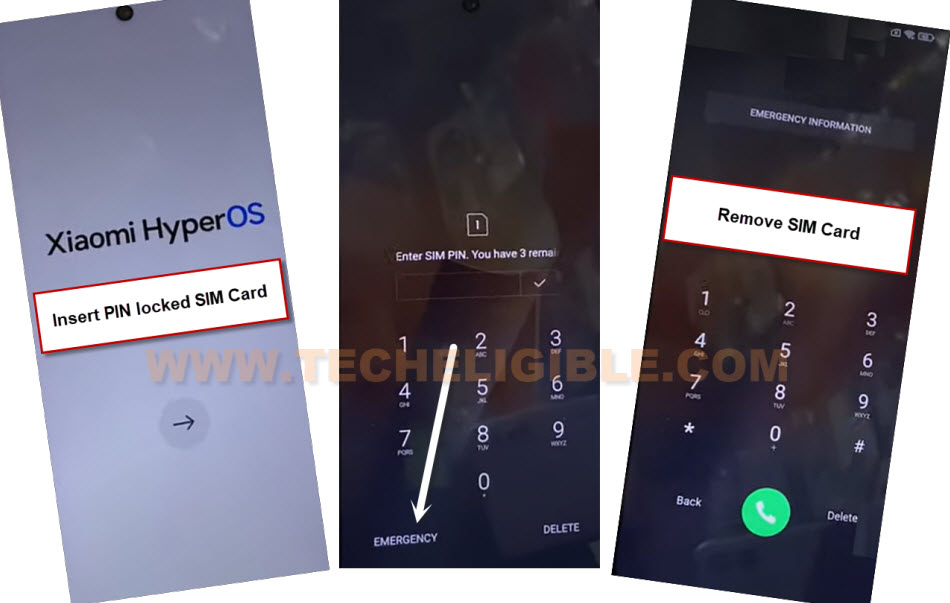
-Insert PIN locked SIM card from there. After that, you will have a (Enter SIM PIN) screen. You can learn here, how to setup 4 digits PIN on SIM card.
-Tap on “Emergency” option from bottom left corner.
-Remove PIN locked SIM card once you get into the (Emergency Calling) screen.
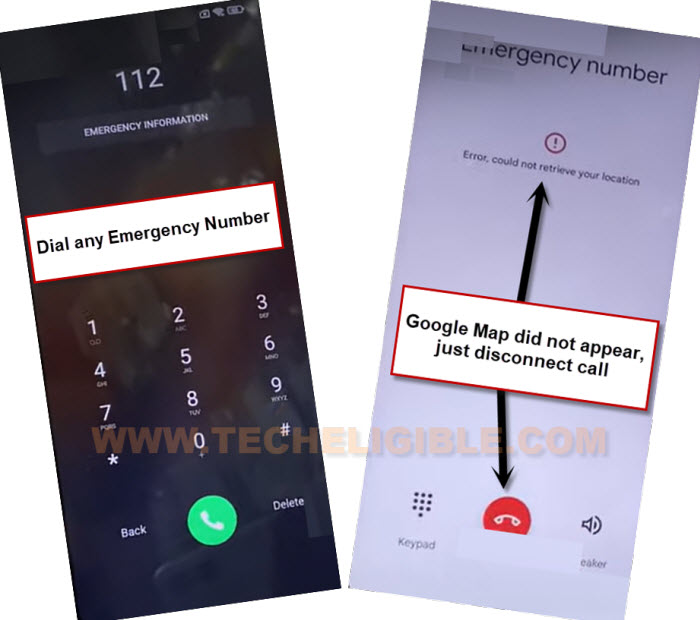
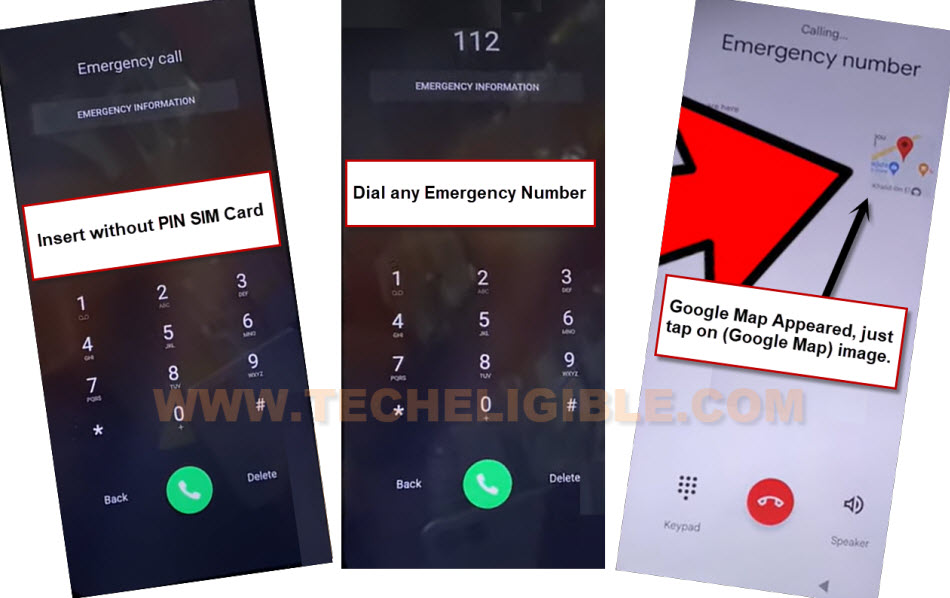
-After that, dial any emergency number.
-You will see an error on next screen, we have to get here a (Google Map). But, if you don’t see any google map over there, don’t worry, we will fix this problem now.
-Disconnect call, after that, you will get back on (Emergency Calling) screen again.
-Insert without PIN locked code SIM card. There should not be any PIN lock setup on your SIM card.
-After inserting SIM card, dial again any emergency number.
-After that, you will be able to have (Google Map) on screen. Let’s tap on “Google Map” to Bypass FRP All Xiaomi HyperOS.
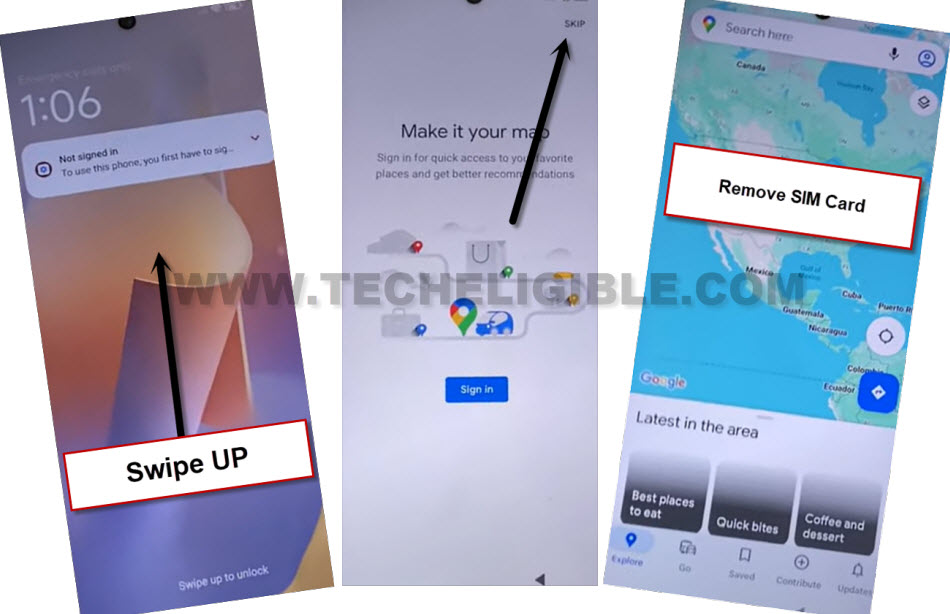
-Swipe up the screen to unlock, after that, tap to “Skip” from top corner.
-After reaching inside google map, just remove SIM card.
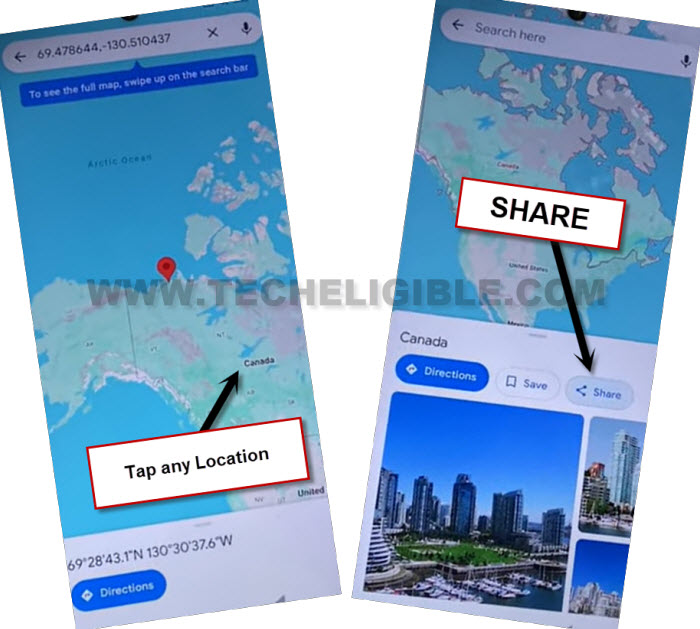
-Tap at any location from there. After opening the location, you will have a (Share) option.
-Just tap on “Share”.
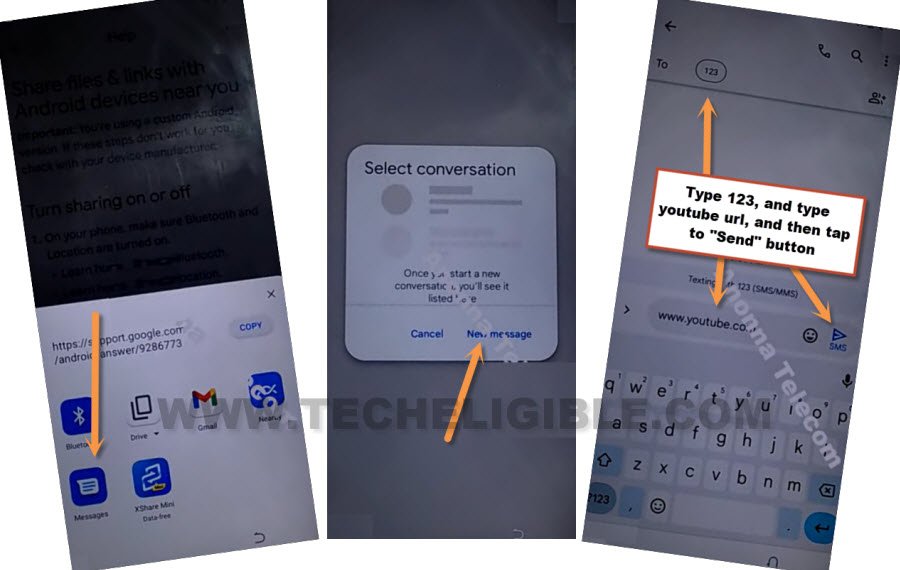
-From popup window, tap over > Message > New Message.
-Send “WWW.YOUTUBE.COM” url as text message to any random number.
-After that, the url will convert to a hyperlink, just tap over “Tap to load preview”.
-Now hit on “Youtube” same as shown in below image.
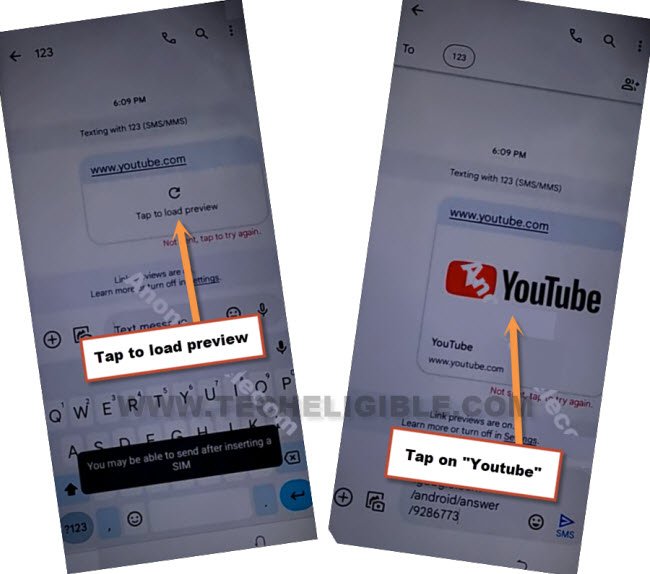
-Tap on “Profile icon” from top corner, and go to > Settings > About > Yotube Terms of services.

-From chrome window, tap to > Accept & Continue > Next > No Thanks.
Go to Device Settings to Turn on Second Space Feature:
-Let’s reach to frp tools page by searching in browser with “Techeligible“. After that, tap to 1st searched result to access techeligible site.
-From there, hit on a > Menu icon > Download FRP Tools.

-From our FRP Tools page, just hit on “Access Device Settings” to get into your Xiaomi settings directly to Bypass FRP All Xiaomi HyperOS.
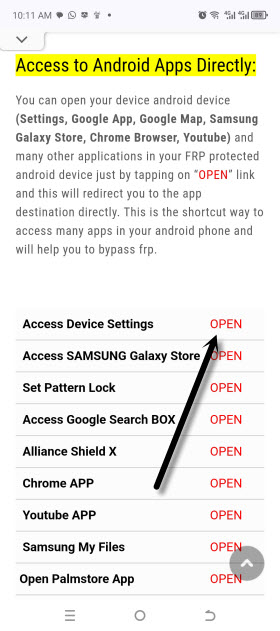
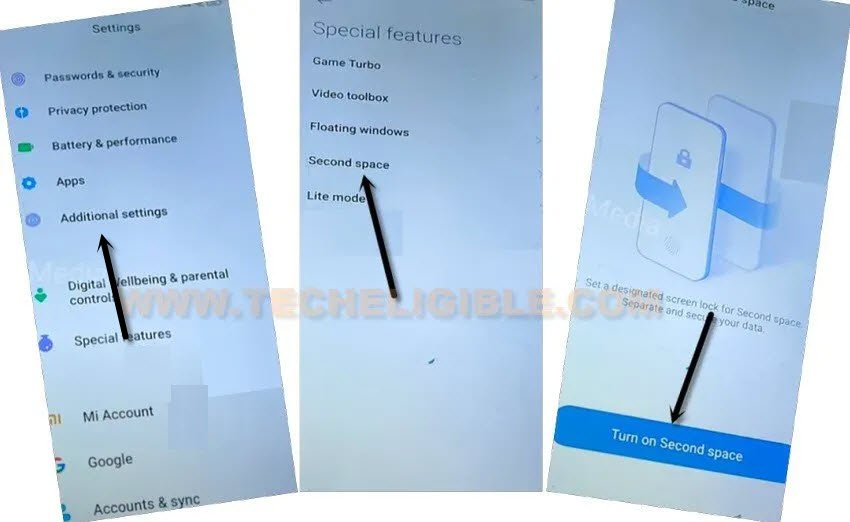
-Congrats, we’ve successfully reached to our device main settings page. Go to > Additional Settings > Second Space > Turn on Second Space.
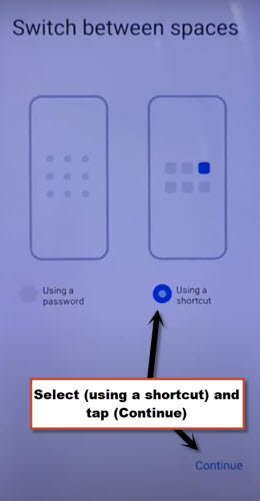
-Select “Using a shortcut” option.
-Go to > Continue > Skip.
-Within few seconds, the new second space will be created, and, we will be inside our device main home-screen without verifying forgotten google account.
-You can now easily setup new google account, just open “Google Play Store”. You will be asked to “Sign in” first, just tap to “Sign in” option from there.
-Setup your new google account. Thanks for visiting us.