
No doubt, Factory Reset Protection is one of the best security feature, that secure your Samsung Galaxy A05 data from unauthorized access. This feature work perfectly on a stolen phone. What to do, when a device owner forgot his/her signed in google account from Galaxy A05? In this case, this frp bypass guide can assist the device owner to follow steps here to Bypass FRP Samsung Galaxy A05.
What is FRP Protection & How to Bypass it?
When someone try to access your device information and multimedia just by factory reset from android recovery mode screen. In this case, FRP play an important role to protect and secure device. The purpose of FRP is to make security strong like stone to break. Whoever factory reset Samsung A05 device, they surely need to sign in again with same logged in google account to prove device ownership.
2 Bypass FRP Methods Available on Samsung A05 Phone:
Fix your device FRP problem with this simple method. If you’ve forgotten google account and looking for a working method to somehow access back to your device main home-screen and setup new google account.
2 FRP Bypass Tools have been used in this post on Samsung A05 device. 1st is Prime Tool X and 2nd one is VG Tool both are the best frp tools to assist Samsung device owner reaching back to their A05 Phone even after forgetting signed in google account. You can apply both methods one by one, if you fail with first method.
| Method 1: Remove FRP Galaxy A05 By Prime ToolX |
| Method 2: Remove FRP Galaxy A05 By VG Tool] |
Method 1: Bypass FRP Samsung Galaxy A05 [By Prime ToolX]
First, you must download Prime ToolX to your computer using the link provided below. once the download is finished. Just download and install this free tool on your computer. Next, we will use this tool to install some USB drivers. This has previously been covered in the step-by-step instructions below. You can initiate the FRP Bypass Process by connecting your Galaxy A06 to a PC once the drivers have been installed.
-Firstly, download below tool in your PC.
| ⇒ Prime ToolX V3.4 [DOWNLOAD] Password: MobileTeam |
-After that, extract your downloaded tool from winrar archive using already given password above.
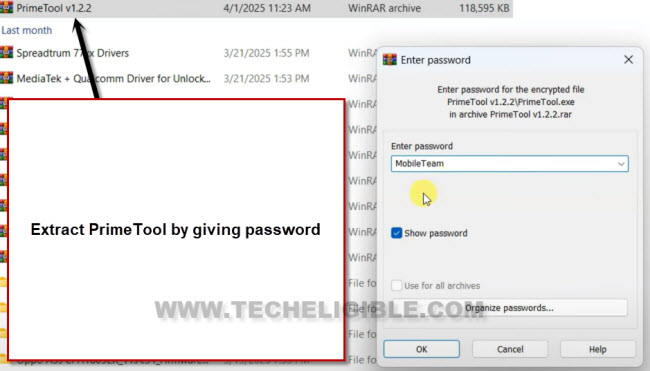
-After extracting the tool successfully, just go to your extracted tool folder and double click on “Prime ToolX” to run.
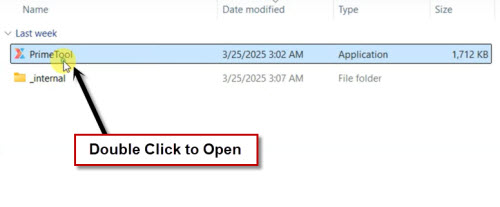
-We have to install some drivers in our PC. So that, we may not face any difficulty while connecting Galaxy A05 with PC.
-Just go to “Drivers” option from top bar.

-After that, install both drivers from there one by one in your PC.

-After that installation process is completed. You have to go back to main screen of Prime ToolX. After that, choose your mode “Galaxy A05” and click on a button “Erase FRP”.

Connect Samsung A12 to PC for FRP Bypass:
-Its time to connect our Galaxy device with PC.
-First of all, turn off your Samsung Galaxy A05 device.
-Connect your device with PC using any Data cable.

-After few seconds later, your device will be detected by the tool successfully. After that, you will see there are some written text start appearing up. That means, you are all done from bypass google account on Samsung.
| Note: If you don’t see anything there. That means, frp process is not done because of not detecting by the tool. Reconnect your Samsung Galaxy A05 device. Do this 2-3 times. After that, your device will be detected. |

Finish Up Setup Wizard Steps:
-Disconnect and Turn on Samsung Galaxy A05.
-Tap on > Start > Agree > Set up manually.

-Once you reach on a (WiFi screen). From there, hit on > Turn off WiFi > Next.
-From popup screen, just hit on a “Skip” option.
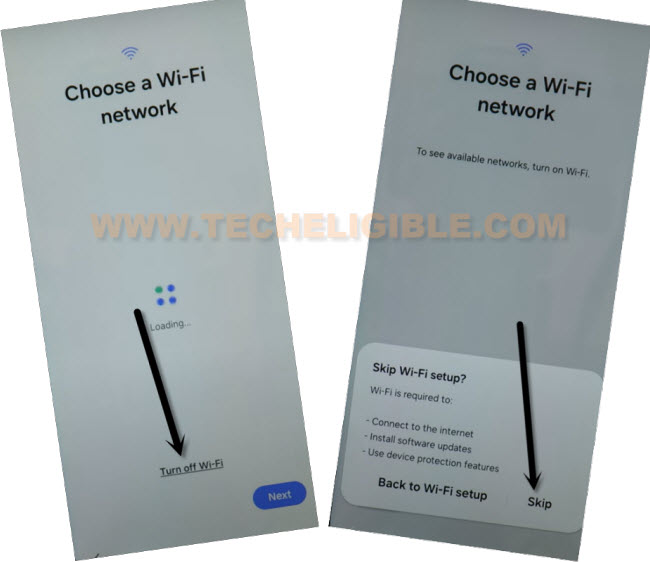
-Tap to > Don’t Copy > More > More > Accept.
-Tap to > Skip> Skip.
-You will be taken to the pattern lock setup page. Just, tap on a > Skip > Skip Anyway > Agree > Next > Next.
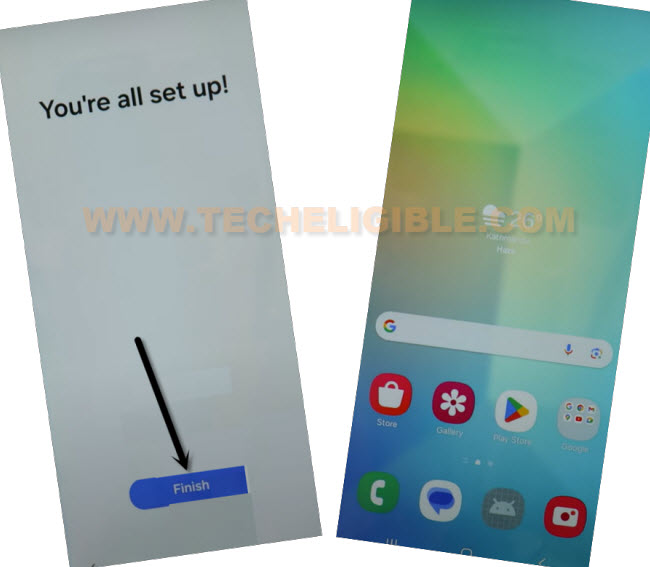
-You will access to (You’re all setup) page. From there, hit on “Finish”.
-From next page, just hit on > Skip > Yes.
Method 2: Bypass FRP Samsung Galaxy A05 [By VG Tool]
We have best free software (VG Tool), through this tool, you can easily Bypass FRP without using any paid services. We will describe all steps, how to download and use this free VG tool on your Samsung phone for frp bypass.
-First of all, go to below link to download & run (VG Tool) in your PC.
| ⇒ Download & Install VG 3.6 Tool with Key [DOWNLOAD] |
Note: Deactivate your @ntivirus software while using (VG Tool).
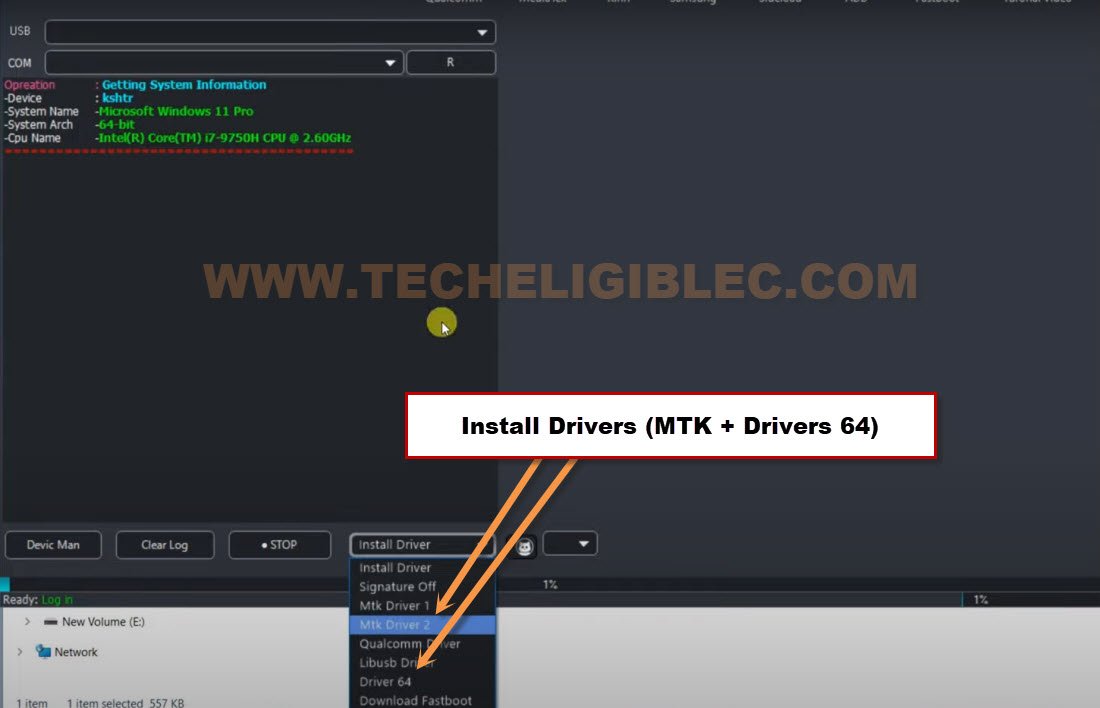
-After running (VG Tool), lets install some proper drivers in our PC through this tool. Install “Driver 64 & MTK” same as shown in below image.
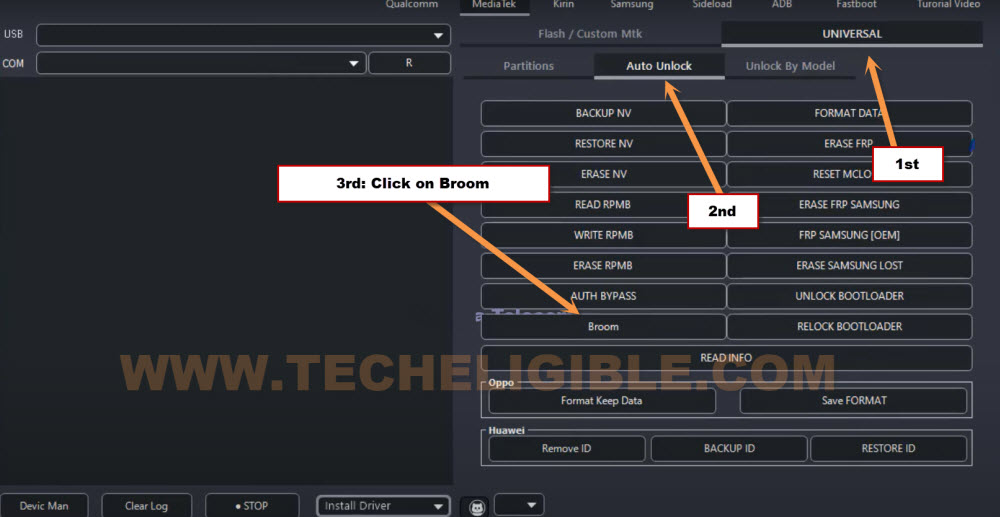
-From your VG tool screen, tap over > MediaTek > Universal > Auto Unlock.
-Tap on a “Broom” button from VG tool interface.
Put Samsung A05 into Recovery Mode to Start FRP Bypass Process:
-Switch on your Samsung phone, after that, connect your device with PC using proper USB cable.
-Long Press and keep holding (Volume up + Down + Power) keys until the device screen is off.
-Once device is switched off and screen goes black, release only “Power key”. And keep holding (Volume up + Down).
-After you enter inside (Warning) screen, release all keys. Its all done.
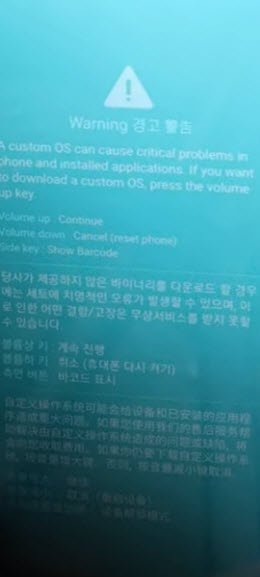
-From there, press once (Volume Down) keys. The device will be on a (Download Mode) screen.
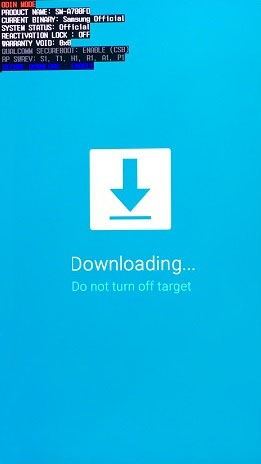
-Reconnect USB Cable.
-Long hold again all (Volume up + Down + Power) keys until the device screen is off.
-Release only “Power” key once the screen is off & black, while keep holding other (Volume up + Down) keys.
-Release all keys once the device is detected by (VG Tool).
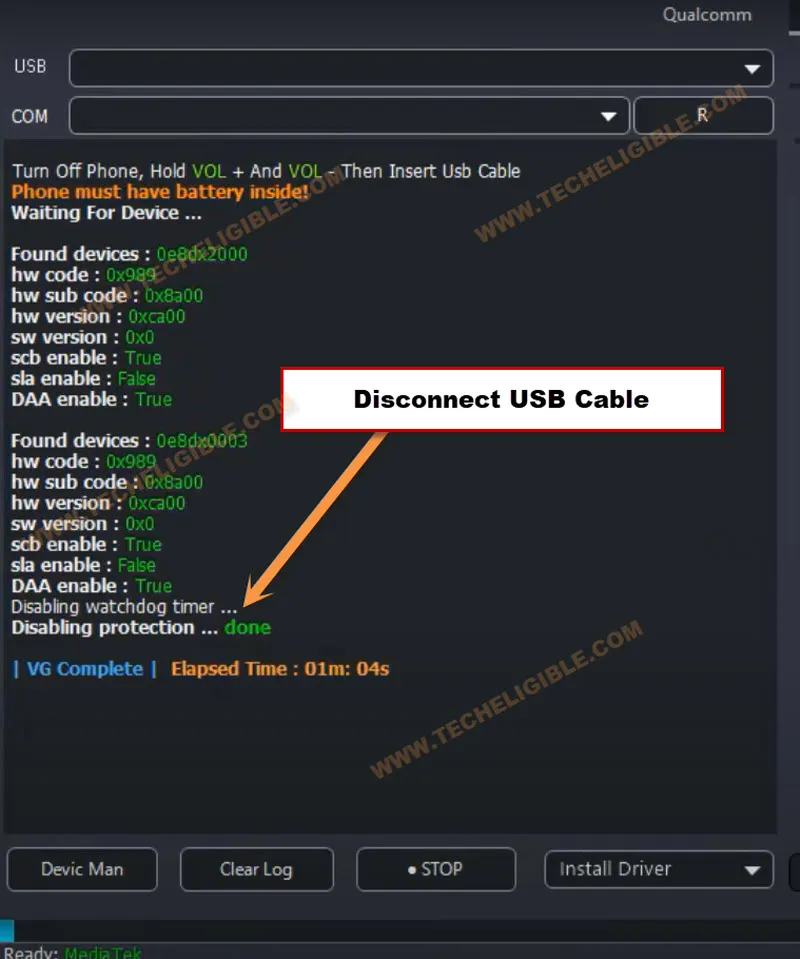
-After seeing (Disabling Protection….. Done), just disconnect device from PC.
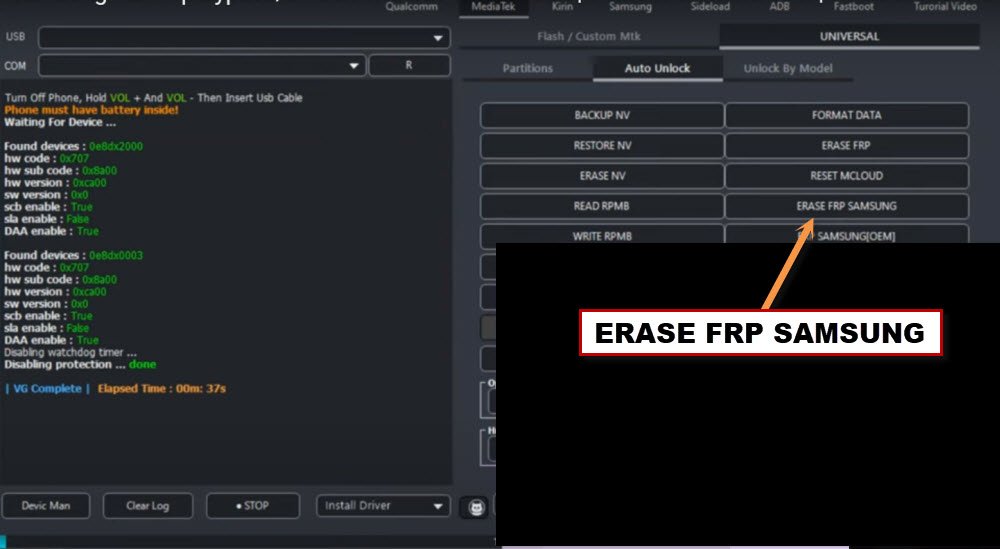
-Tap to “Erase Samsung FRP” button from VG software interface.
Reconnect Samsung A05 to PC:
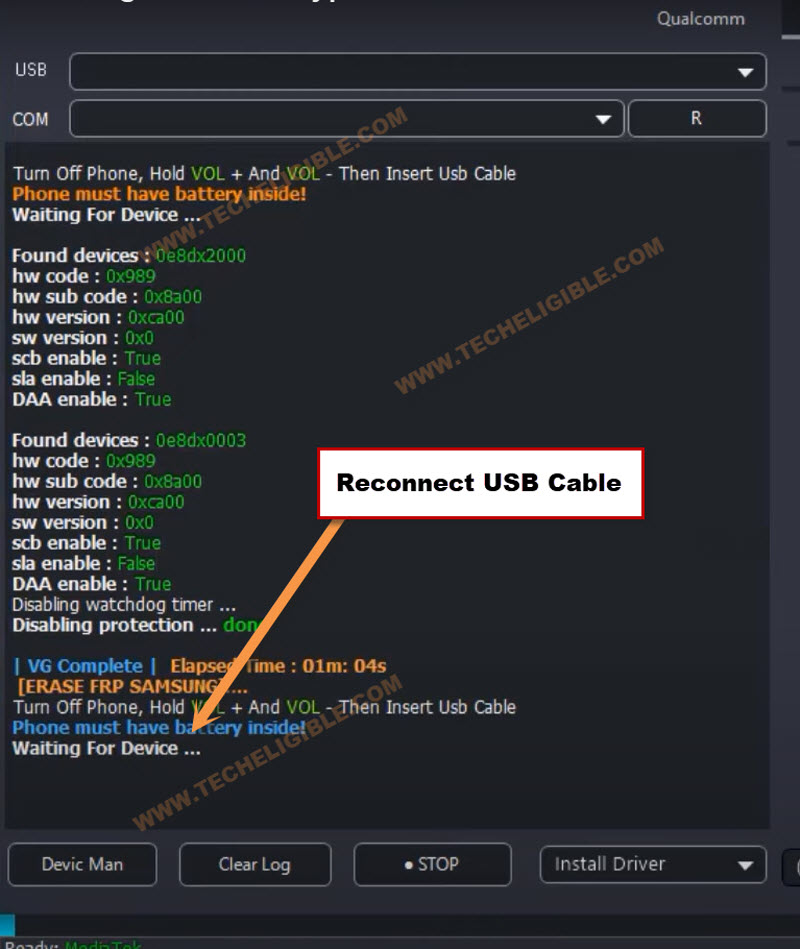
-Reconnect your phone with PC using USB Cable.
Note: If the device is not detected by VG Tool, re-connect USB cable.
-Within few seconds, your device will be detected, and VG tool will start (FRP bypass) process automatically on Samsung A05.
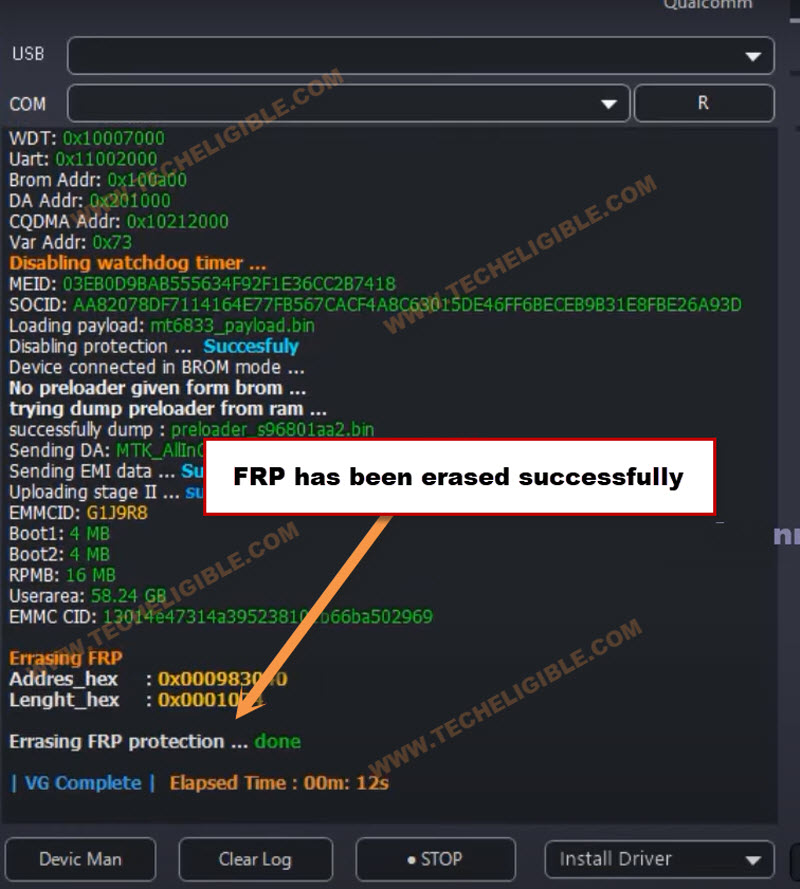
-Once the FRP is bypassed complete, you will get a message on VG tool interface, that is (Erasing FRP protection…. done).
-Congrats, you are all done from Bypass FRP Samsung Galaxy A05 wit the help of free VG tool.
-You can setup new google account on this phone, and new security lock. Your old forgotten google account has been removed from this phone completely.
FAQs on Samsung A05 FRP Bypass:
Are FRP Bypass Tools Free & Safe to Apply on Samsung A05
Yes. Both Prime Tool X & VG Tools are free and secure PC Tools help you to bypass frp on Samsung A05 after forgetting google Account
Can i remove FRP by Hard Reset Samsung A05
No, Hard reset can only delete your device data and bugs. But, FRP needs some extra steps to be bypassed.
Is this FRP Bypass Method only for Device Owner
It is legal only for device owner and should only be followed by device owner or with his permission to apply FRP Bypass steps on Samsung A05
Read More: