You can resolve your device FRP protection issue after hard reset and forgetting Gmail account. If you wanna get back your Tecno phone with your new updated Google account, you will have to follow up steps from this post to Bypass FRP Account Tecno POP 9 5G. We will not use any paid services and PC to fix google verification stuck page issue.
Remember: Do not try this frp method on a stolen phone, this is a serious crime, if you are trying to bypass frp on a stolen phone, you may also be jailed, this process is for device owner and for educational purpose only.
Let’s Start to Bypass FRP Account Tecno POP 9 5G:
-Switch on your device and connect WiFi first. After that, go back on first (Select Language) page. From there, tap to > Next > Skip.
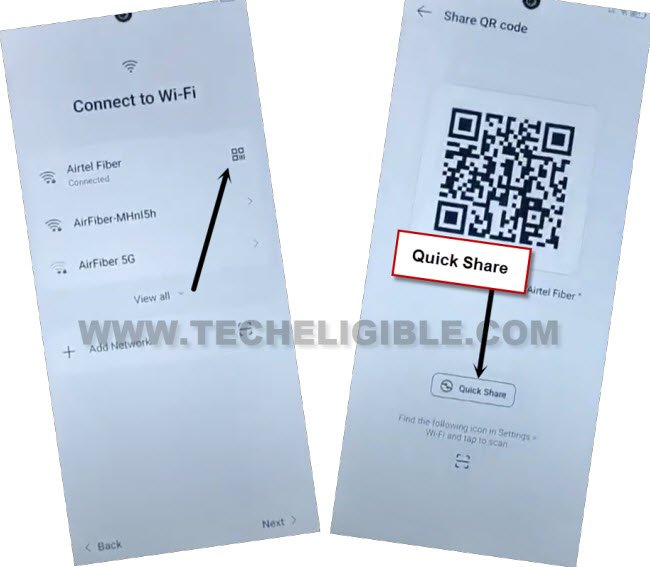
-After that, you will be on a (Connect to WiFi) page. From there, go to (QR Code) icon same as displayed in below image.
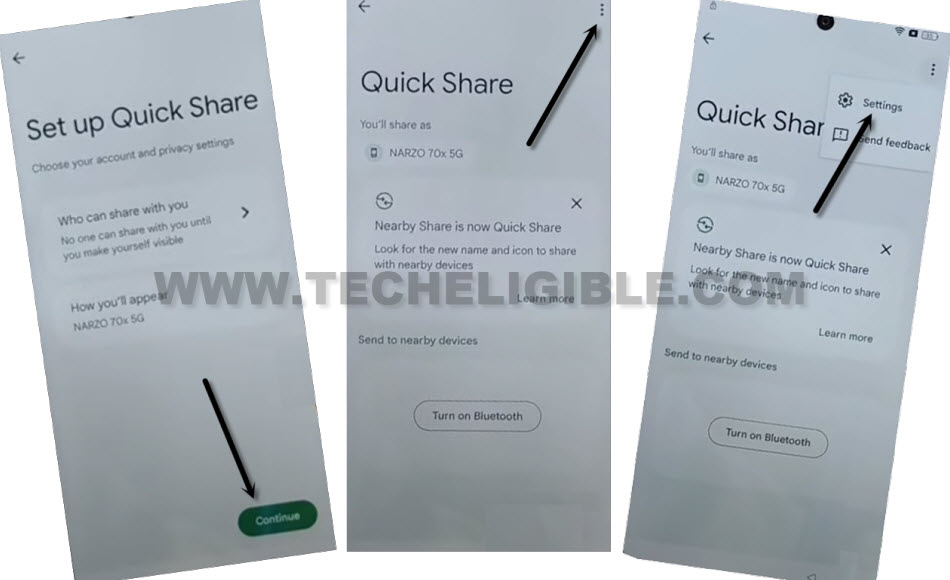
-Go to > Quick Share > Continue.
-Let’s bring up settings option by tapping on “3 dots” icon from top corner. After that, tap to “Settings”.
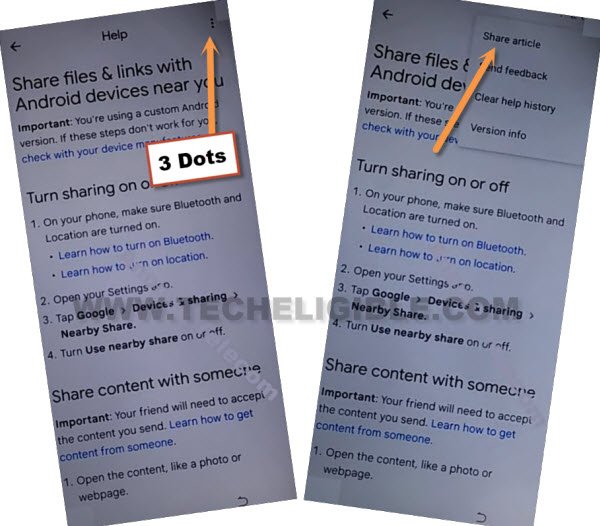
-Go to link “Learn about Quick share”.
-Let’s bring up some sharing apps by hitting on > 3 dots > Share Article.
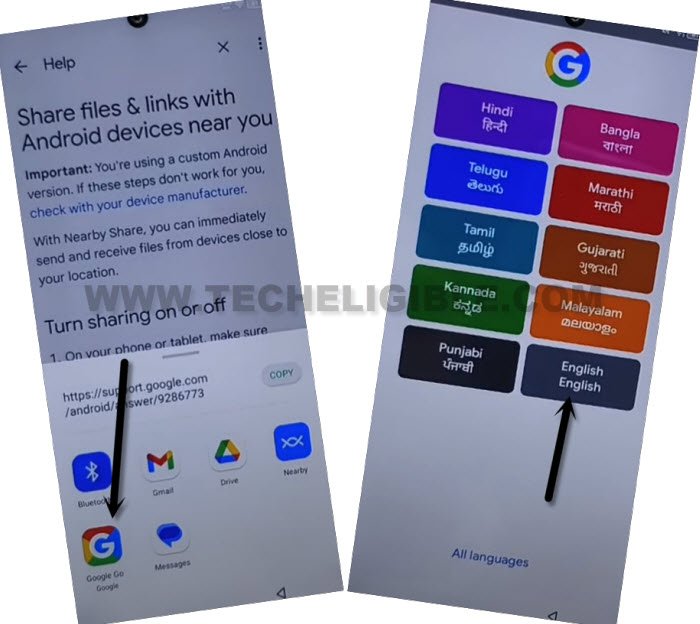
-From sharing box popup window, just hit on “Google Go google” icon. After that, go to “Use without google account”.
-Go to > Next > English > Done.
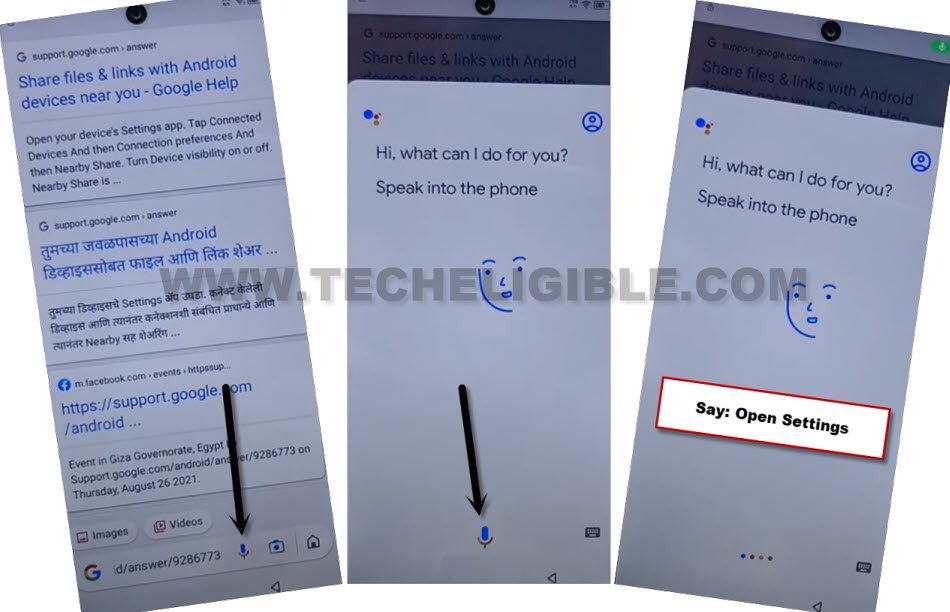
-Access to device main settings page directly just tapping on > Mic icon > Mic icon.
-Say loudly “Open Settings”.
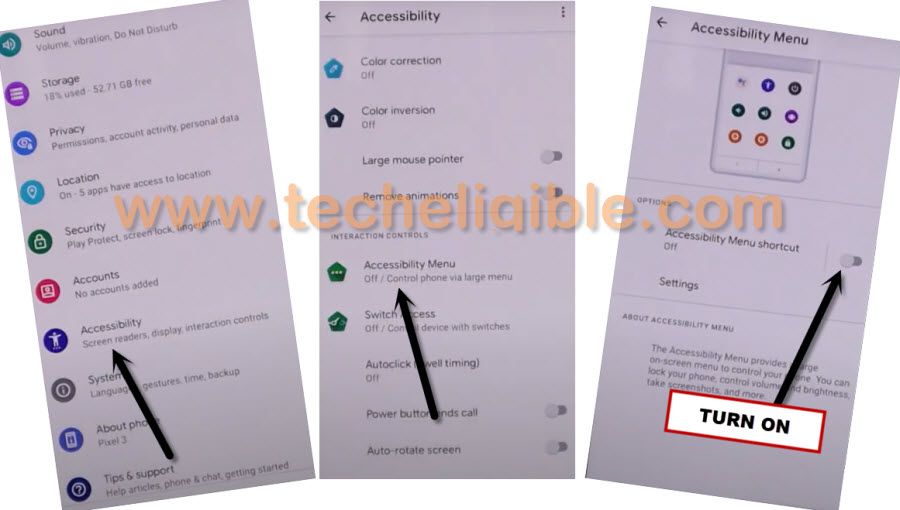
Enable Accessibility Shortcut:
-From device settings page, just go down and tap over > Special Function > Accessibility > Accessibility MENU.
-Turn on “Accessibility Menu Shortcut” option to enable this functionality. After that, tap to > Allow > Got it.
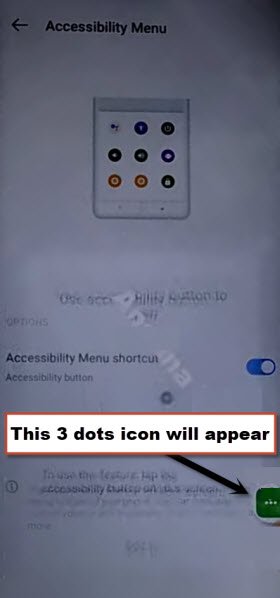
-You will have 3 dots icon at the right corner of your device screen. That means, accessibility menu shortcut has been enabled successfully.
Disable Google Play Services App:
-We have to disable google app to successfully to Bypass FRP Account Tecno POP 9 5G.
-By tapping on back arrow icon from bottom, just get back to main “Settings” page. From there, tap to > App Management > App list.
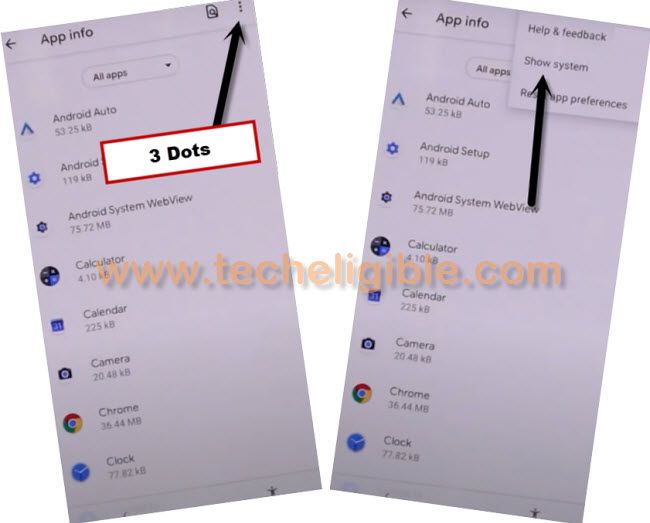
-You have to get displayed all hidden applications in app list page by going to “3 dots” icon from top corner. After that, tap to “Show System”.
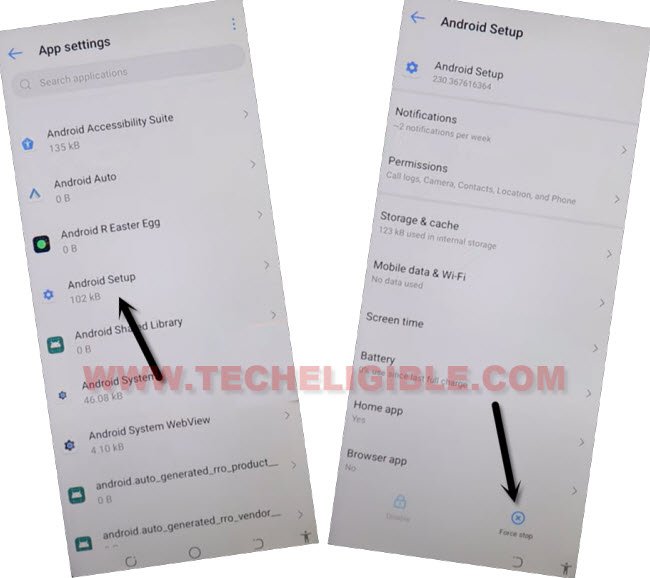
-Find and tap to > Android Setup > Force Stop > OK.
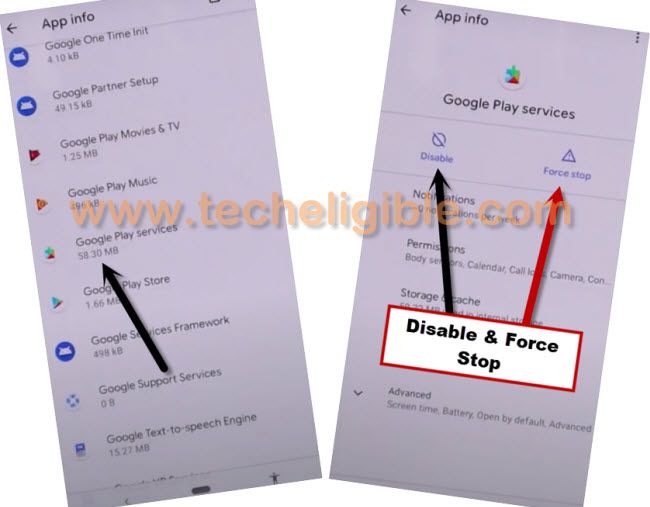
-Go back to APP List, and tap on > Google Play Services > Disable > Disable App, and also tap on “FORCE STOP”.
Go back to main Startup Page:
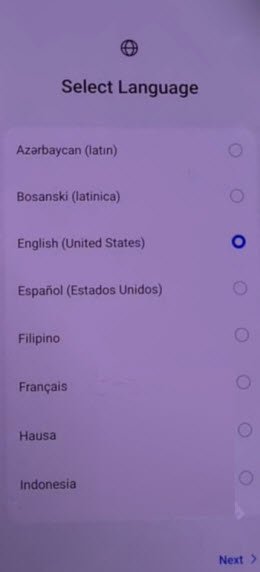
-After that, by hitting on back arrow multiple times, just get back on first start up screen (Select Language).
-Tap over > Next > Skip.
-From (Connect to WiFi) screen, tap to > Next > Next > Don’t Copy.
-After that, the device screen will stuck on (Checking for update…). This is required to enable back google app.
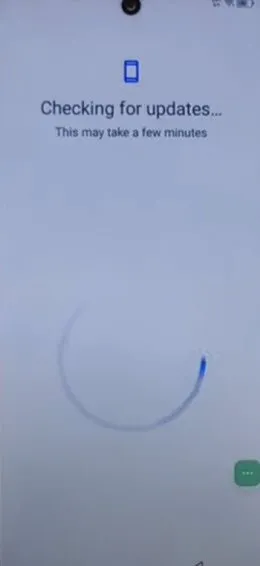
Enable Google Play Services App:
-This is the most tricky part of this method. You will have to enable back google play services with several attempts. This is a time consuming steps.
-Tap to “3 dots” icon. After that, tap on “Assistant” option.
| Note: If you see again (Checking for update..) screen, that means, you are failed, repeat steps, tap again on > 3 dots > Assistant. Keep repeating this process and do this too quickly till you see (Check your internet connection) popup screen. You may have to try these steps for 20-30 times till 3-4 minutes. |

-After multiple tries in hitting on > 3 dots > Assistant, you will be able to get (Check your internet connection) popup screen same as shown below. From there, tap to “Human” icon and go to “Help” option.
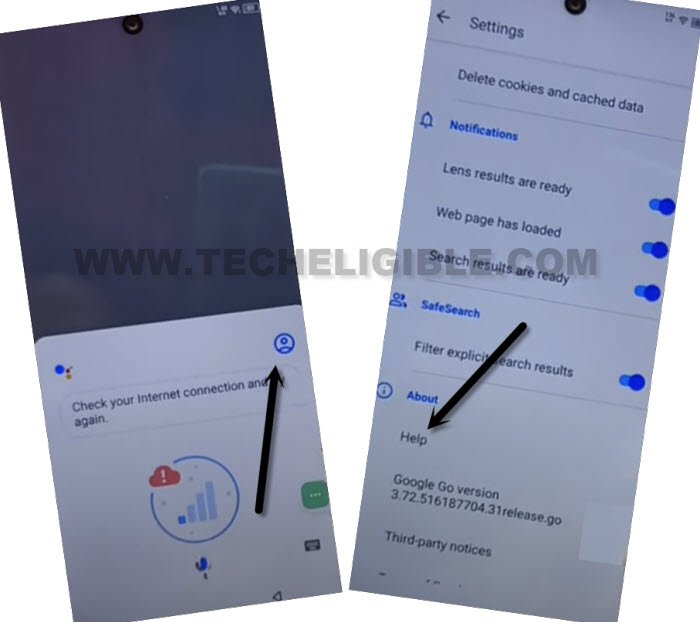
-Hit on a “Home” icon from bottom corner of the chrome browser. After that, tap to “Turn on” option from popup window.
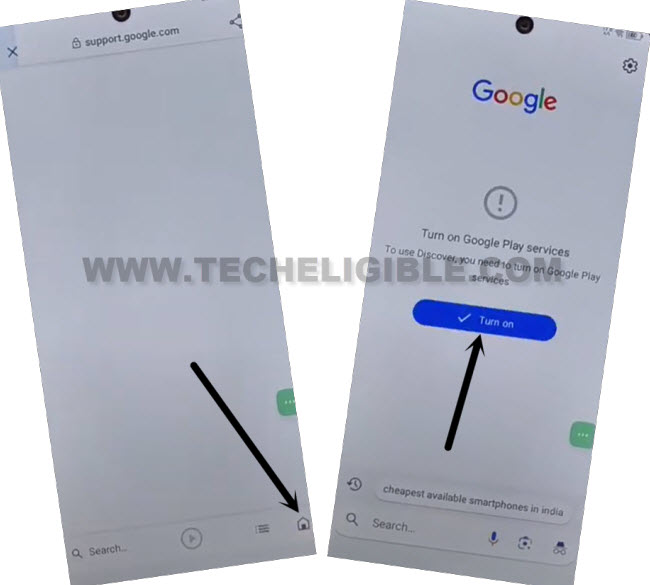
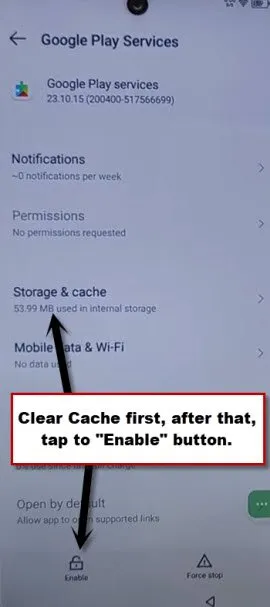
-You will be taken to google play services page, from there, tap to > Storage Cache > Clear Cache.
-Hit on “Back Arrow” icon from top left corner.
-After that, tap to “Enable” button enable google play services app. You are all done from Bypass FRP Account Tecno POP 9 5G.
-Get back to (Checking for update) screen by hitting back arrow few times. Let’s this screen to be finished automatically. After that, you will be able to complete all remaining setup wizard steps on your own.