You can get back your, if you’ve forgotten your device signed in account after hard reset your Fujitsu device. We will show you easily steps here about how you can easily sign in again with your another updated google account to Bypass FRP Fujitsu Arrows 5G (F-51A) without using any PC and paid tool. Follow steps from below.
Disclaimer: We are creating this post to educate people about how to get back their lost device due to forgetting Google account. This method is only for device owner and for educational purpose only.
Let’s Start to Bypass FRP Fujitsu Arrows 5G:
-Firstly, turn on device & Connect WiFi.
-From same screen (Connect to WiFi), just go to “Add new network” option same as shown below.

-Let’s long hold at “Space” button from device keyboard to get (Language Settings) popup window. From there, tap to “Language Settings” option.
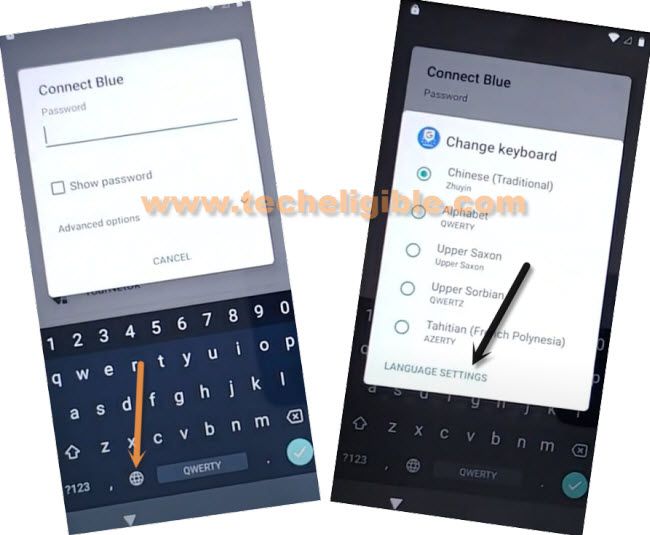
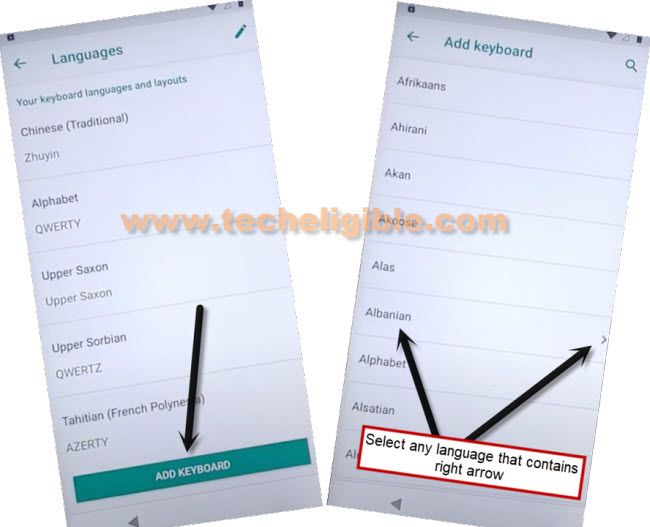
-Go to “Add keyboard”. You will be taken to the keyboard language list page.
-Scroll down little bit, and tap to a “Albanian” language. Do make sure, this language has an arrow symbol too.
| Note: If your “Albanian” language does not contain any (Arrow symbol), then, you can choose any language that has an arrow icon aside. |
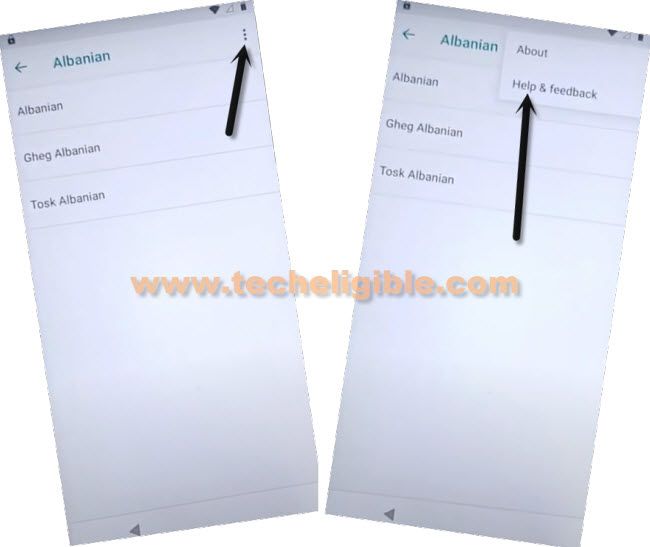
-Tap on a “3 dots” kebab menu icon from top corner and tap to “Help & Feedback” option.
-After that, you will be redirected into the article page. From there, tap to first article “Control your android device with switch access”.

-After accessing to the help screen, from there, hit on “Share” icon from top right corner.

-You will see a popup window containing some sharing applications.
-Long tap on “Gmail” from that popup window and tap to “App info”.
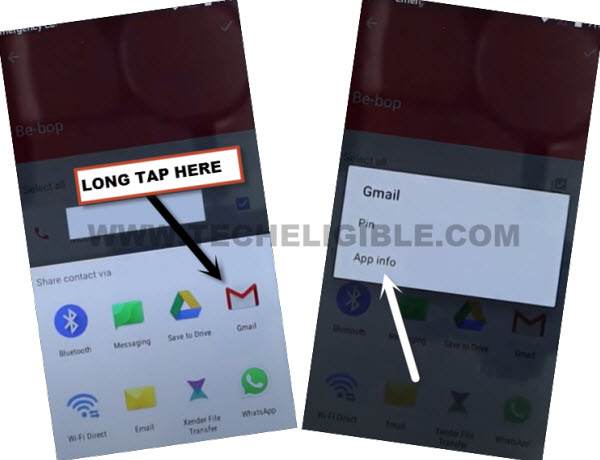
-Go to “Permission” and hit on a “Search” icon from top corner.

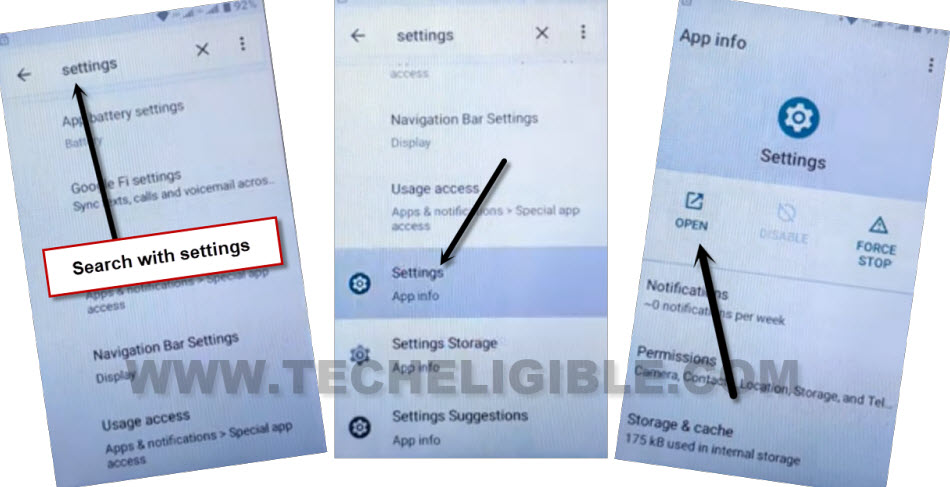
-Let’s search here “Settings”. After having settings searched result, just scroll down and tap to “Settings app info” option.
-Tap to “Open”.
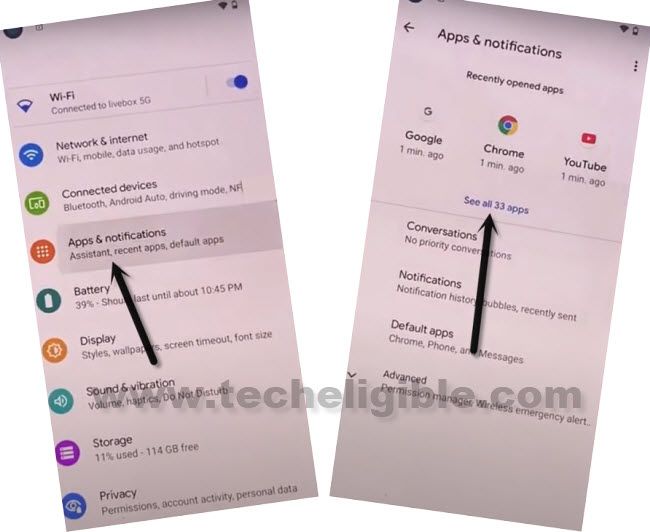
-From settings page, just go to > Apps & Notifications > See all apps.
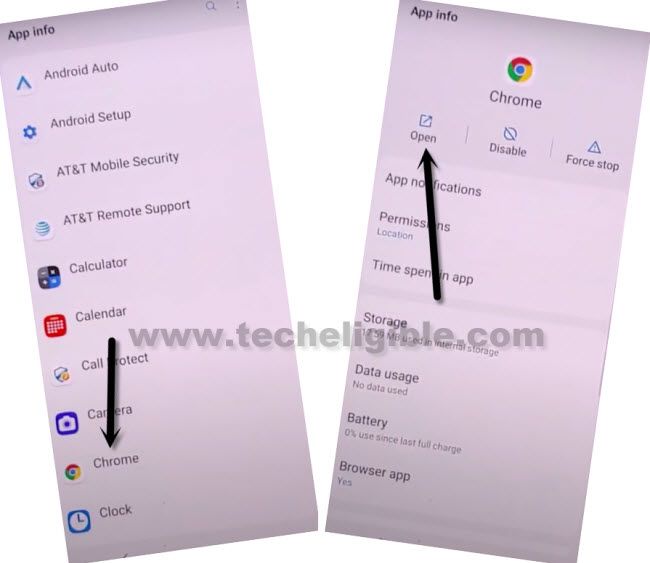
-Scroll down, find and tap to “Chrome” icon. After that, tap to “Open” option. This will launch google chrome browser.
-Tap on > Accepts & Continue > No Thanks.
Download FRP Tools:
-Search in browser with “Techeligible“. After that, go to same site as shown in below image.
-Let’s bring up sidebar menu by tapping on “Menu” icon from top corner and tap on “Download FRP Tools” option to access official frp tools page.

-Firstly, download from there “Account Login” application.
-After that, download another app “Google Account 7“.
-Tap to “Details” from your downloading app status from bottom bar. This will take you inside download folder, where, you will be able to see both downloaded apps.

-Let’s install apps one by one. Tap to “Google Account Manager 7”. But, before the installation process starts, you will be shown a (Installation Blocked) popup screen. From there, tap to “Settings” and turn on “Allow from this sources”.
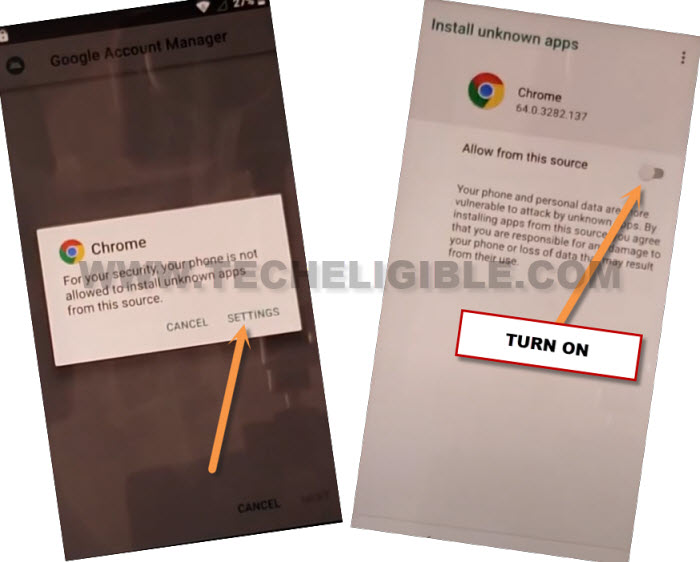
-Go back, and from popup screen, tap to > Install > Done.
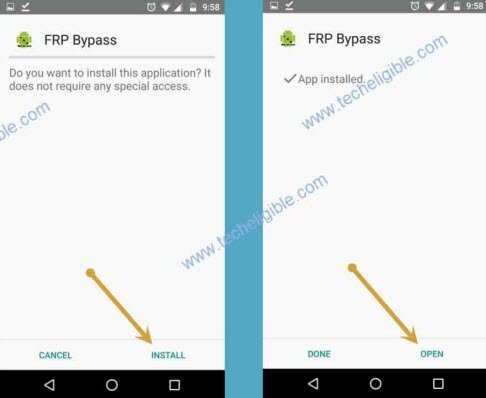
-Install 2nd app to Bypass FRP Fujitsu Arrows 5G. Tap on > Account Login > Install > Open.
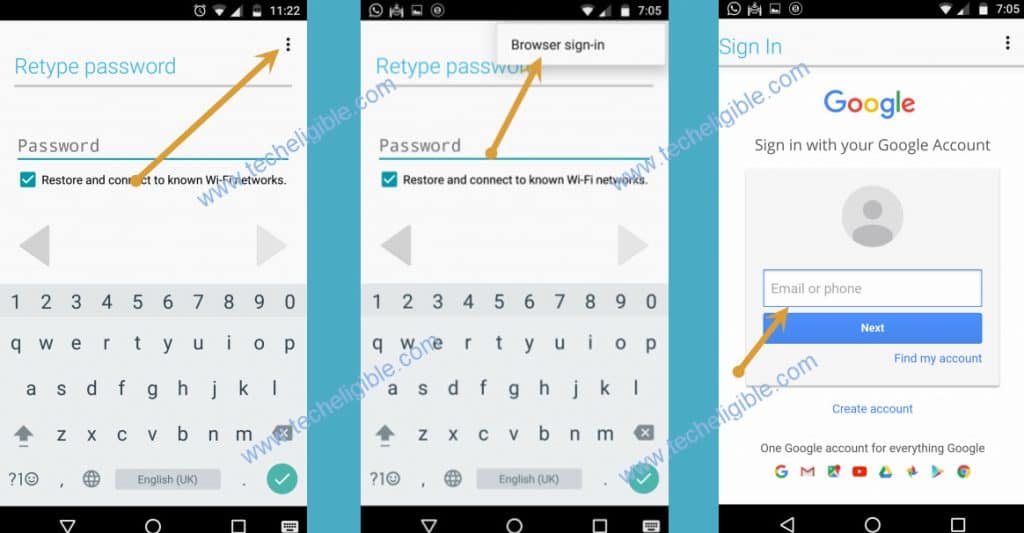
-From sign in screen, hit on a “3 dots” icon from top corner and tap to “Browser Sign-in” option. After that, you will be redirected to the google sign in page. Where, you can setup new google account.
-Let’s sign in with your new account there.
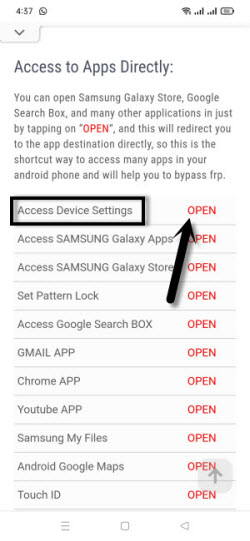
-Go back to techeligible frp tools page. From there, tap to “Access Device Settings” option.
-After that, from your fujitsu device settings page, just go to > Apps & Notifications > See all apps.
-Find and tap on your recently installed “Google Account Manager” app. After that, uninstall this app by hitting on a “Uninstall” option from there.
-Go back to (Connect to WiFi) screen. From there, tap again on your connected WiFi name.
-After that, you will be shown (Checking for update…) screen. This loading status will complete with few seconds.

-You will reach on a (Copy Apps & Data) screen. From there, hit on “Don’t Copy” option. You will be taken to the (Account Added) page. That means, this device has accepted our another remembered google account.
-Other remaining steps can be completed easily without any further assistance. Its all done from bypassing frp account with no cost.