
Have you lost your device after hard reset and unable to complete google verification process. That is so clear, that your device is on a FRP protection, and this FRP is required previously setup google account. If you don’t remember your google account of this device, then, you can get help with this post to get fixed your device accessing issue just by Bypass Google Account Nothing Phone 1 Android 13. Follow steps from here.
Disclaimer: We highly recommend you to apply this method only on your own device. If you are not owner of this device, or you found this from some where, you must return to its real owner.
Let’s Start to Bypass Google Account Nothing Phone 1:
-Start this method by switching on your nothing phone device and connect WiFi first.
-Return to first (Hello) startup screen. From there, tap on “Next” arrow icon.
-From (Connect to Mobile network) page, just hit on “Skip” option.

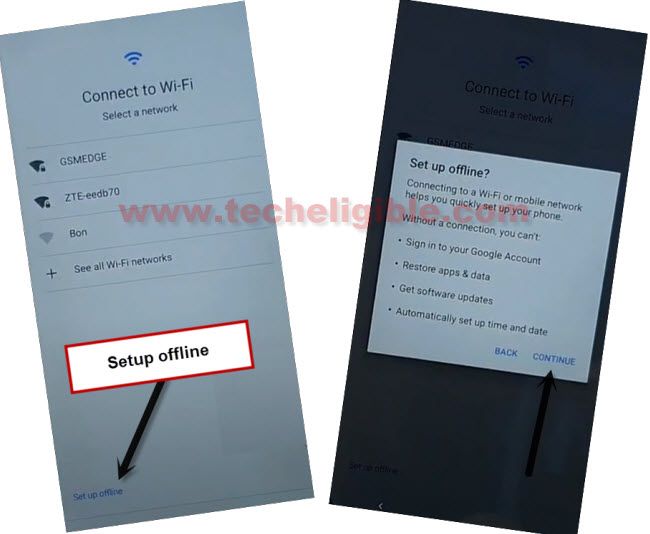
-After that, you will reach back to (Connect to WiFi) page. From there, go to > Setup offline > Continue.
-Tap on > More > More > Accept.
-From (Terms & condition) screen, tap to “Privacy Policy” link.
-Long hold at any text from there and tap to “Share” option.

-Let’s open with “Message” app. After that, tap on “New Message” from popup window.
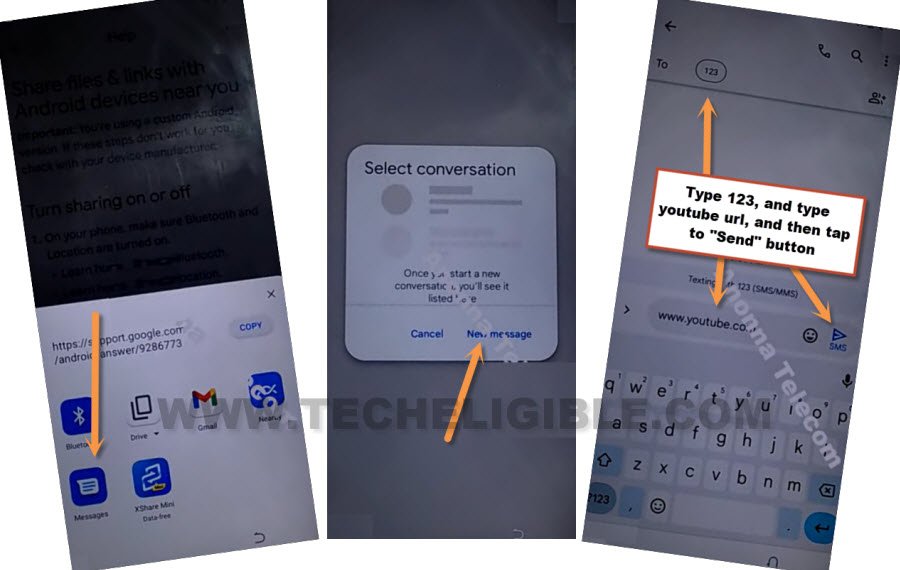
-Give any random number in (To) field tab. Send “www.youtube.com” url as text message to that random number.
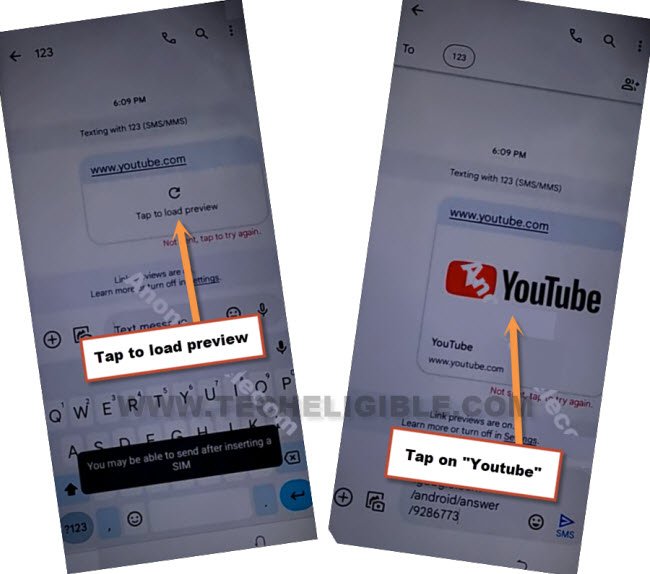
-Tap on “Tap to load preview” from that youtube url. After that, this will convert to youtube thumbnail. Just tap to “Youtube” image from there.
-Within few seconds, you will be in youtube website. From there, go to “Account” icon from top corner and tap to “Settings” option.

-Go to > History & Privacy > Youtube terms of services >
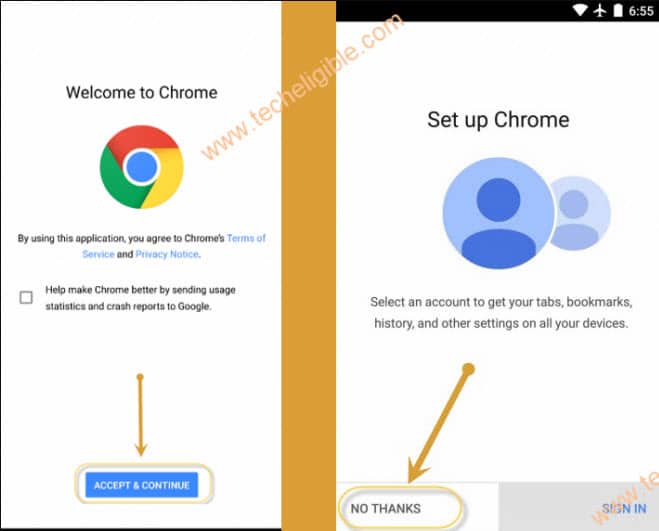
-You will be shown google chrome browser page. We have to access to this browser by tapping first > Accept & Continue > No Thanks.
Setup new PIN to Bypass FRP Nothing Phone:
-Access to techeligible website. After that, go to official frp tools page from there by hitting on “Menu icon” from top corner.
-Tap to “Download FRP Tools” text from sidebar menu.

-From the frp tools screen, just scroll down and tap to “Set Pattern Lock” option. This will take you to the new pattern lock setup screen.

-Choose “Pattern” option from there.
-Afterwards, give any pattern on screen and go to “Next”.
-Give again same pattern and tap to “Confirm”.
Note: If you reach back to (Protect your phone) screen. That means, the pattern lock is not accepted yet. Keep trying to setup pattern lock again and again until you see (Keep your device unlocked while its on you) page.
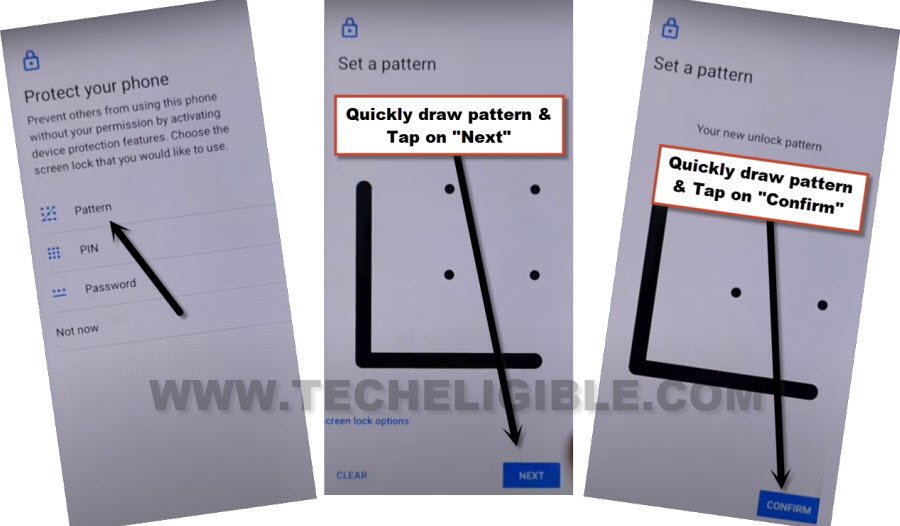
-Repeat steps too quickly to setup new pattern again. Keep repeating until you reach to the screen of (Keep your device unlocked while its on you)
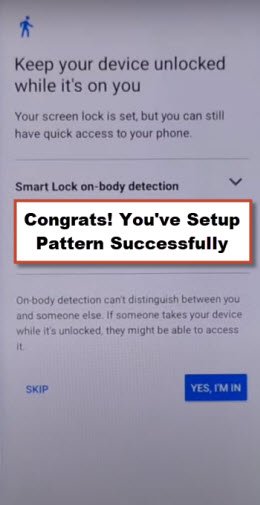
-Once you reach to (Keep your device unlocked while its on you) page. That means, our new pattern lock has been acknowledged by the device successfully. Its all done from Bypass Google Account Nothing Phone 1 without using any paid service.
-Just tap to “Skip” option from there.
-Go all the way back on first (Hello) startup screen. From there, go to > Next > Skip.
-From WiFi page, tap on your “WiFi SSID name”.

-Tap to “Don’t Copy” option.
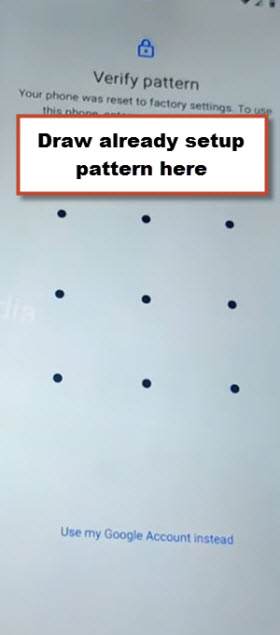
-From (Verify pattern) screen, you have to give your recently setup pattern lock there to finish up verification process.
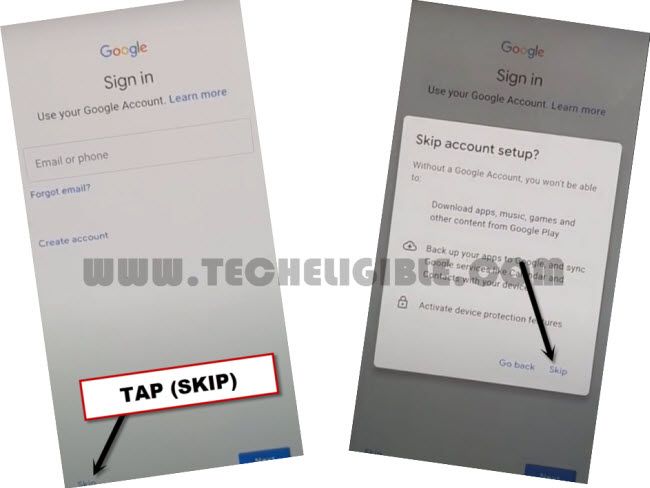
-After that, from (Google Sing in) screen, just, tap to > Skip > Skip.
-You can finish up all remaining steps on your own now without any further assistance.