FRP protection has been activated automatically right after you login with your google account. This has become a big issue when you forget your google account and hard reset the device? If you are also facing this same issue and unable to bypass google verification screen. Then, follow up steps from here to Bypass FRP Zonko K101 Tablet (Android 10) without using any paid tool.
We will use (Accessibility feature) to disable and enable google play services. Through this way, you will be able to use your device again and will setup new google account.
Bypass FRP Zonko K101 Tablet:
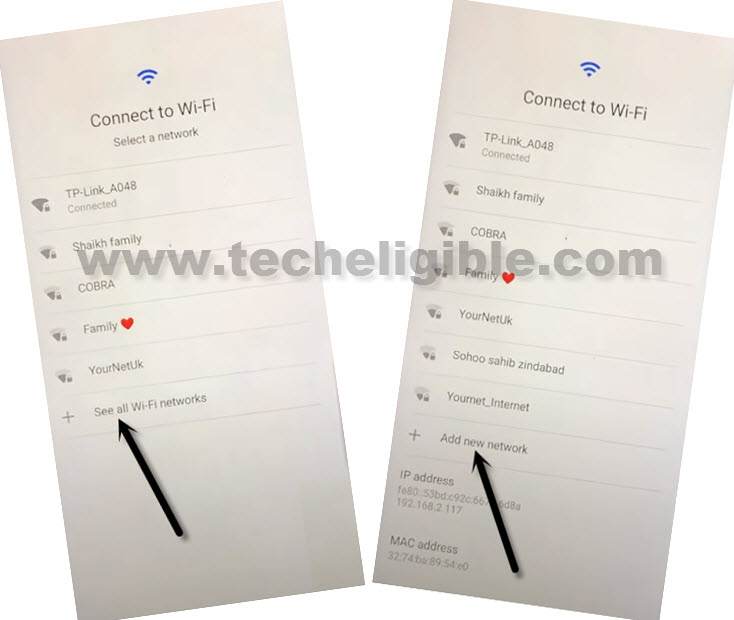
-Let’s begin up frp bypass steps by going Connecting WiFi first. After that, from WiFi page, go to > See All WiFi Network > Add New Network.
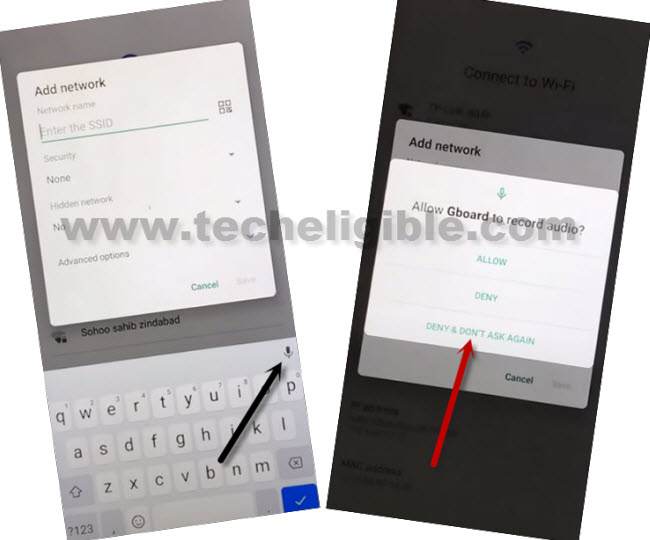
-We have to bring up mic icon here 3 times to access to app info page. Let’s do that now by tapping on “Enter the SSID” field to bring up the keyboard. From there, tap to > Mic icon > Deny.
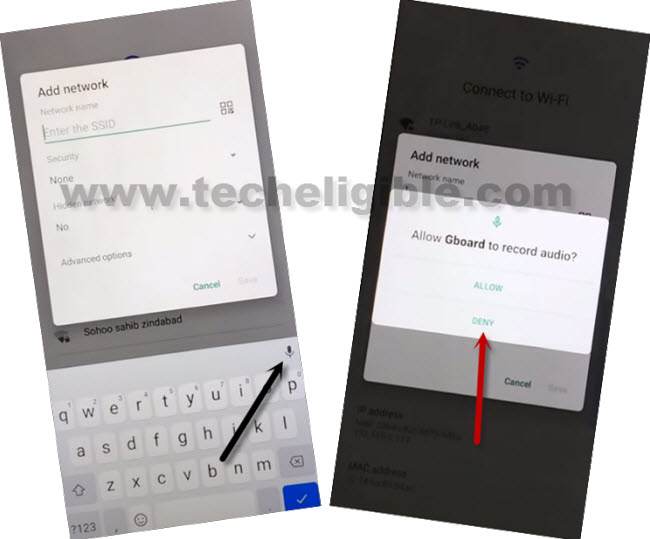
-After that, you have to hit again on a “Mic” icon and this time, choose “Don’t Ask Again” option.
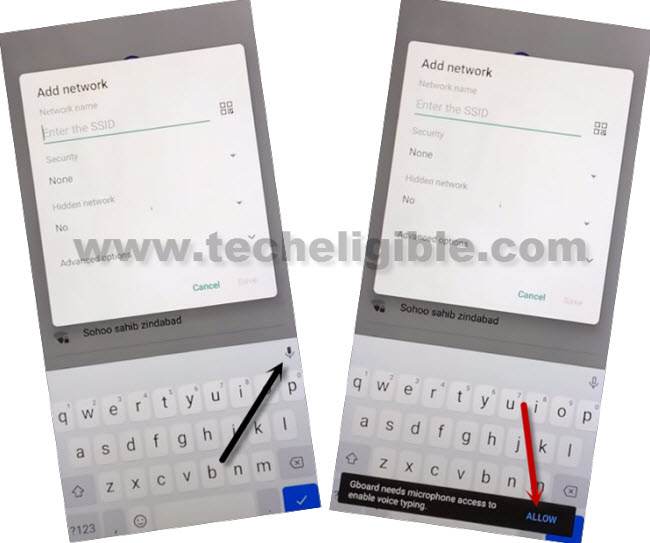
-Do this again 3rd time, tap again on a “Mic” icon. After that, tap to “Allow” option from a black popup flash message same as shown in below image.
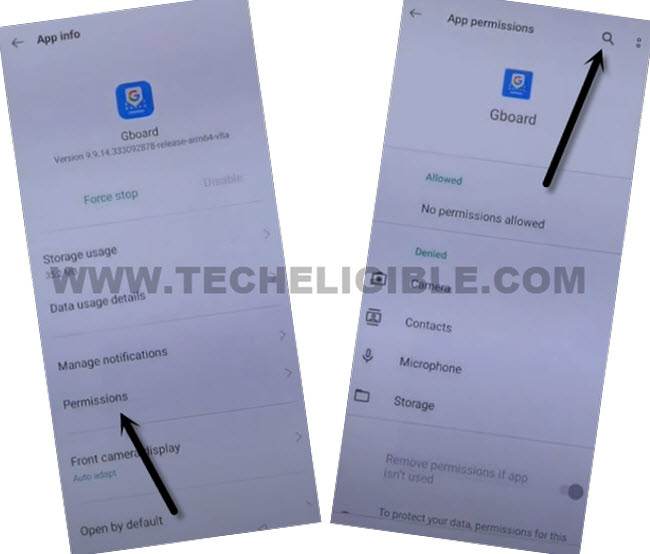
-After accessing to the (App info) screen same as shown below. From there, hit over the “Permission” option. After that, tap to “Search” icon from top corner.
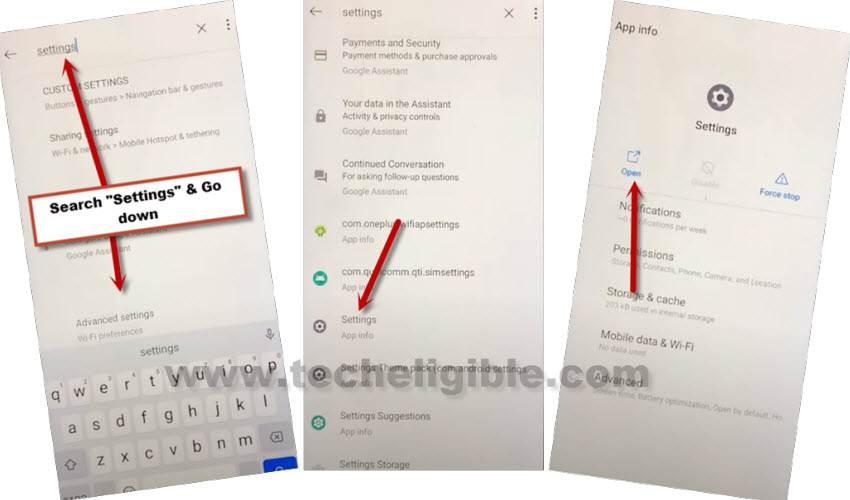
-Search there “Settings”. From searched result, just tap on “Settings app info” app same as shown below. After that, tap to “Open” option.
-From settings screen. We are going to enable (Accessibility menu shortcut) function to Bypass FRP Zonko K101 Tablet.
-Scroll down from settings page and tap to “Accessibility”. After that, go to “Accessibility MENU”.
-Let’s turn on “Use service” option from top corner.
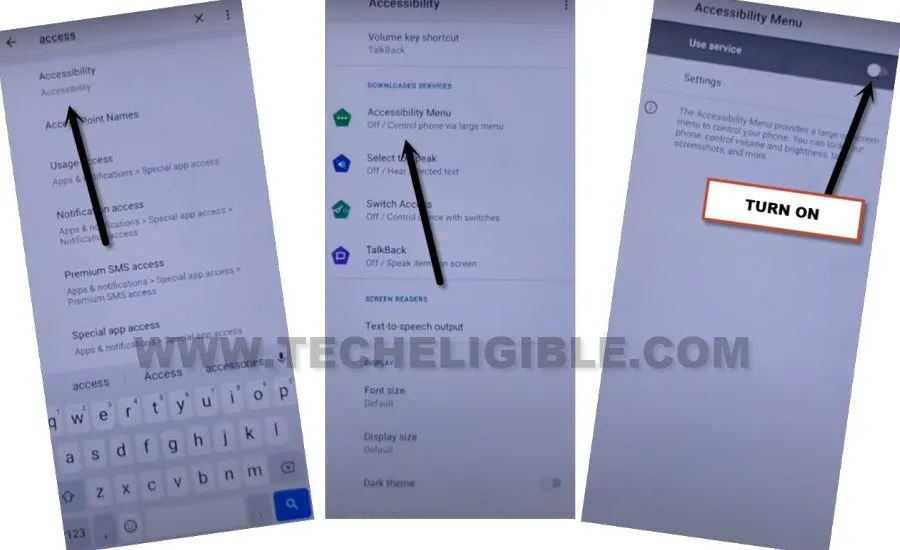
-After turning on the use service option, you will see a popup window, just tap to > Allow > Got it.
-Let’s get back to main settings screen.
Disable & Clear Cache of Apps:
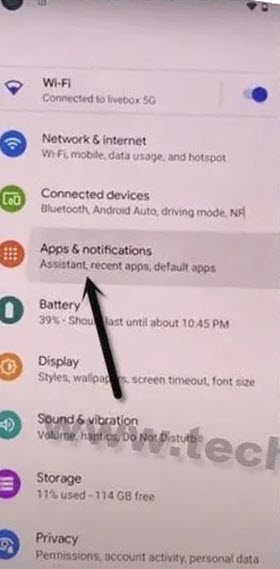
-Go to “Apps & Notifications” option from settings page. After that, tap over the “App info” option.
-After reaching to app info screen, from there, go to “3 dots” icon from top corner and hit on a “Show system” option.
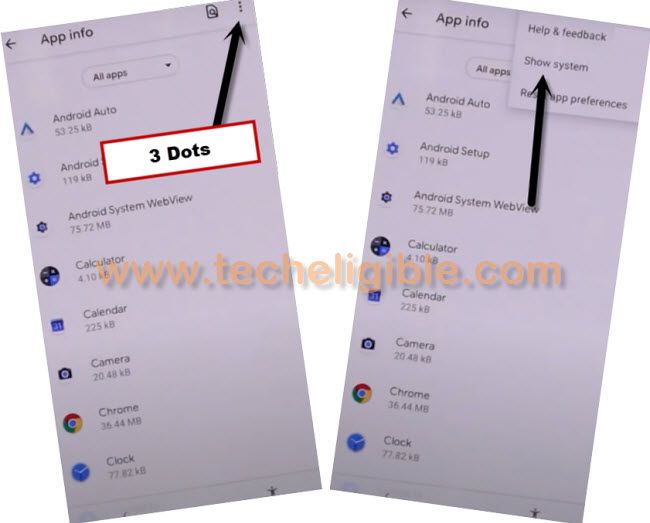
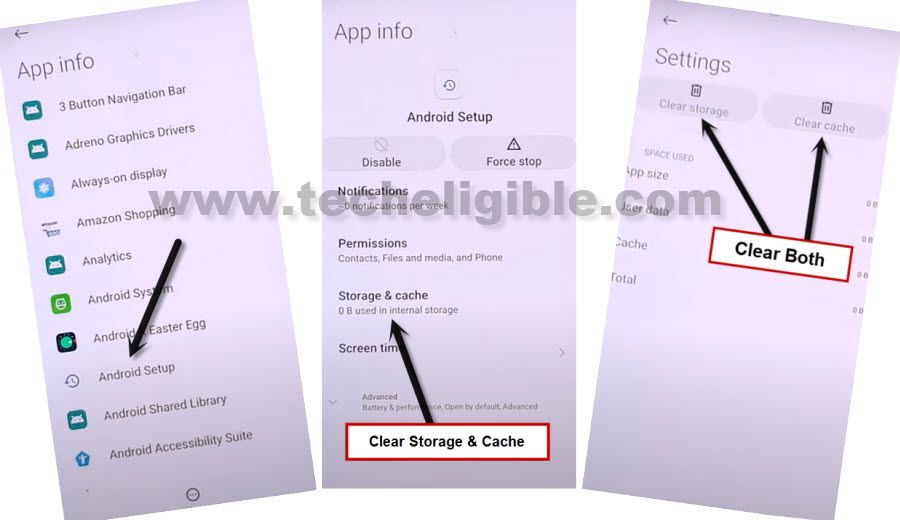
-You will be shown all the hidden apps there. From there, go to “Android Setup” app the one is with (Clock icon).
-After that, disable & force stop app same as shown in below image.
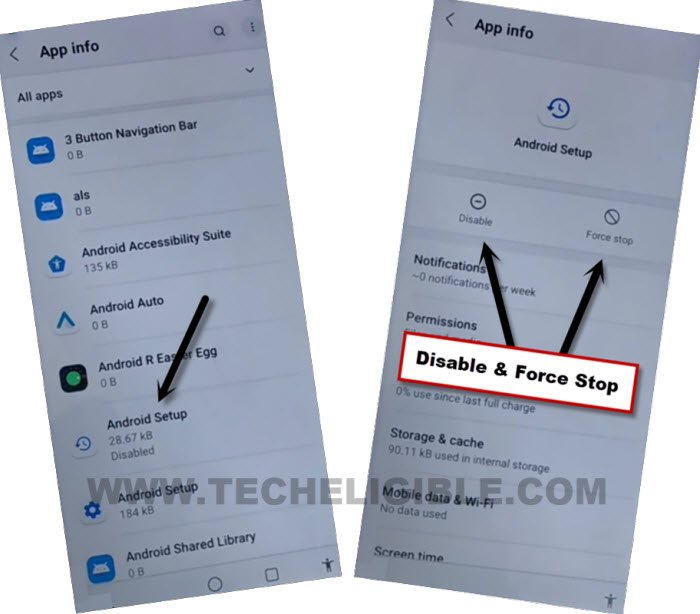
-Don’t forget to clear storage & cache as well of this app.
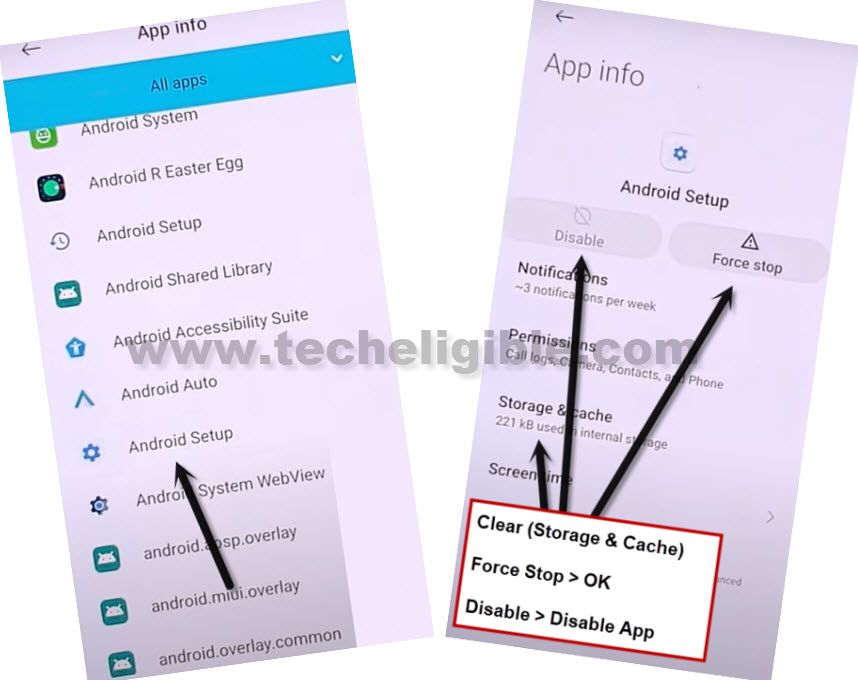
-Go back to app list screen again by hitting on the (Back Arrow) from bottom. From there, tap to another “Android Setup” that is with settings gear icon. After that, hit on > Force Stop > Ok.
-Let’s go to > Storage & Cache > Ok.
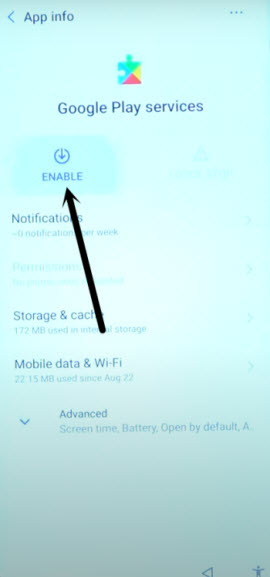
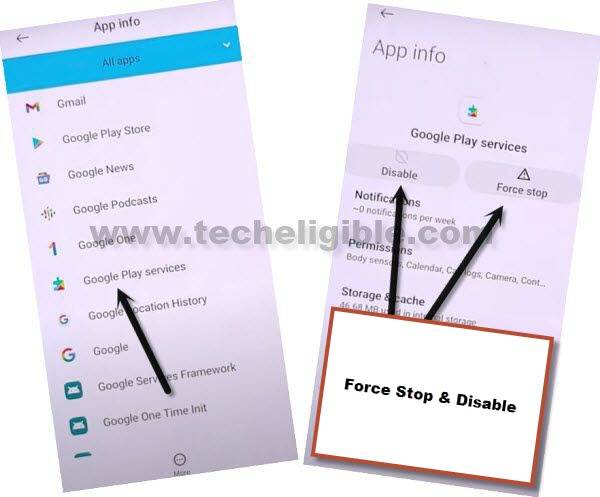
-Go back to app list page again. From there, find and tap to > Google Play Services > Disable > Disable this app.
-After that, tap also on a > Force Stop > Ok.
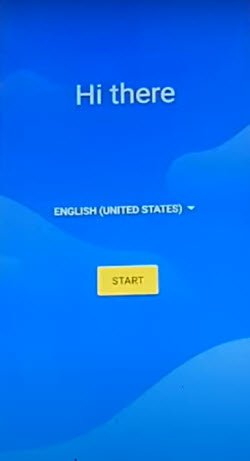
-We need to go all the way back over the first startup page by tapping several times on back arrow icon. Once you reach to “Hi there” startup page. Just tap to “Start” option to Bypass FRP Zonko K101 Tablet.
-You may stuck on a continues loading page (just a sec…), just tap on a “Accessibly shortcut” icon from bottom corner and go to “Assistant”.
-If nothing happens, just tap again on “Human” icon and go to “Assistant”.
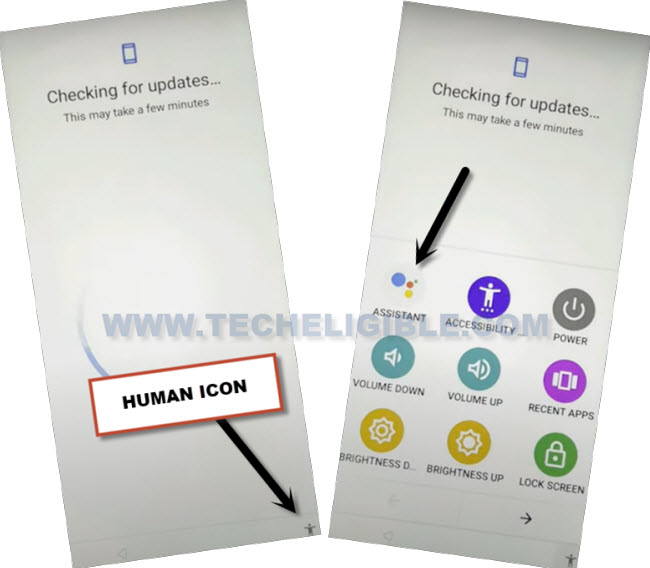
-If nothing happens again, just tap to “Back Arrow” icon, you will reach bac on a (Connect to WiFi) screen. From there, hit on a > Human icon > Assistant.
-After that, tap over the “Settings” option.
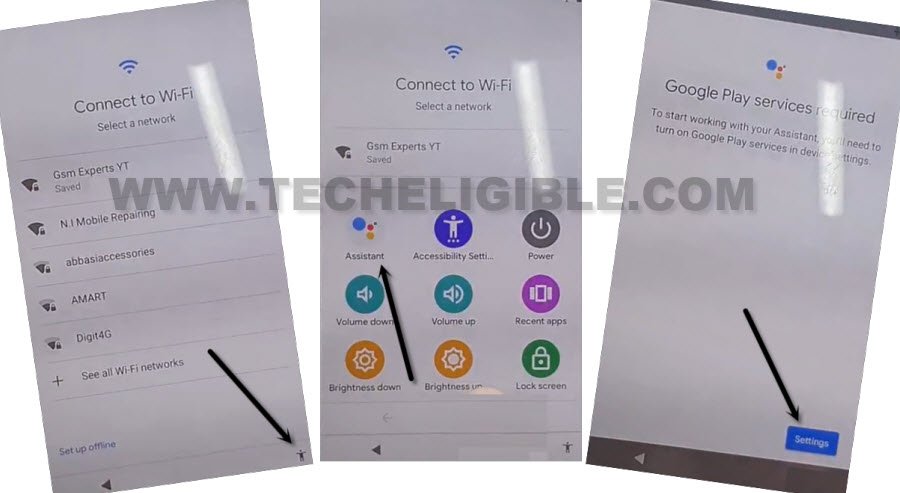
-Let’s enable google play services app again. This will allow you to complete setup wizard easily. You are all done from Bypass FRP Zonko K101 Tablet without using any paid service.