
Are you feeling exasperated due to being locked out of your Xmobile X55? If you truly own this device, you have every right to discover the ideal FRP bypass method. You have arrived at the correct location; we are about to present you with a simple, step-by-step guide on how to eliminate the Xmobile X55 FRP that operates on (Android 13).
Disclaimer: We are creating this post to educate people about how to get back their lost device due to forgetting Google account. This method is only for device owner and for educational purpose only.
How to Bypass Google FRP on Xmobile X55
In this guideline, we are gonna use (Samfirm) frp unlocking tool to bypass frp from XMobile X55 frp locked phone. This tool is available to download and use in free of cost. We are just gonna launch the youtube app directly on the phone. After that, we will reach to google chrome browser to aces to pattern lock setup screen. From there, we will setup new pattern lock the phone to complete the verification process while completing the setup wizard steps. Follow the step by step frp bypass guideline from below.
FRP Bypass Steps on Xmobile X55:
-Download & Install & Launch (Samfirm Tool) on PC.
| ⇒ Samfirm Tool V3.1 [Link] |
-Turn on Phone and connect to WiFi network. After that, using proper USB Cable, connect the phone with PC, on which Samfirm tool is running.
Note: If you face any connectivity issue with PC, simply, download and install proper Xmobile usb driver on the computer to resolve this issue.
-From Samfirm tool screen, go to “Bypass FRP” tab.
-Select the “Bypass FRP (Open Youtube)” from drop down menu.
-Click to “Scan” button to show your device connectivity.
-Once the android device is detected by the tool. Simply, click on “Bypass FRP” button.

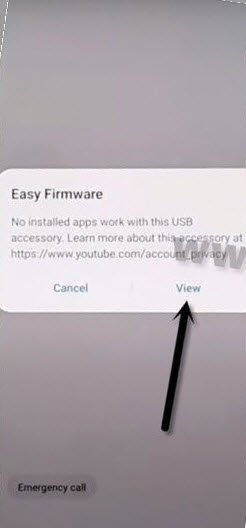
-You will receive popup notification on XMobile X55 screen, just tap to “View” option from there to launch youtube application directly.
-Unplug USB Cable to disconnect the device from PC.
-On your phone screen, just tap to > Use without an account > No Thanks.

Go to Techeligible Official Site:
-You will have a search bar at the of the mobile screen, search there with “Techeligible” and go to our site official searched result.

-After reaching at techeligible site, open up the menu by tapping on “Menu” icon from top corner and tap on “Download FRP Tools”.

Setup New Pattern With Several Attempts:
-Scroll down little bit, and hit on “Set Pattern Lock” option.
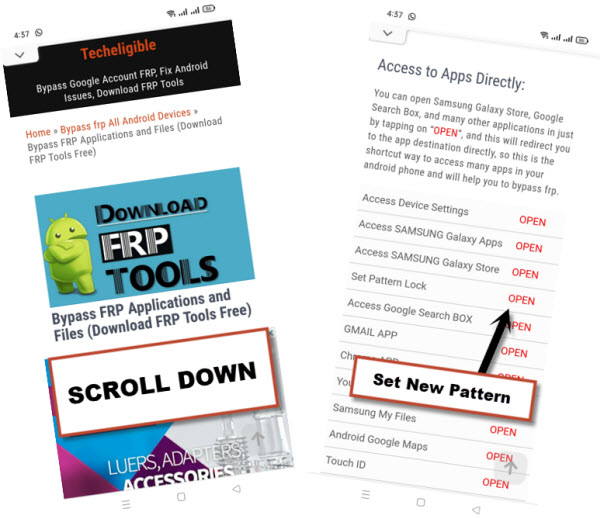
-It isn’t easy to configure new pattern lock on a FRP locked XMobile X55 phone, you will have to try pattern lock setup steps 10 to 20 times very quickly.
-Tap to > Pattern > Draw Any Pattern > Next > Draw Sam Pattern > Confirm. But, you may have a (Set Pattern lock) screen again, that means, this device did not accept your pattern lock. If the pattern lock is accepted, you must have a next page of (Keep your device unlocked While Its on you).
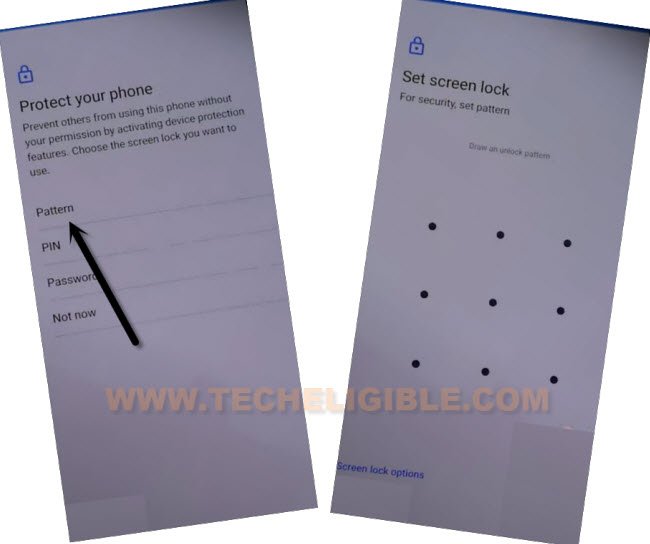
-Follow Pattern Lock Setup Step Quickly & Repeatedly again until you successfully reach to next page of (Keep your device unlocked While Its on you).
-Repeat Steps: Tap again on “Pattern” option, after that, enter your desire pattern, and hit on “Next”. Enter your same pattern again, and hit on “Confirm”.
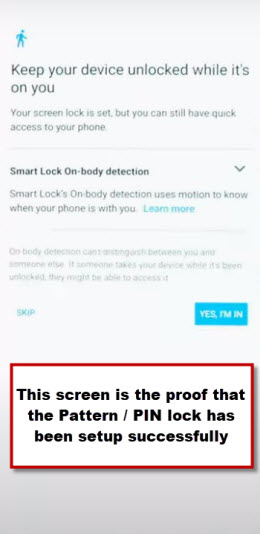
-Once the device accepts your pattern lock, you will have a same screen as shown below. Tap to > Yes I AM IN > Got it.
Go back to Hello Screen:
-Get back to first startup page of the Xmobile X55 device, that is (Hello) screen.
-Tap on > Start > Skip.

-You may face a (Checking for update…) screen, wait over until its completed, you see next page of (Copy Apps & Data). From there, tap on “Don’t Copy”.
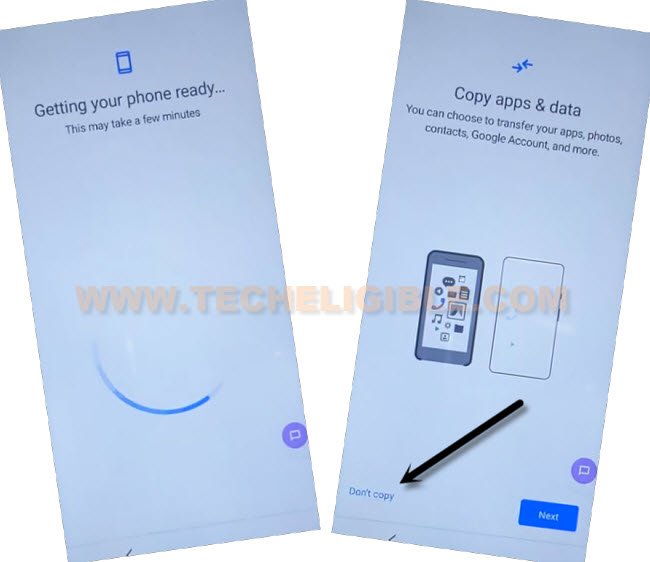
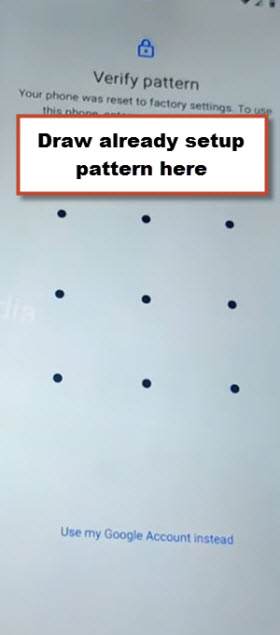
-You will have a (Verify your pattern) screen, just enter your recently configured pattern lock there to finish up the device verification process. After that, go to next.
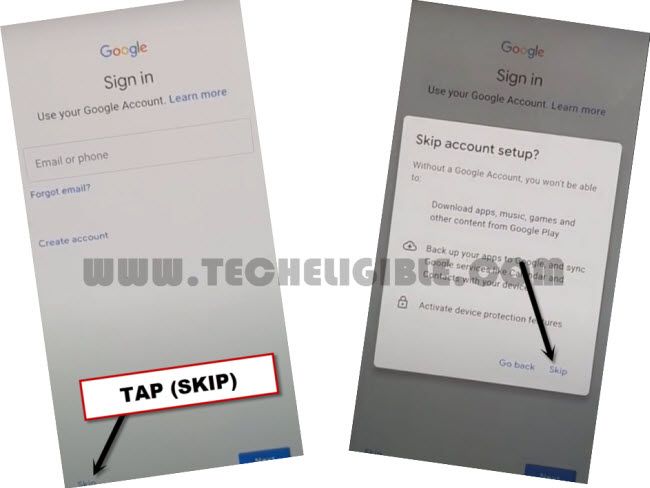
-There, you will see google sign in screen, but, this time, the skip option is also there, because, you have already completed the device verification process through pattern lock. Let’s skip this screen by tapping on > Skip > Skip.
-After that, from next google services age, go to > More > More > Accept. You will lead to main home-scree of your device, that means, FRP lock has been bypassed successfully on Xmobile X55. Don’t forget to login with another Gmail account on your phone by accessing to main (Settings) page.
FAQs About Xmobile X55
Why do i need Samfirm tool to Bypass frp on my XMobile X55?
With the help of Samfirm tool, you will be able to launch google chrome browser directly to follow up further frp bypass steps.
Will i lose access permanently on my FRP locked Xmobile X55, if FRP method is failed?
Nope, you can try other frp bypass methods as well, this will not harm your device, if the frp bypass method did not work on your device.
Why do i need PC to apply this FRP Bypass Guideline?
Because, Samfirm software can only be run on computer, that is why, its necessary to use this tool on PC.
My Phone is not being detected by the Samfirm tool
Try to replace your USB Cable or Switch your PC port. Install also proper USB drivers of Xmobile device.
Summary
We download and installed (Samfirm PC tool) on computer. After that, connected our Xmobile X55 frp locked phone to the PC. Clicked over the (Bypass FRP) option from the tool, this tool sent popup notification on the connected phone, from there, we tap to “View” option to launch chrome browser. After that, we just accessed to official techeligible site, from there, with single tap, we accessed to (Pattern lock setup) page. With multiple tries, we succeeded in setup new pattern lock on the and bypassed frp account by completing setup wizard steps.
Read Also: FRP Bypass on Xmobile X8MAX