
You can Download Samflash Tool from here by trusted sources. There are various versions available of the Samflash tool, but, right now, the most updated version is Samflash V4.1.
This tool is built for unlocking and flashing your Samsung devices with simple one click. You don’t need to pay for this tool. If you have forgotten the already synced gmail account after doing factory reset the Samsung galaxy devices and unable to reach back the phone because of device is frp locked. There, you can also use this best tool easily.
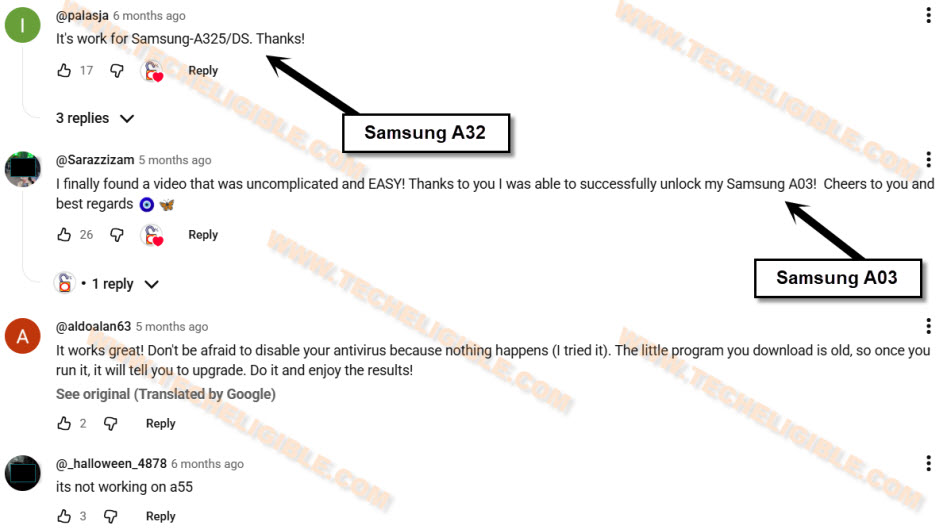
Users Reviewed About FRP Unlocking with Samflash V4.1
Big numbers of Samsung models currently being supported the this software, here is the list some of them. You can try on your any Samsung devices, this is totally free. We will share with you some Samsung models, on those, users successfully bypassed frp account with the Samflash Tool V4.1 in free.
Users Confirmed: They have used the Samflash V4.1 tool on their own in unlocking the FRP on these models, Samsung S22 Ultra, Samsung A15, Samsung A04, Samsung A03, Samsung A32.
If you have Mediatek chipset Samsung device; then, there is big success rate that, this tool will work perfectly. Have a look some of the users positive reviews about Samflash V4.1 tool. We can use, you can try this tool on your Samsung models as well with positive hope.
Features/Pros/Cons
• Big advantage of this tool is, you can perform frp bypass function in free of cost.
• You can flash the phone with firmware.
• Back up your device data easily.
• If you have lost your device (Network Connectivity), then, you can restore those networks through repairing IMEI numbers.
- • You can perform multiple task in EDL Mode, Download Mode, MTP Mode.
Pros: This tool is free to use, and working perfectly in bypassing frp lock protection on supported Samsung devices. We’ve mentioned some already tested devices models as well. You can easily flash and repair the phone with this tool. This tool can be downloaded easily and new version 4.1 has just 46.22 MB size.
Cons: There is no official support and site in the back of Samflash tool, and compatible with only Windows operating system. Only some limited newer android versions phones are supported. You can perform task only on (Samsung Models). You will need to switch off the security protection before using this tool.
Samflash Tool V4.1 & V3.9 Downloadable Links
-With the help of below links, you can download Samflash Tool on your PC. After that, you can use this just by extracting from winrar archive.
Note: Don’t forget to turn off any active (@ntivirus Software) from the PC before using this tool.
| ⇒ Samflash Tool V4.1 [MediaFire Link 1] [Mega Drive Link 2] |
| ⇒ Samflash V3.9 [Link] |
How to Install & Use
-Once the downloading process is completed.
-Extract the tool from winrar archive.
-After that, go to extracted folder and right click on (Samflash) and then run as administrator.
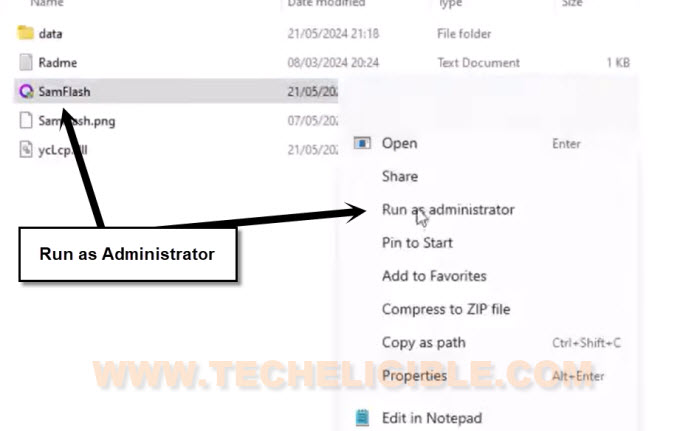
-Tap to > More info > Run Amway > Yes from the popup screen.
-Finally, the software will run on your window and you will see the main interface on your window screen.
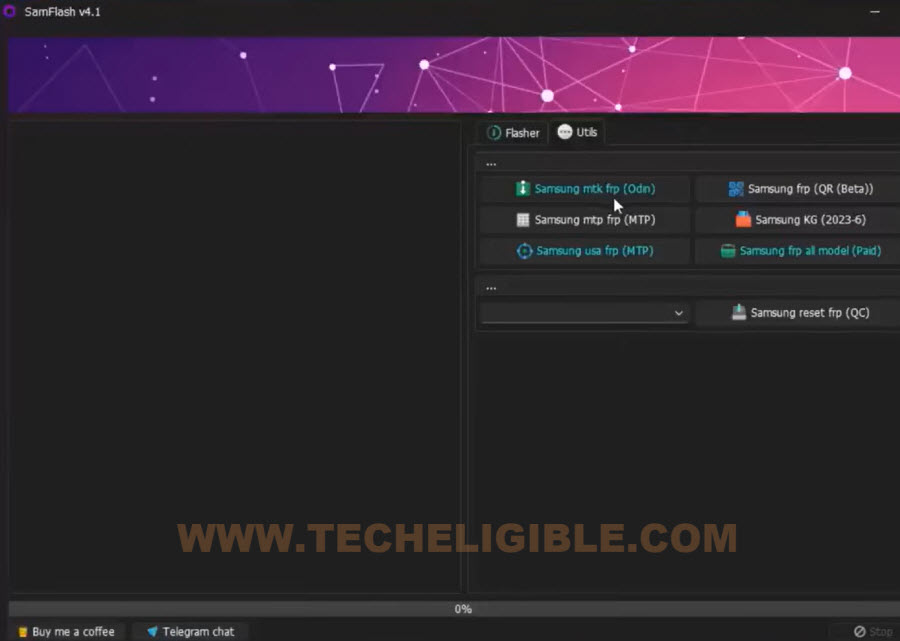
-If you are looking for a flashing task on your device, then, you can choose “Flasher” option from the tool.
-If you are looking for bypassing frp lock on Samsung devices, there, you have to choose “Utils” option. This will show you all frp unlocking relevant options.
-After that, put your device into (Download Mode).
-Connect to PC with using proper USB Cable.
-Once the phone is detected by the tool and PC. You can choose your device frp unlocking option to remove frp account.
Note: You are required to install proper Samsung USB Drivers, so that, you may not face any connectivity issue.
Frequently Asked Questions
Can i use Samflash V4.1 for bypass frp on Samsung Phone?
Yeah, you can use Samflash tool on Samsung models. We have already mentioned some list of Samsung models, on those, people successfully bypassed frp account.
Is this tool safe to use on Windows system?
We don't think so, there is any issue using this tool on your PC, but, there is no official support and site of Samflash tool.
Is Samflash tool free?
Yeah, this tool is free to use. You can avail with multiple feature. But, this is not totally free, they also provide paid service for other Samsung models.