
This can be a highly irritating circumstance for a phone owner if he encounters the Google FRP lock problem on his phone due to forgetting the previously synchronized Google account. This problem arises when you execute a factory reset on your device. Subsequently, while trying to finalize the setup wizard process, you find yourself unable to log in again with the same Gmail account that was previously used. In this scenario, you can find assistance through the guide on how to bypass frp VIVO Y04.
Note: We included an additional section detailing how to sign in to your Google account following the circumvention of the FRP account and returning to the main home screen in guest mode. We trust that you will be able to create a new Google account and establish a pattern lock. However, this is not assured.
Disclaimer: It is recommend to apply this frp bypass guide only on your own device, if you are not owner of this device, or you found this from some where, you must return to its real owner. This method is for educational purpose only.
Let’s Continue Bypass FRP VIVO Y04
We will utilize a different smartphone along with two primary applications (EasyShare and Activity Launcher) to bypass the FRP on VIVO Y04. To start, we need to download and set up both applications on the alternative Android device. Following this, we will use the EasyShare app to send the second installed app, Activity Launcher, to the VIVO device over the same WiFi connection. After this, we will have the ability to carry out additional FRP bypass procedures smoothly. Please proceed with the steps outlined below.
Required Tools:
1- WiFi connection
2- Another Android Phone (VIVO + Other Phone) should be on same WiFi network.
3- FRP Locked Phone.
Steps:
-Turn on phone and connect WiFi. Go back on (Hello) page.
-As, talkback function is no more working, but, we will just turn it on and then, turn off the talkback function again.
-Tap > Accessibility > Talkback. Turn on talkback function.

-You will see (Welcome to talkback) display, this shows, you have turned on talkback completely.
-Swipe down to right on screen, the way you draw (L) shape. Then, double tap “Screen Search”.
Note: Screen search option may not work. After double tap to (Screen search), we will return on talkback page.

-Go back to (Talkback) page and turn off talkback function.

-Return on main homepage (Hello) screen. From there, tap on > Start > Next > Next.
-When you see (Getting your phone ready), just hit on “Back arrow” icon, this will take you to the WiFi page.
-Go to > Add new network, then, tap on “Enter the SSID”, field tab.

-After that, from popup window, choose “Turn on in accessibility settings”.

Go to (Easy Share) App:
-Scroll down from settings page and tap > Accessibility MENU > Turn on (Accessibility Menu Shortcut).
-From popup screen, tap > Allow > Got it.
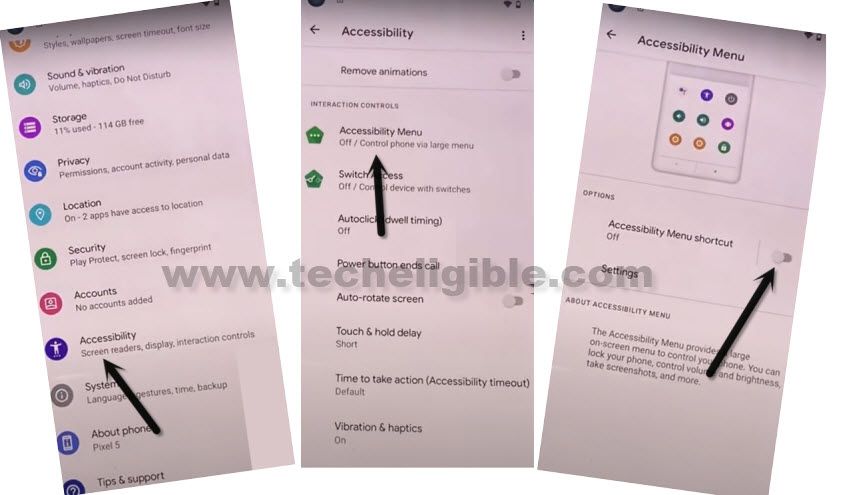
-3 dots icon will be sticked on right edge of the phone screen, just tap on those “3 dots” and then, choose the “Assistant”.
-Speak loudly “Open Easy Share”.

Choose (New Phone) Option from Easy Share App:
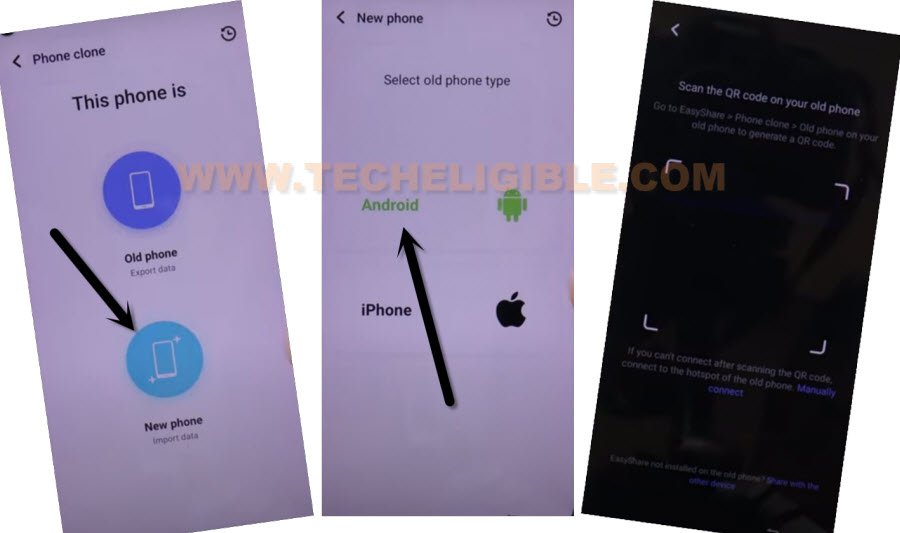
-You are required to grant permissions for fully using the easy-share app. After granting permissions, you will have a phone clone display, from there, tap > This is a new phone > Android > Got it.
-You may need to grant more permissions by tapping (Allow or While using the app).
-Afterwards, tap again > Android > Got it. Then, QR scanner will popup.
| Note: You are required another android phone, in other android device, we will install this same (Easy Share) app to connect both devices together for bypassing frp account easily. |
Open Easy Share App on Other Android Phone:
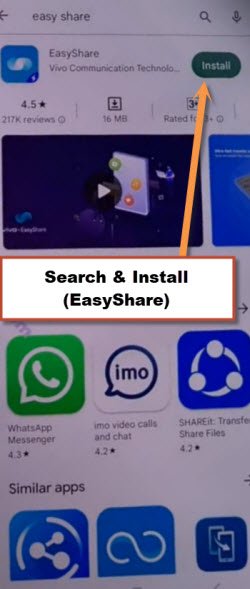
-Install “Easy Share” application directly from google play store.
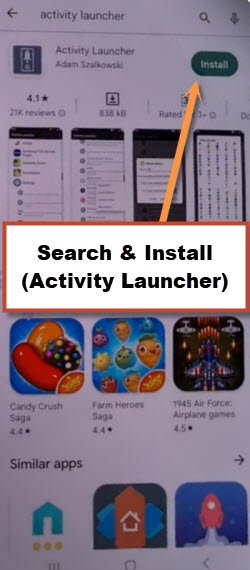
-Install also “Activity Launcher” from google play store.
-Its mandatory for you to have same WiFi connection on both of your phone (VIVO Y04 & Other Phone).
-Go back to your device main menu of the other phone and launch “EasyShare” app.
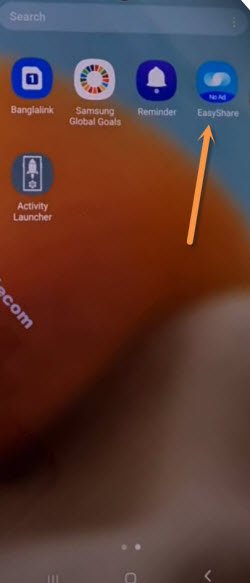
-Choose the options > File Transfer > i want to send > Apps.

-Choose “Activity Launcher” application. Then, hit on “Send” button. After that, you will be displayed (QR Code) on screen.

-Time to connect both phones together by scanning QR Code using (VIVO Y04) phone.
-If you face any error in connecting with other phone by scanning the QR code, don’t worry, check out below few steps.
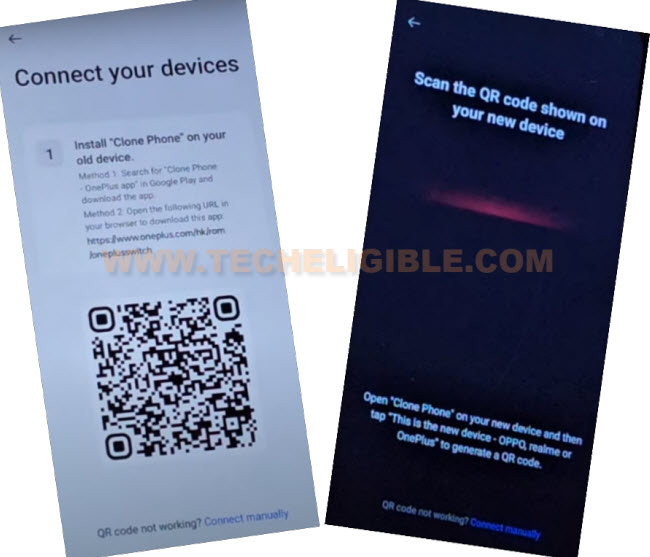
Note: Facing difficulty in scanning the QR Code from (VIVO YO4) phone? From VIVO Y04 phone, go back to main (Clone Phone) screen, and tap to “Scanning icon” from top corner. After that, you will see again (QR SCANNER). This time, you will not face any issue in scanning the code from other phone.

-Re-scan the code and you will receive the activity launcher app successfully, just tap to > Install > Install > Open.

-We can easily reach to main home-screen of the phone by tapping > System Home Screen > Launcher > Launch Activity.

-Bring up the accessibility menu by tapping on “3 dots” icon. Then, go to “Assistant” option.

-Afterwards, tap “Keyboard” icon and search there “Easy Share”. Then, hit “Next” option from the keyboard.
-You will be shown recent app received screen, from there, go to “Open” option to launch the activity launcher again.

-Go back to main app list screen of the activity launcher.

Add Chrome + Activity Launcher on Easy Touch Option:
-From the app list, search and go to “Easy Touch” function for bypass frp VIVO Y04.
-Tap > FloatingBallSettingsActivity > Launch Activity.

-Turn on the (Easy Touch) function.
-After that, go to > Customize Menu > Tap to add. Choose (Activity Launcher + Chrome).

-Go back by tapping on 2-3 times on “Back Arrow” option.
-Let’s reach at the main home-screen by tapping few more times on “BACK Arrow” from bottom of the phone.
Note: While tapping on back arrow, if you see popup of (Some Apps are incompatible), just tap anywhere on screen to close this window.

Let’s Turn on the function of (Swipe to Navigate):
-From sidebar menu, tap on a “Easy touch” icon same as mentioned in below image.
-After that, tap on “Activity Launcher”.

-Find and go to “Android Setup” application.
-Search there “Navigate” and tap “Swipe to navigate”.

-Tap 3-4 times on “Launch Activity” with 15-20 second gape. Then try to bring up top notification bar by swiping down from top. If top notification is able to scroll down and its working. That means, the swipe to navigate is working properly. Otherwise, tap few more times on “Launch Activity”.

-Return on main home-screen again. Tap to > Chrome browser > Use without an account > No Thanks.

-Turn the phone into (Portrait) view.

Enable the (Auto Rotate):
-Scroll down from top to get top menu bar and activate the (Auto Rotate) function.

Rotate VIVO Y04 into Landscape View:
-Rotate your device again into landscape and then scroll down from top to get notification bar.

-Go to “Human” icon from there same illustrated in below image.

-Then, tap to “Guest” icon from popup screen.

Turn off Guest Mode:
-Go back to main “Settings”.
-After that, hit on “User & Account” option.

-Tap to > Multiple User > Exit Guest Mode > Exit.

-You will reach back on (Hello!) page.
Finish Up the Startup Steps:
-Tap these options respectively > Start > Next > Next…

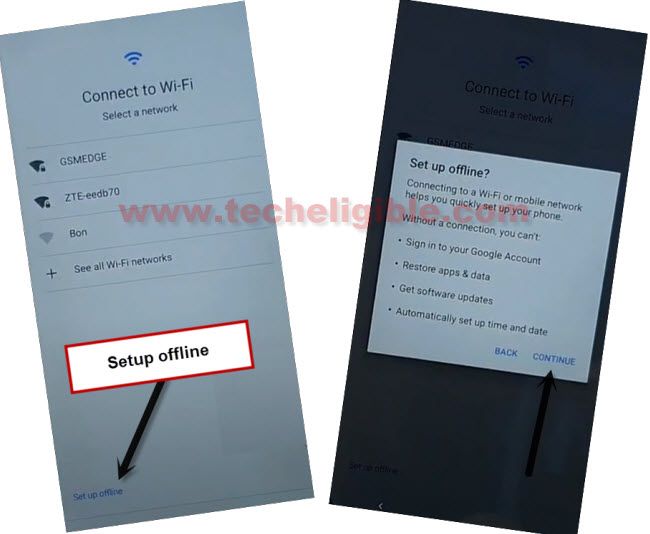
-Once you get the (Getting your phone ready…) display. You just have to tap “Back Arrow” icon from bottom. After that, you will be taken on the (WiFi) screen. From there, tap > Setup offline > Continue.
-Skip unlock method page by tapping “Skip” option.
-Tap > More > More > Accept. After that, execute remaining startup steps by yourself.

Set Up VIVO Y04 With New Google Account
-Accessing to the main home-screen is easy. But, setup another google account and screen lock protection is still a question mark. Many VIVO android 15 phone, after bypassing frp, are not accepting the new security lock protection and google account. Let’s try below steps to setup with google account.
-Bring up top notification bar, and go to “Finish Settings up your device” notification.

-Tap to > Start > Skip.

-We have to copy other phone google account into our frp locked (VIVO Y04) phone. For this, do make sure, your other android phone is turned on and connected on the same WiFi network.
-Let’s tap “Android Device”. Then QR code will be displayed to you.

Use Other Android Phone:
-Firstly, connect your other phone on same WiFi network.
-Afterwards, tap to “image” icon from search bar.
-Finish up verification process and complete on screen instructions accordingly.
-After that, google account will be copied to your connected VIVO Y04.

The Bottom Line:
In this frp bypass guide, we simply enabled and disabled talkback, then, accessed to easy share application directly. After that, we just downloaded and installed (EasyShare & Activity Launcher) apps on other phone, then transferred to the frp locked (VIVO Y04) phone. After that, installed and launched the received (Activity Launcher) and performed some steps from there successfully bypassing frp.