
Are you tired of trying multiple google account to login with your device after performing factory reset? You must be making mistake in login with the correct Gmail account, that was setup earlier. That is the reason, you are locked out with FRP lock. This guide will allow you to go through the google verification screen. Follow the steps here to Bypass FRP Lenovo K8 Plus.
We will use talkback function and download 2 main frp apps on this phone. After that, we can easily access on the main home-screen by login with other Gmail account.
Disclaimer: Do not try this frp method on a stolen phone, this is a serious crime, if you are trying to bypass frp on a stolen phone, you may also be jailed, this process is for device owner and for educational purpose only.
Let’s Start to Bypass FRP Lenovo K8 Plus
-Continue process through turning on the phone and connect to proper WiFi network.
-Then, get back on the first (Welcome) page. We are gonna turn on the talkback function by going at the > Vision Settings > Talkback > Turn on (Talkback function). Once its fully enabled, you will see (Talkback Tutorial) black screen.
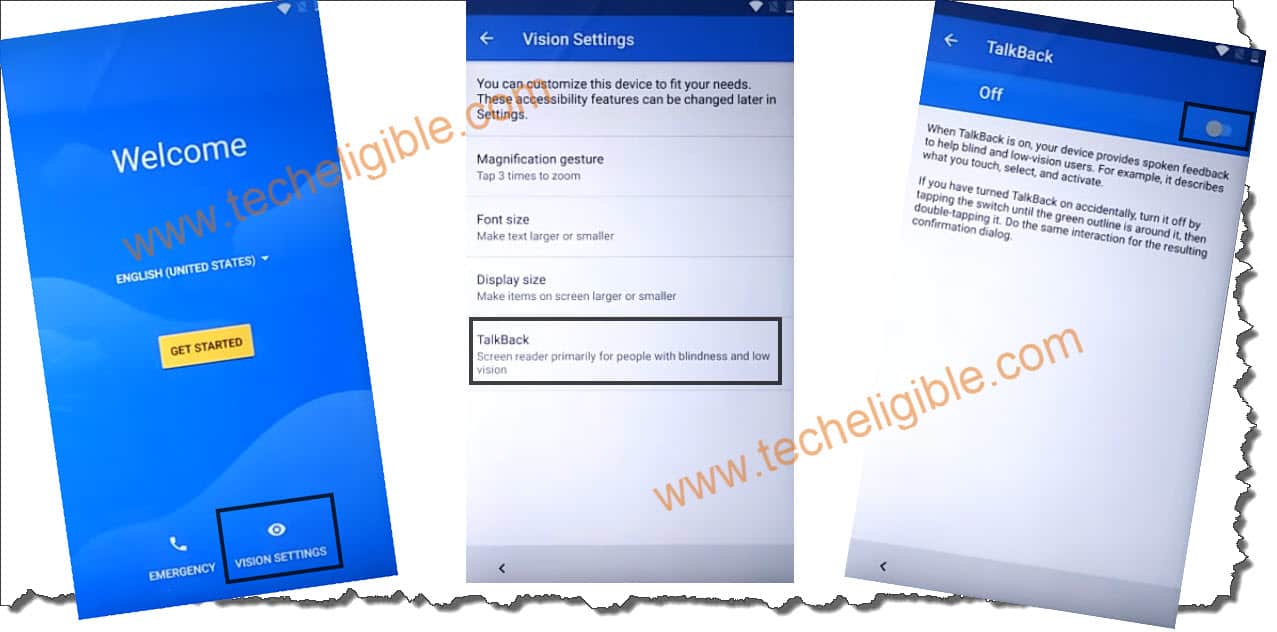
-Make a (L) gesture on screen through swipe down and swipe right. By doing the, the new popup window will popup up, from there, double tap at “Talkback Settings” option.
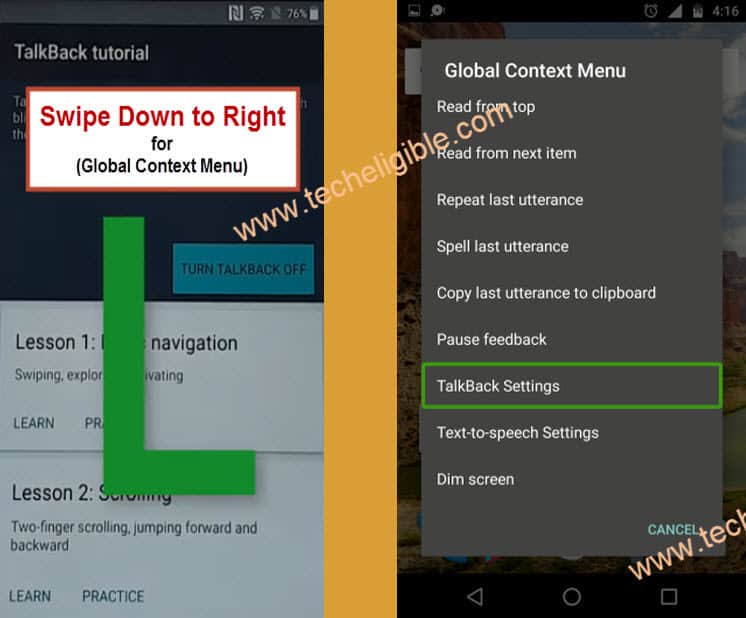
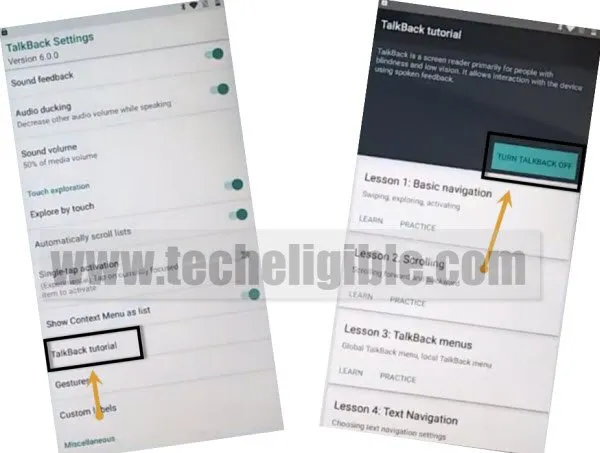
-Using two fingers together, scroll down from the screen and double tap on “Talkback Tutorial” option.
-Then, double tap at the option “Turn off Talkback”, this option will disable this function.
Open Chrome Browser By Youtube
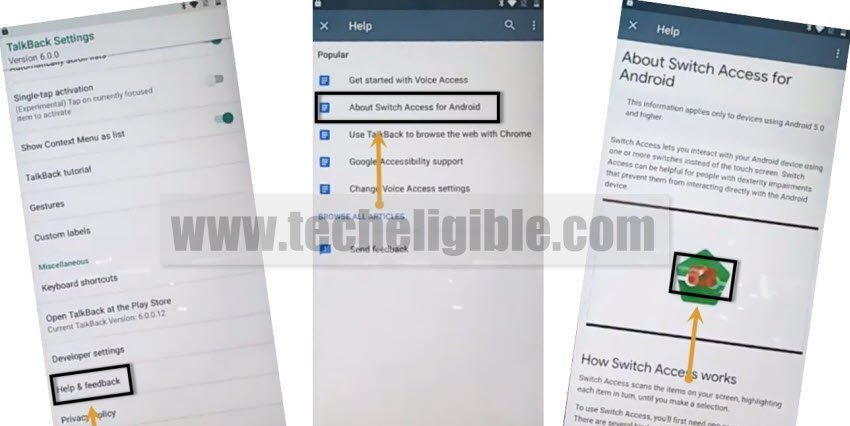
-After that, you will get back on the (Talkback Tutorial) screen, from there, go down and tap at “Help & feedback” option.
-Tap at the article name (About Switch Access for android).
-On next page, you will get the video relevant to this topic, just tap the “Play option” from the youtube video. Then, tap at the video title “Switch Access for android”.
-If you see the youtube update screen, just hit on “Not Now” option.
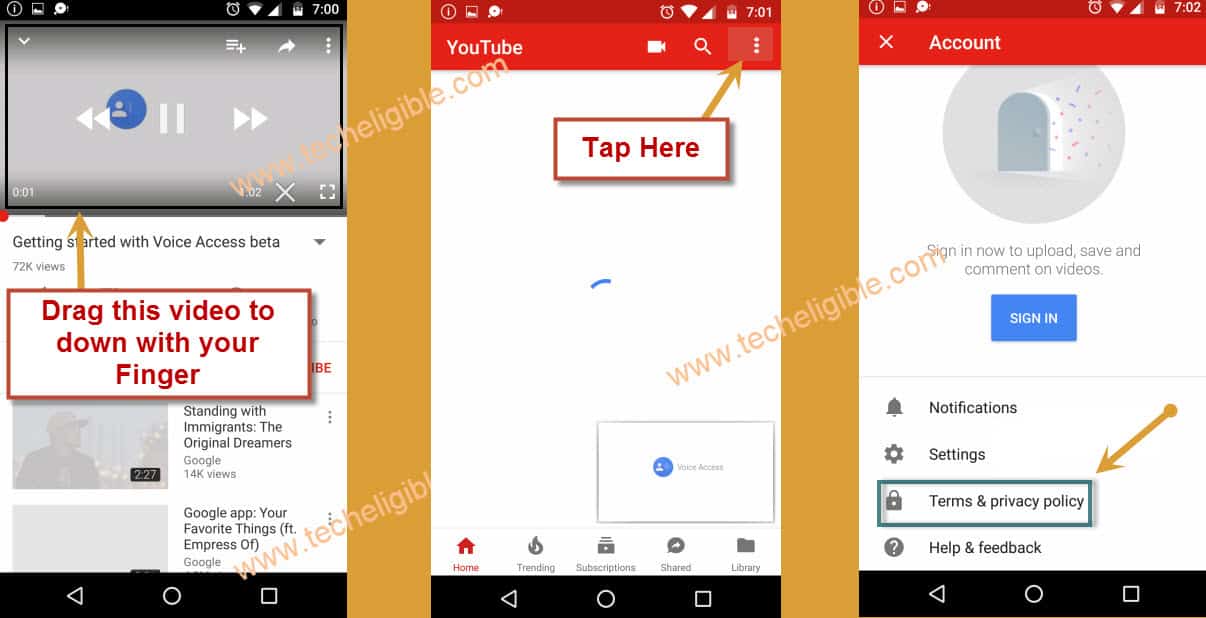
-You will reach at the official youtube webpage. From there, drag down the video using your finger.
-Finally, hit over the “Profile icon / 3 dots” option from upright corner and then, choose the “Terms & Privacy Policy” option. This will take you on the chrome browser app.
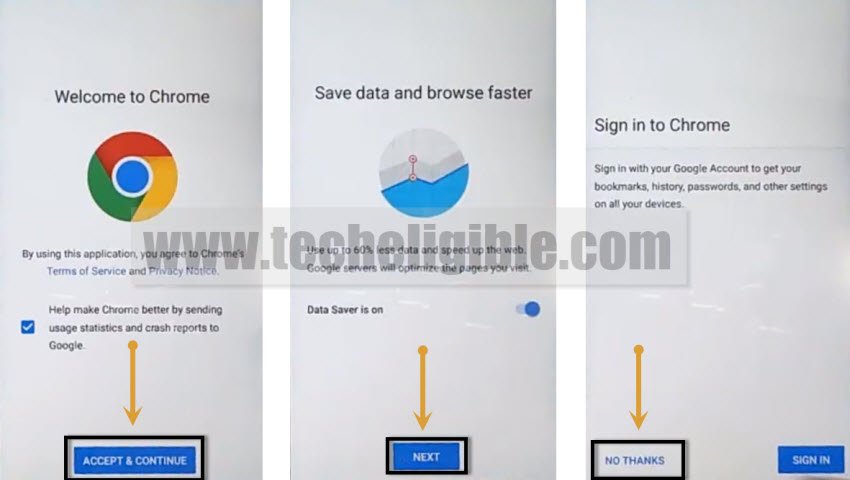
-Go to > Accept & Continue > Next > No Thanks. The google chrome browser will be fully launched on Lenovo K8 Plus FRP locked phone.
Download & Install Apps
-You will find a search bar located at the top of your device’s display. Let’s navigate to the FRP tools page by entering “Techeligible” in the browser search. Once you do that, select the first result that appears to enter the Techeligible website.
-Finally, click on the > Menu icon > Download FRP Tools. This will redirect you on the official frp tools page.

-Download from there below 2 applications on your phone.
1st: Google Account Manager 8.0.
2nd: Account Login.
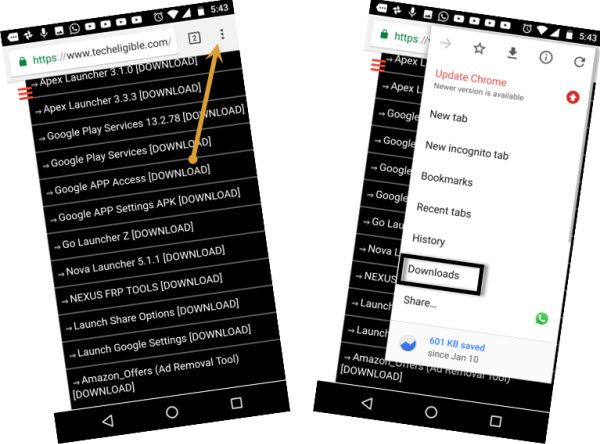
-After both apps downloading process is done, go to top of the page and tap on the “3 dots” option from top corner.
-The browser menu will be displayed, just tap to “Download” option.
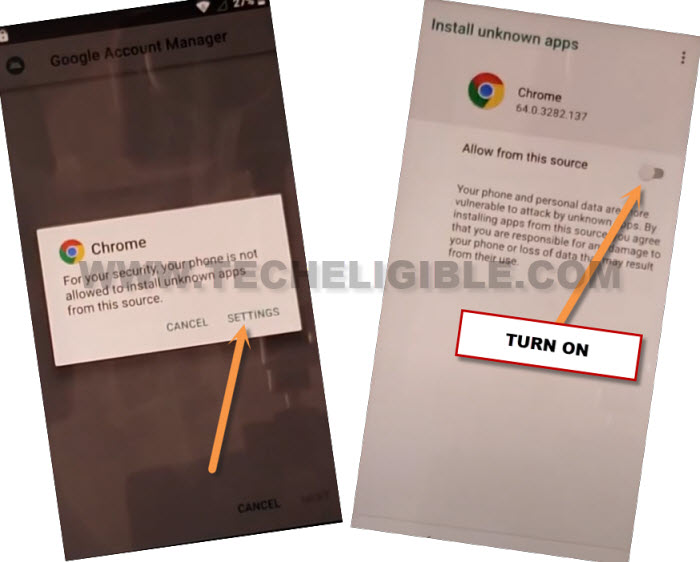
-Tap on the app “Google Account Manager 8.0”. Before the installation process continue, you may have to give permission to from chrome browser popup window. Just, tap at the “Settings” and then, turn on “Allow from this sources” option.
-Go back on the installing page by tapping one time on “Back Arrow” option.
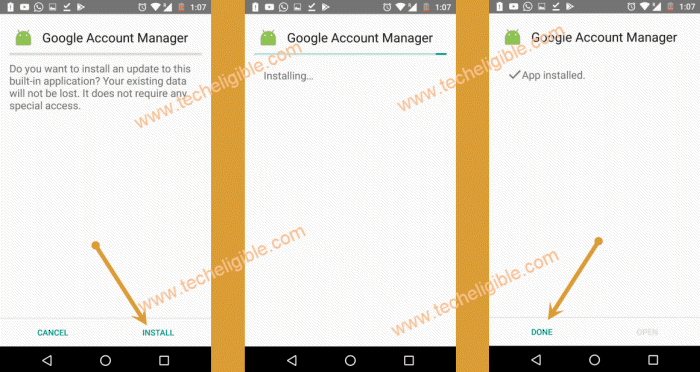
-Let’s install the google account manager app now by tapping on > Install > Done.
Login Google id By Account Login App
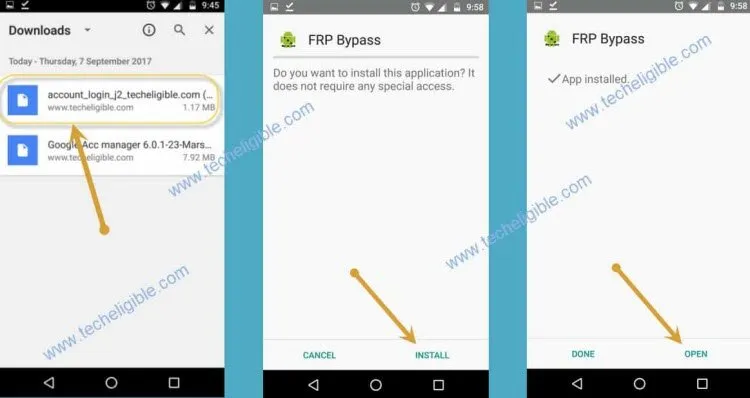
-Install another app by tapping at > Account Login > Install > Open.
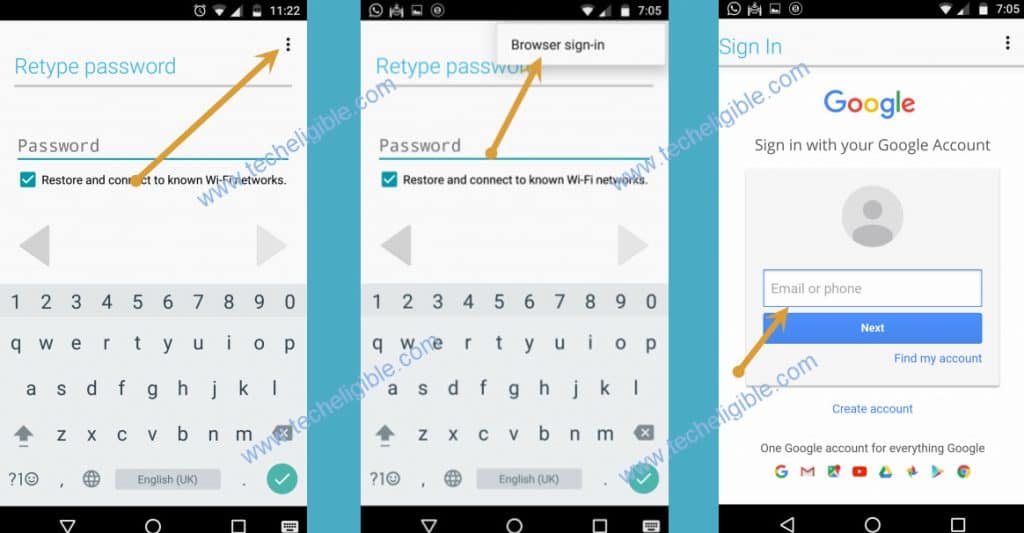
-Setup your another Gmail account now by going at the > 3 dots > Browser Sign-in.
-Login with another remembered google account.
-After you successfully logged-in with another Gmail account, you can restart the phone to complete setup wizard steps without stuck again on google verification screen.
The Bottom Line
We enabled talkback function and then, accessed on the youtube webpage. From there, we simply downloaded (Google Account Manager & Account Login) application. Then, we just login with another Gmail account through installing the account login application. After that, restart the device and completed setup wizard steps easily.