
This is the best way to fix FRP problem from your device just by Remove FRP Account VIVO IQOO NEO 9 Pro (Android 14). If you have thoroughly lost access to this device and unable to recover your google account. Simply, follow guideline from here and setup new google account on this phone.
Note: We are required one more android device to connect with VIVO IQOO device. We will also use (Easyshare) application. Don’t worry, we will show all steps with screen shot for your better understanding.
Remember: Do not try this frp method on a stolen phone, this is a serious crime, if you are trying to bypass frp on a stolen phone, you may also be jailed, this process is for device owner and for educational purpose only.
Let’s Start to Remove FRP Account VIVO IQOO NEO 9 Pro:
| Required Tools: 1st: PIN Locked SIM Card 2nd: WIFI Connection. 3rd: One more android Phone. |
-Switch on device & Connect WiFi first.
-After that, insert any PIN locked Active SIM card. If you don’t know how to setup PIN on SIM, you can find out method here.
-After inserting SIM card, you will be asked to enter PIN, but, do not put any PIN.
-Take out SIM by removing sim tray.

-Tap over a “Small white icon” from top right corner on the (Not Signed in) screen. (See below image).
-Hit on a “Cancel” from popup message.

-After that, tap to “3 dots” icon from upright corner. And, go to “Share” option.

-You will be displayed some share options at the bottom of the screen, just swipe up that message to see more share options.
-Choose “Notes” from there.

-Tap over “Agree” option.
-Type “www.youtube.com” url, after that, hit on a “Check mark” icon from top right corner. This url will turn to a hyperlink.
-Tap over the youtube url, and hit on “Open”.

-Tap to “Allow” from popup message.
-Congrats, we’re now inside youtube website, just go to “Profile” icon from top right corner. After that, tap to “Settings”.
-Go to > About > Youtube terms of services > Use without an account > No Thanks.
Access to VIVO IQOO Settings Page:
-Let’s reach to frp tools page by searching in browser with “Techeligible“. After that, tap to 1st searched result to access techeligible site.
-From there, hit on a > Menu icon > Download FRP Tools.

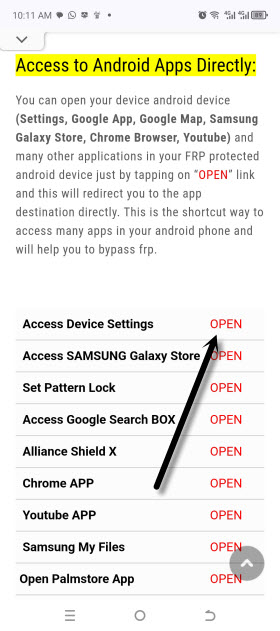
-Tap to “Access device settings” option.
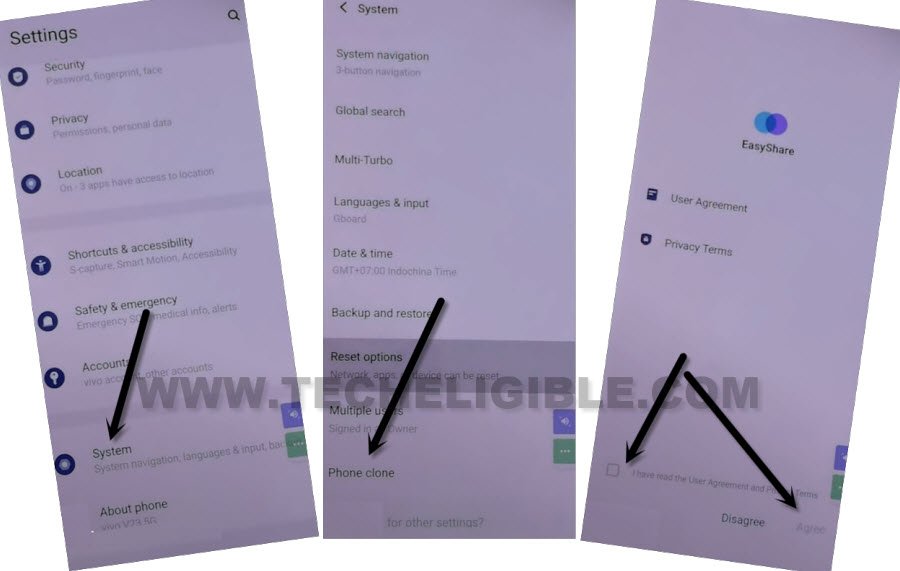
-Use easyshare app to bypass frp from this phone, just go on > System > Phone Clone > Agree.
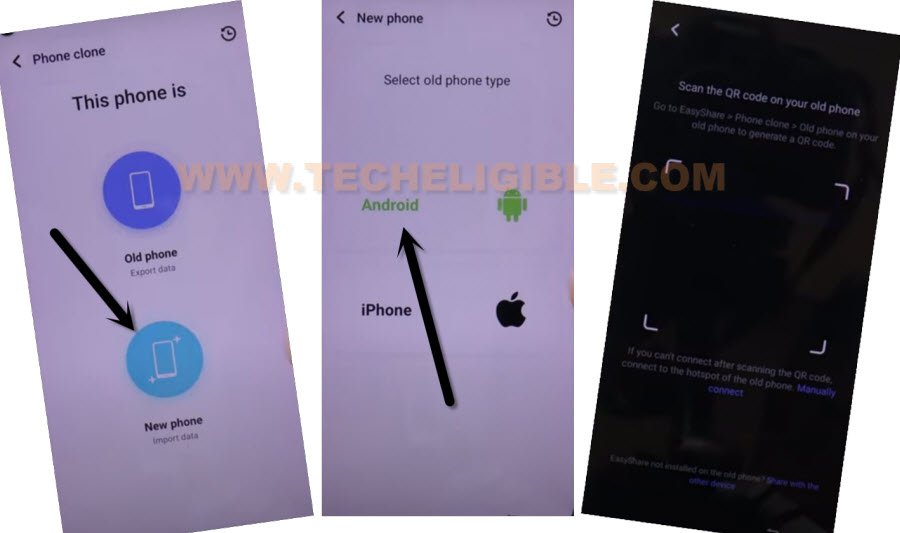
-Choose option > This is a new phone > Android > Got it.
-Give some permission by choosing option “While Using the app & Allow” option. from popup window.
-Finally, you will be displayed (QR Scanner) screen.
-You are required one more android phone here, because, we will transfer (Activity Launcher) app to our VIVO IQOO device.
Follow Steps in Other Android Device:
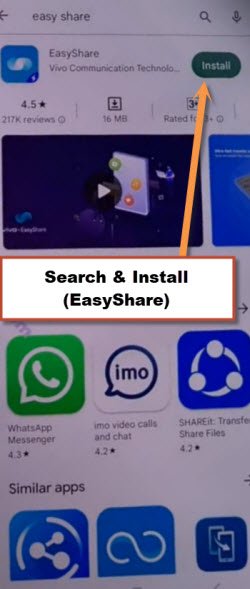
-In other android phone, open “Google Play Store”, and install (EasyShare) app.
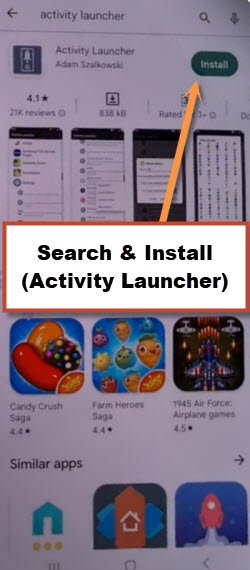
-After that, install one more app (Activity Launcher).
-We will transfer this app to VIVO IQOO device using easyshare application.
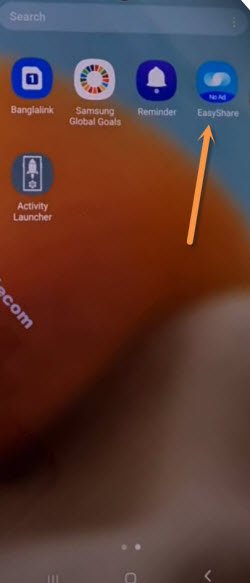
-After that, open “EasyShare” app from other android device.
Send an App to VIVO IQOO NEO 9:
-To successfully Remove FRP Account VIVO IQOO NEO 9 Pro, we have to transfer (Activity Launcher) app to our device. After that, we will be able to remove frp easily.
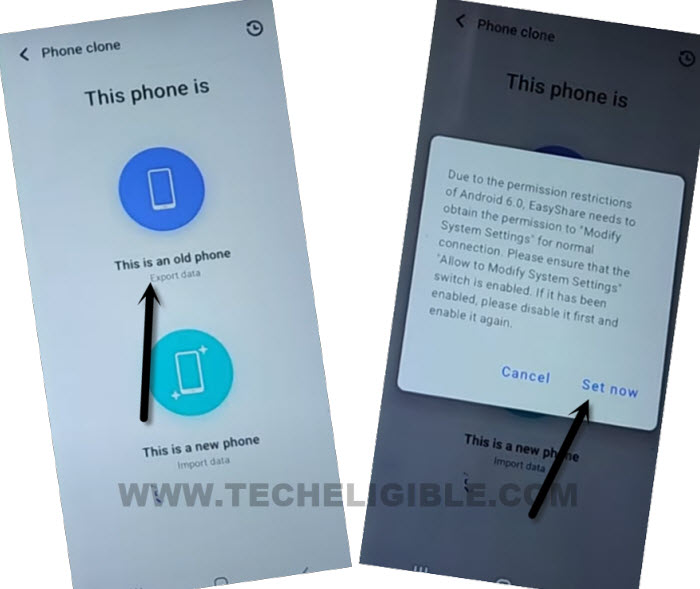
-Go to > Phone Clone > This is an old phone > Set Now.
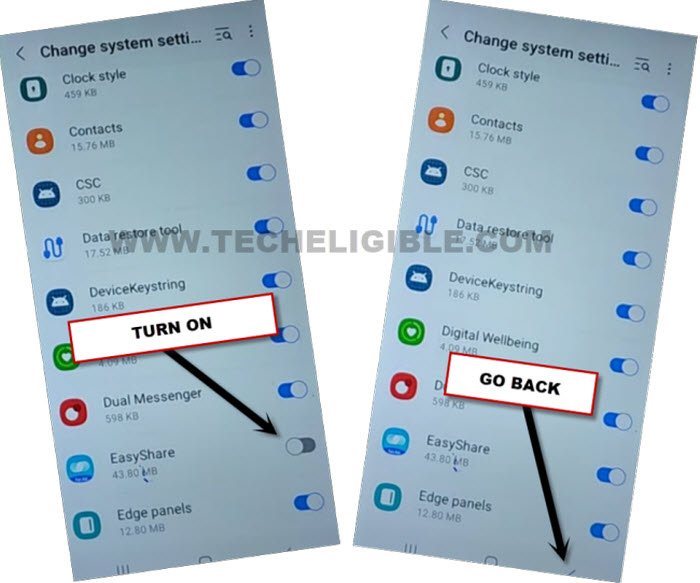
-Turn on some options, such as (Allow modifying system settings or Display Over Other app). If you are redirected on a (App list) screen, from there, tap and turn on (Eayshare app).
-Go back by hitting “Back Arrow” from bottom.
-Tap again over > This is an old phone > Got it > While using the app > Allow.
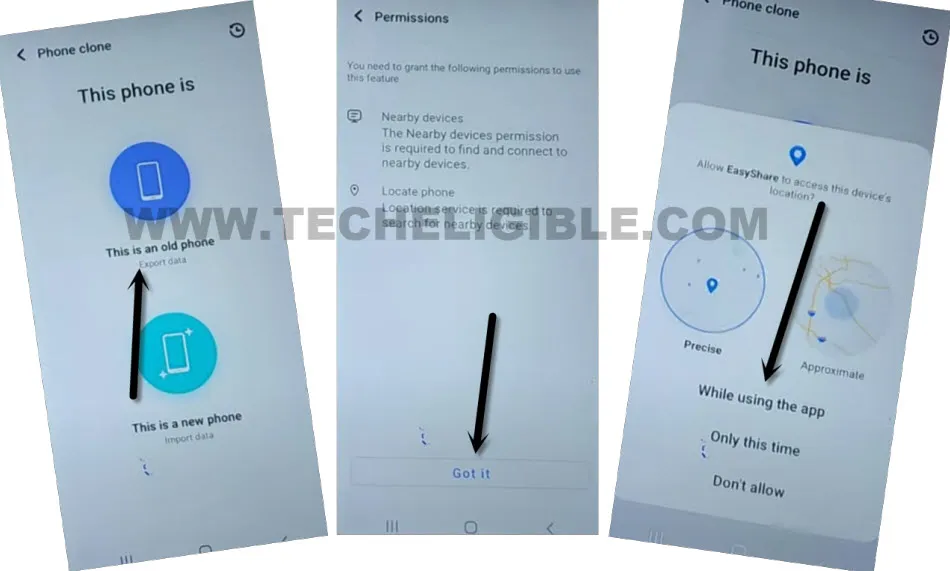
-Finally, you will see there a (QR Code) on screen.
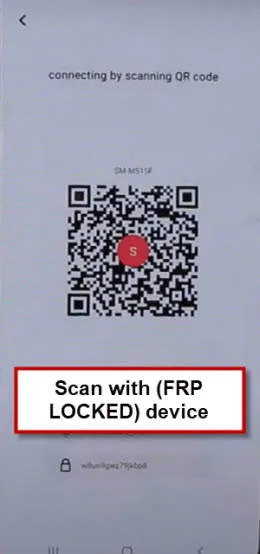
-Connect both android devices by scanning QR Code.
-Once both devices connected, you may get some more options to (Allow & turn on) in your other android device screen. After that allowing turning on those options, you will be displayed an (App list).
-De-select all apps, and go to “Apps”.
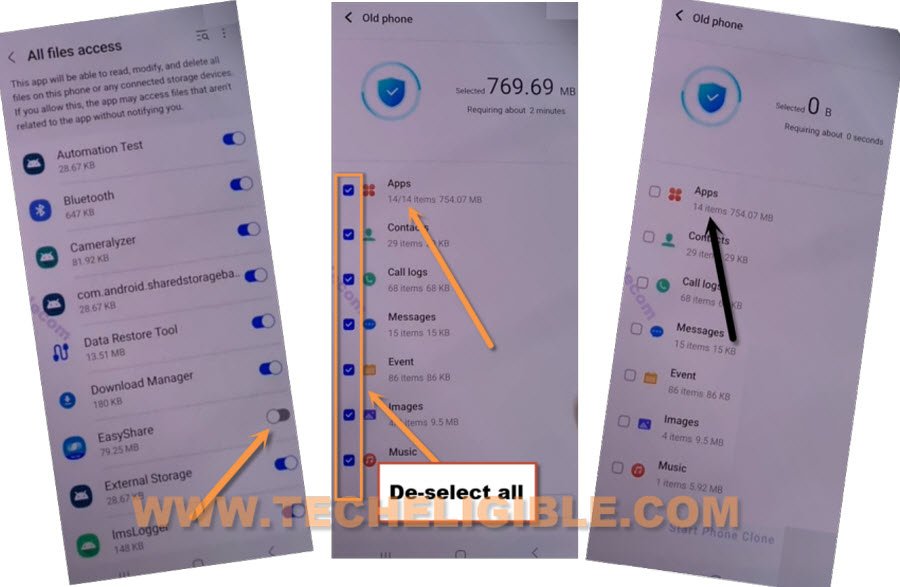
-Select only “Activity Launcher”, and tap to “Ok”.
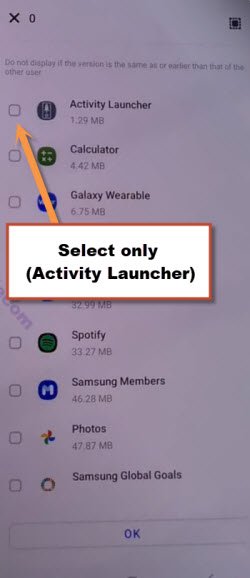
-Hit on > Next > Start Clonning.
Use Activity Launcher from VIVO IQOO:
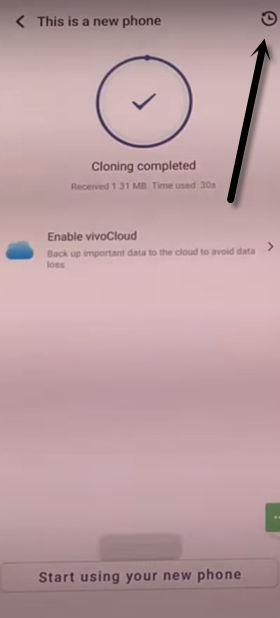
-Once the is transferred successfully, you will see (Cloning Completed) message on your VIVO screen.
-From VIVO IQOO phone, just go over “Clock icon”.
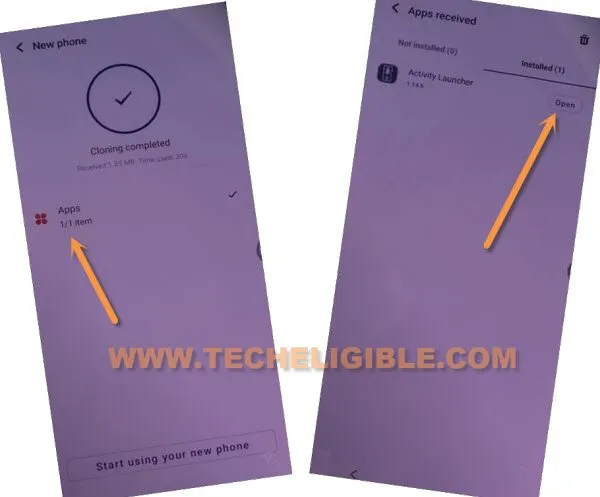
-Tap on > Apps > Open > Ok. Within few seconds, the activity launcher application will be fully launched.
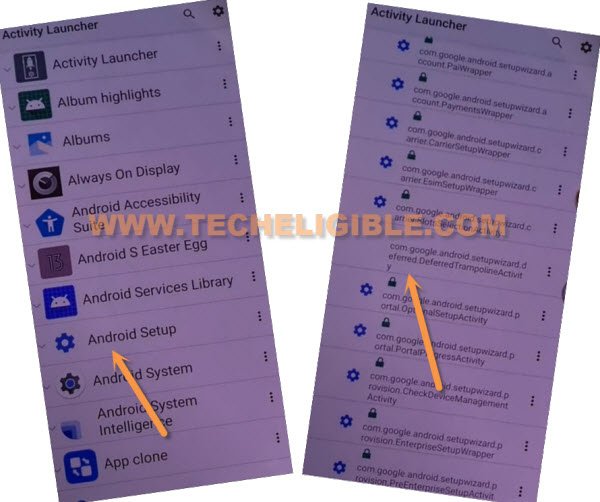
-Hit on “Android Setup”, you will see there a big list of too many android setup, just scroll down, and tap to “com.googel.android.setupwizard.deferredTramplineactivity” same as shown in below image to Remove FRP Account VIVO IQOO NEO 9 Pro.
-Tap to > Start > Skip > Next > Next > No Cable > Copy Without Cable.
-Hit on “Next”. Tap to “Next Keyboard” from popup window.
-Hit over “Use my google account instead”.
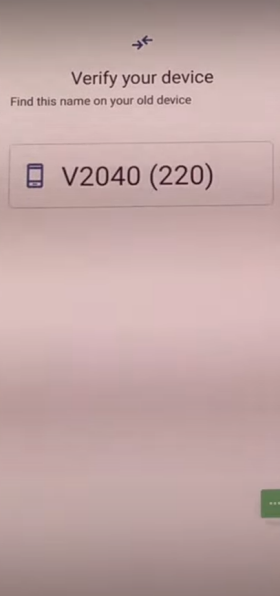
-Just tap to > Next > Next, you will be displayed (Verify your device) screen.
Lets Connect Google Account in VIVO IQOO NEO 9 PRO:
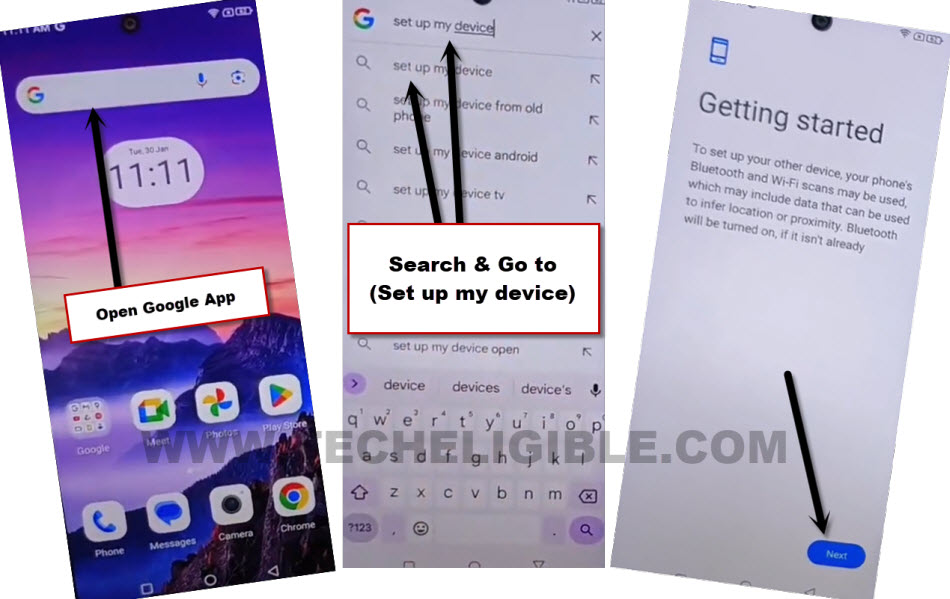
-In other android device, go to “Google App”.
-Search in address bar “Set up my device”. Hit on a searched result “Set up my device”.
-Tap to “Next”.
-You will see verify shape screen on both phones. Do make sure, your both device are on same WiFi connection.
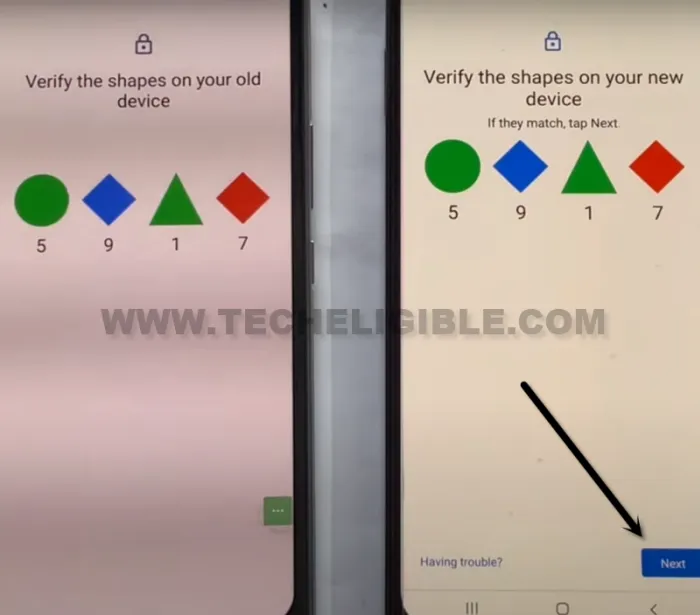
-From other android phone, hit on > Next > Copy.
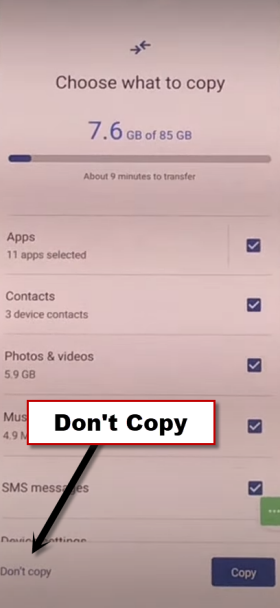
-On your VIVO X100 device, just hit over > Don’t Copy > Don’t Copy > Next
-You will be redirected on google services screen, from there, tap to > Accept > Skip > Skip > More > Skip > Skip > No Thanks.
-You will get back on first (Hello) screen. Now, you can easily complete initial setup wizard steps on your own. New google account has been added on your device. Thanks for visiting us.