This tool helps you in fixing up multiple android issues with one click only. You just connect your phone to PC and click the option from the tool to resolve it automatically. With the help of Android Utility Pro V200, you can perform various task, such as (Bypass FRP, Unlock Bootloader, Read Info, Reboot into Download Mode and factory mode, Samsung Knox Disable, Samsung FRP Bypass, Samsung DM Mode. etc) and there is a huge list of features available, those can be performed.
Android Utility Pro V200 is totally free and you can use this tool without any card and license. Procedure to use this is quite simple, you just have to check out steps below. We also have mentioned, how to bypass frp with this tool easily.
Support Devices & Processors:
It supports big range of android devices, however, there are separately mentioned android phone brands and processors names. Check out below. If your device falls into anyone tab, then, you just install drivers into your pc and run this tool to fixup your android device issues. Below is the list of processor and android phone brands, those are being supported by the tool.
- 1/MediaTek
- 2/Android
- 3/Qualcomm
- 4/Unisoc
- 5/Samsung
- 6/Xiaomi
- 7/Huawei
Features
You can perform multiple task with the help of android utility software, there are big list of features available to be availed. Such as, Read info, Reboot AT Mode, Reboot Fastboot Mode, Reboot Recover Mode, Drum Preload EMI, Disable AUTH, VIVO (MT6765/6771) Force Brom, Exit Brom, Remove Demo.
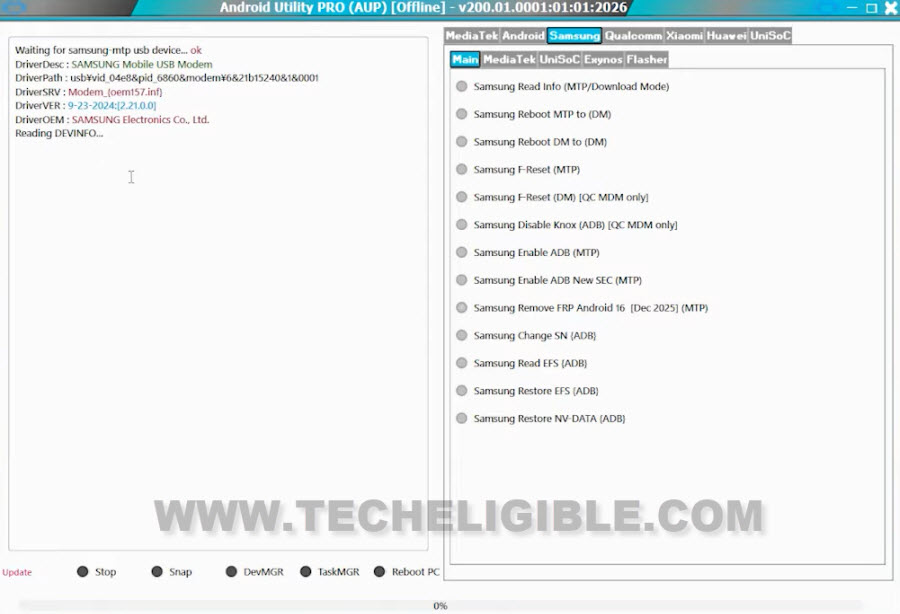
On Samsung phone, you can read info into (MTP/Download) mode, Enable ADB, Factory Reset, Bypass FRP etc. You can check out all features directly by running this tool on your PC windows operating system.
Download & Install Android Utility Pro V200:
-Let’s download by clicking the link below.
Note: For a smooth downloading process, download it through (Opera/Microsoft edge browsers).
| ⇒ Android Utility Tool V200 [DOWNLOAD] Password: gsmprime This tool support WIN 7/ WIN 8/ WIN 8.1 / WIN 10 / WIN 11. |
-Firstly, switch off or disable your pc (@ntivirus) software.
-Afterwards, extract the tool from winrar by giving the password, that is already mentioned above.
-Once the tool is extracted, go to its extracted folder and double click on the (androidutility.exe) file.
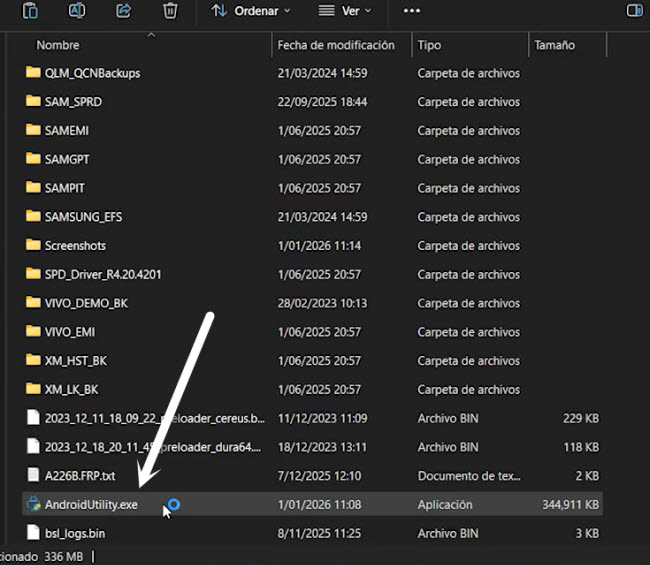
-You may see a popup window, just click on “More information” and then, hit on (RUN Anyway) option, this will launch this tool within few minutes, just there for a minute.
-Don’t forget to install proper USB or MTP drivers on your computer before connecting your android phone with PC. We recommend you to, check out steps here about how to install drivers on PC.
Bypass FRP Samsung Android 16 By Tool:
Good news is that, we can use this tool easily on All Samsung phone Android 16 devices easily. Right now, it has been tried with (Samsung A24 Android 16). If your phone is on (Android 15) version, you will have to flash the phone with Android 16 version firmware to upgrade it. After that, use the tool easily.
-Simply, run the tool on PC.
-Install proper Samsung USB drivers.
⇒ Samsung USB Drivers [DOWNLOAD]
-Go to “Samsung > Main” tab from the tool.

-After that, connect WiFi to your phone. Without WiFi connectivity, the tool will not work.
-Connect Samsung phone with PC.
-Simply, click on the “Samsung Remove FRP Android 16 (December 2025) (MTP)” option. After that, this will start removing the FRP lock protection.
Note: This tool will bypass frp only on (Samsung Android 16) phone, if your device is on lower version, upgrade it first and then, try again.

Conclusion:
We discussed and shared with you downloading link of the (Android Utility Tool Pro V200). We also have mentioned the feature list and how to run this tool on PC. There is no need for any kind of license purchasing, this is the free tool and can be used with one click only. Simply, download and install on computer.