
Are you worn out from the multiple tries to access your Google account after completing a hard reset on your tablet? If your answer is (Yes), then look at our secure instructions to regain access to your phone and entirely Bypass FRP Mediacom SmartPad Hx 7 HD. This stems from the fact that your device is secured with FRP lock protection. If you are completely unsuccessful in retrieving your previously signed-in Gmail account, then proceed with our guide now.
Disclaimer: We are creating this post to educate people about how to get back their lost device due to forgetting Google account. This method is only for device owner and for educational purpose only.
How to Bypass FRP Mediacom SmartPad Hx 7 HD?
-Switch on the tablet and connect to WiFi network.
-Afterwards, go all the way back over the first startup screen. Long hold the “Power button”, you will be displayed a (Settings) option there. Just tap on that “Settings” gear icon.
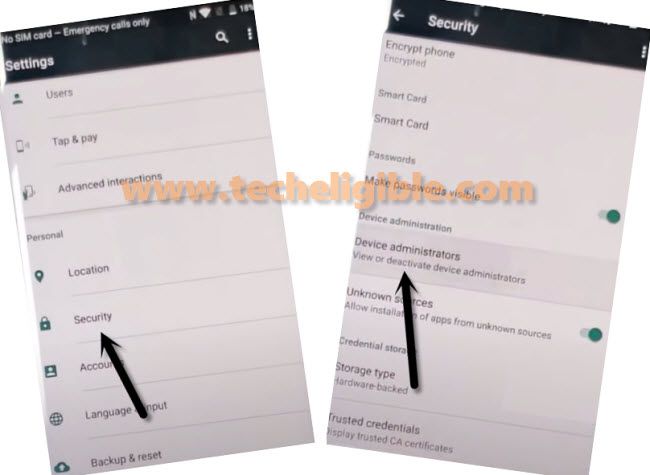
-Afterwards, from the main settings of the tablet, just go to > Security > Device Administrator.
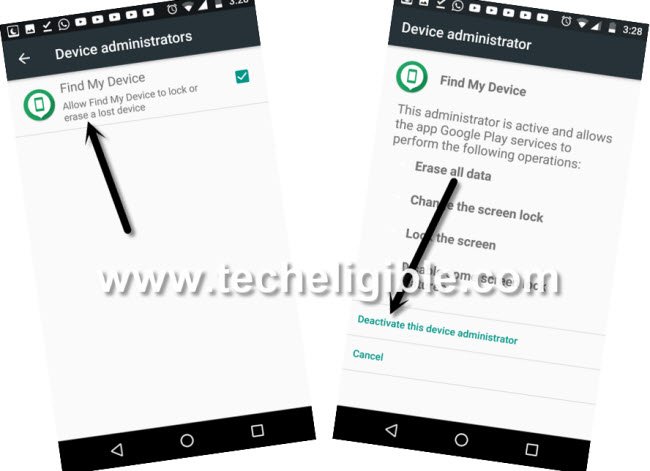
-From there, hit over the “Find My device” and then, hit over the link “Deactivate this device administrator”.
Open Chrome App
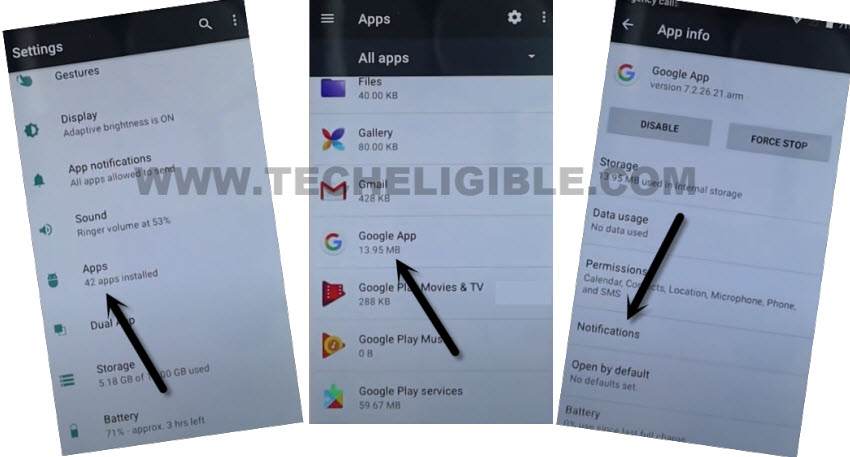
-Go back on the primary “Settings page”. From there, tap to > Apps > Google > Notification.
-Toggle on the option from top corner, which is aside the (google icon).
Note: In your case, you may have toggle icon aside the google icon, just turn on that option.
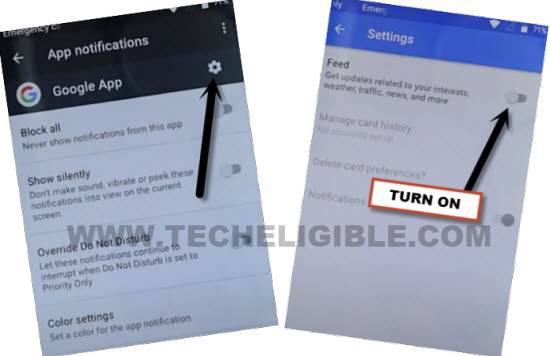
-Turn on “Feed” option as well. After that, tap over the “No Thanks”.
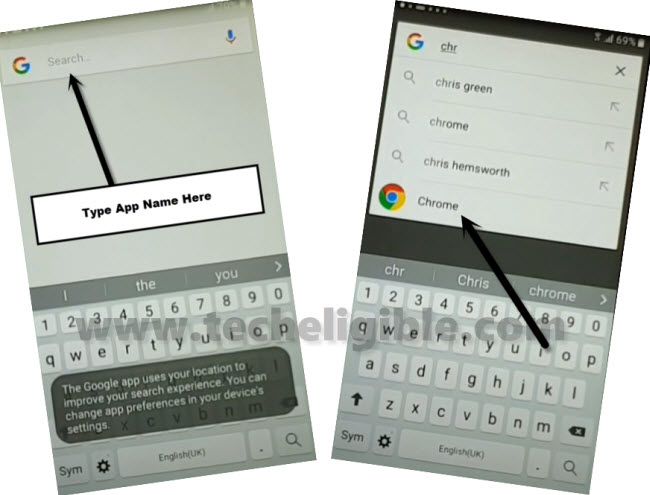
-Search and open the “Chrome browser” from the searched result.
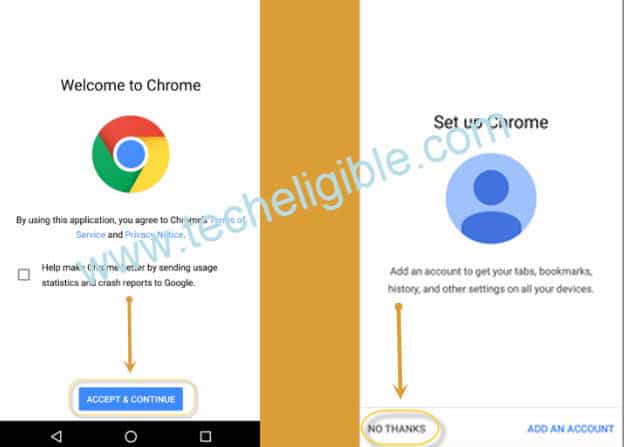
-From the popup screen, hit over the > Accept & Continue > Next > No Thanks.
Download & Install Google Play Services
-Finally, the chrome browser app will be fully launched
-Make search with the text “Techeligible” and then, go to 1st searched result
-Hit on the “Menu” icon from upper corner and tap on the “Download FRP Tools” option.

-Once you reach on the official frp tools page, scroll down and download the “Google Play Services” app from there.
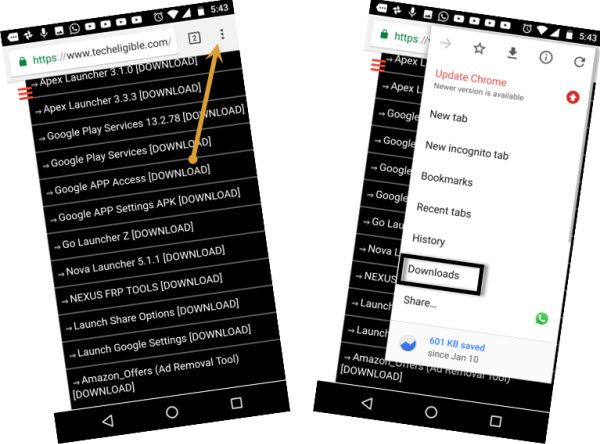
-Once its downloading process is completed, go to top of the browser page and hit on “3 dots” icon from top corner. Then, tap at “Downloads” option.
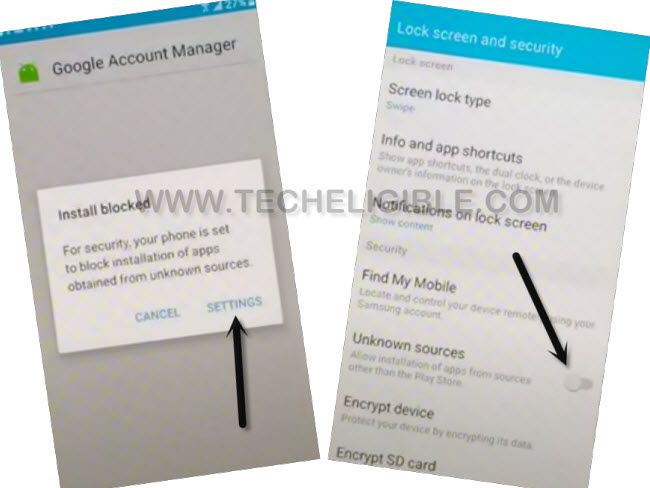
-On download folder page, you will be able to see recently downloaded app, just install this app now. Tap over the “Google Play Services” application. Then, you will be prompt a popup window, just tap to “Settings” and turn on “Unknown Sources” option.
-Go back on the download folder page, tap again on app > Google Play Services > Next > Install > Done.
-Tap 3-4 times on back arrow icon from bottom your tab screen to reach back on the same (Google) screen as shown in below image.
-After that, toggle on option again from top right corner.
-Turn on “Feed” option. Then, tap to “No Thanks”.
Go to Settings & Disable App
-You will be redirected on the google search box page. From there, search with “Settings” and hit on “Settings’ icon from searched result.

-From settings page, go to “Apps”.
-Find and tap on > Google Play Services > Disable > Disable App.

-We are gonna setup another google account to bypass frp. For this, go back to main (Settings) page. From there, tap over the > Accounts > Add Account > Google.
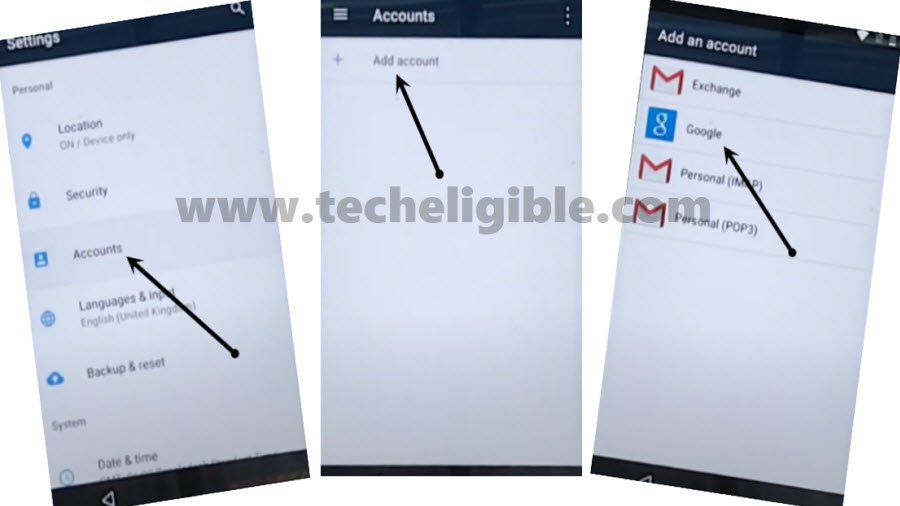
-Login with your any other working Gmail account to setup fresh FRP lock protection.
-After you are done from login in with another gmail account, you can get back to primary settings page of the device and go to “Apps” from there.
-From the app list page, find and go to > Google Play Services > Enable.
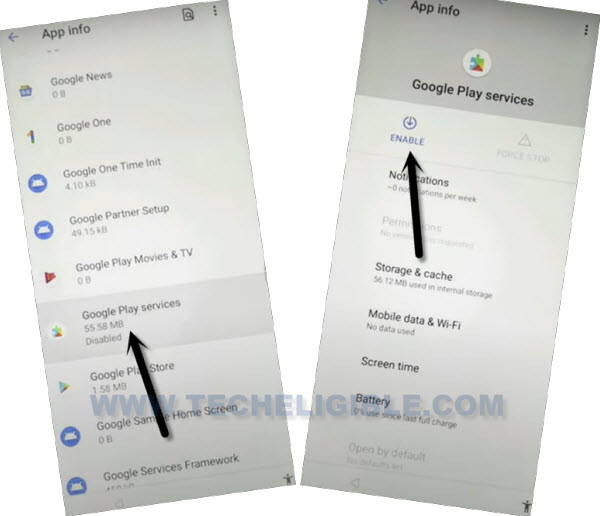
-After enabling this app. Find also your manually installed (Google Play Services). And then, uninstall this app completely.
-Afterwards, you can restart your tablet easily and complete setup wizard steps.
Final Words
We manually accessed to the main settings page of the tablet. After that, deactivated the (Find My device) option. Then, we just installed the google play services application. Once its done, accessed to the by default installed app list page from there, we disabled the (Google Play Services) app. Finally, logged in with google account and completed setup wizard steps easily.