
Cannot figure out, how to resolve accessing issue on your own phone after being locked out with FRP lock protection? This issue arise only, when you don’t know your own logged in Gmail account after performing hard reset. Because, FRP locking feature eventually will show you google sing-in screen to complete the verification process. However, if you’ve forgotten the account completely, then, follow up steps below to Bypass FRP AT&T Verge Phone.
Disclaimer: We are creating this post to educate people about how to get back their lost device due to forgetting Google account. This method is only for device owner and for educational purpose only.
How to Bypass FRP AT&T Verge Phone:
-Firstly you need to prepare a 4 digits pin lock setup sim card.
Note: If you are not aware of how to set up 4 digits pin lock on a sim card, click here to find a solution.
-Let’s continue steps now, Turn on your device then simply connect to a Wi-Fi network.
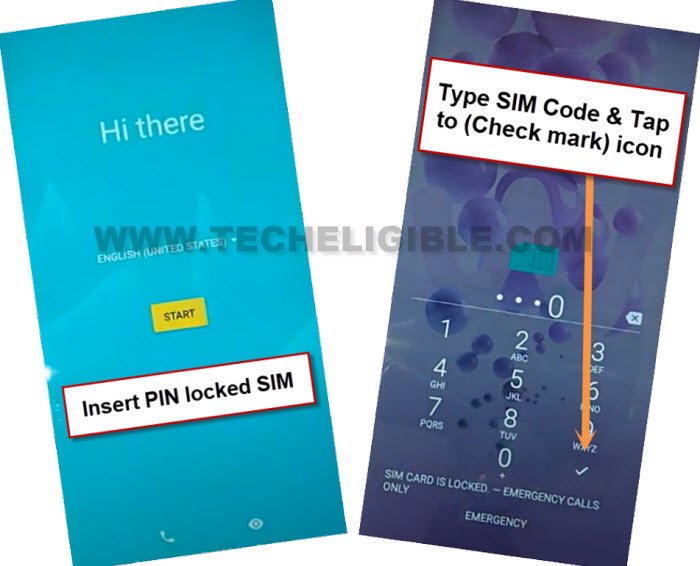
-Go back to the “Hi there” first starting up screen of your phone. Simply insert the pin locked set up sim card. After that, you will be asked to insert sim pin.
-To unlock it, you only have to insert 4 digits pin lock sim pin, and then, click to next.
-After that you will be displayed “Not signed-in” message.
Capture Random Image
-From this screen, you have to long hold the “Camera” icon which is right at the bottom of your device screen.
-Once the camera capture screen is opened capture any random image.
-Tap on your already captured image from the bottom circle.

-Then then simply tap on the “Lens” icon from bottom. After that, from next screen, tap over the “3 dots” option.
-Go to “privacy policy” option.
-Tape our “Share icon” from top right corner.
Note: If the share icon is not responding you, tap multiple times on “share icon” again and again this will work.

-After hitting on the share icon, you will get some sharing applications at the bottom of your device screen, you just tape on “Chrome” icon.

Go to “Security Lock Setup” Screen
-You will see a search bar at the top of your device browser screen, lets search with “Techelible” text, then, go to 1st searched result same as mentioned in the below image.
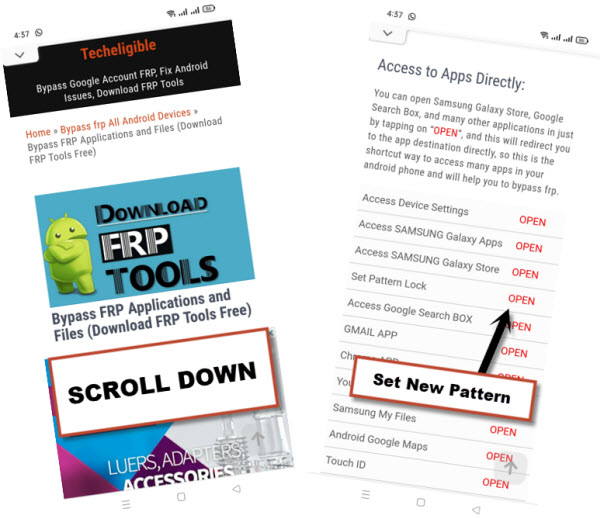
-You will access on a official techelible webpage. just hit on a > Menu > Download FRP Tools.

–We are gonna find and hit over the option “Set Pattern Lock“.
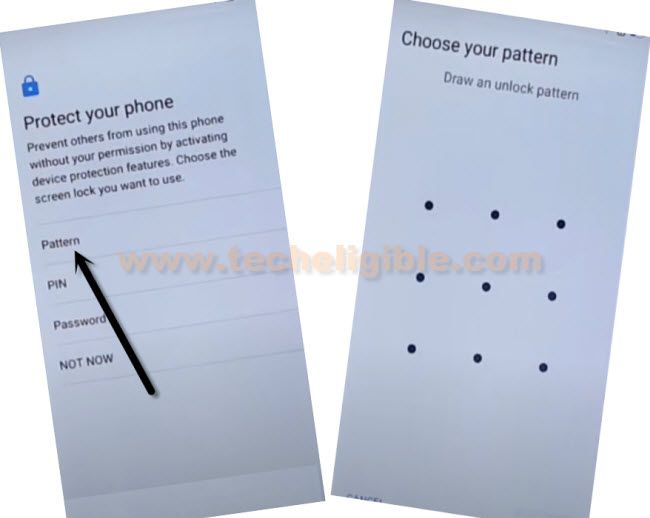
-After that, the new pattern lock setup screen will pop up.
-From the pattern lock set up page, you only have to choose the “Pattern” option, then you just draw your any desired pattern lock. After that click to “Next”, then draw again the same pattern and then click on “Confirm” option. This will set up new pattern lock on your device.
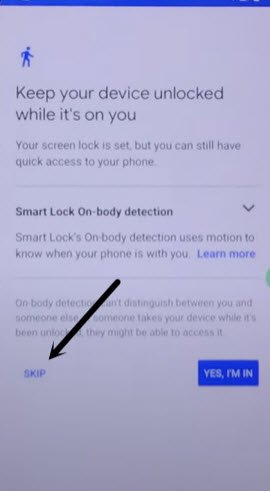
-You will reach on the next page “Unlocked device while it’s on you” from there click on the “Skip” option.
Get back on Startup Page
-You can go all the way back to your first startup page through tapping over the back arrow icon several times.
-From the startup screen, tap on the “Start” button, the phone may take several minutes on the loading screen “Getting your phone ready” page. just wait until its completed.

-You may be asked to enter your birth date, just give it there.
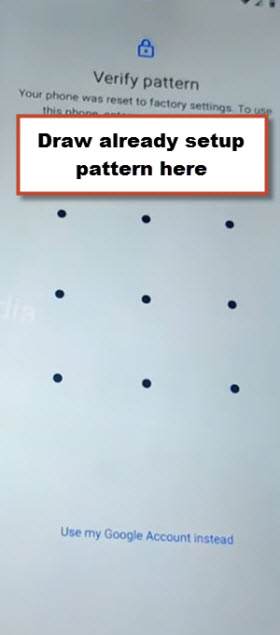
-If you get the pattern lock verification screen, simply, draw the already setup pattern lock.
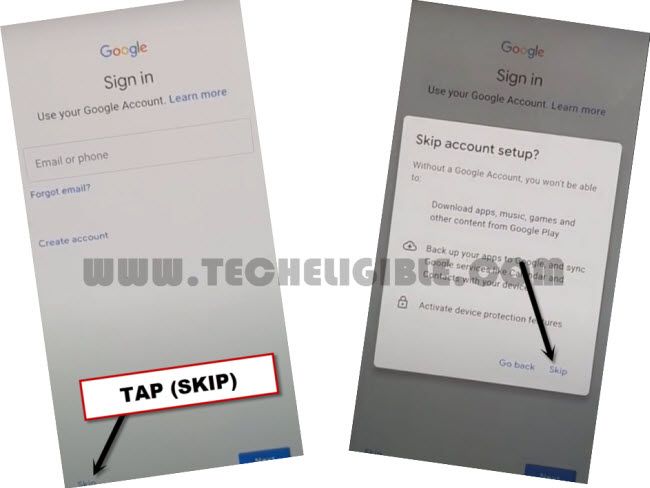
-On the next “Google sign in” page, choose the > skip > skip.
-Complete all the required and remaining steps on your own after skipping the google verification screen. It’s all done. You can setup another google account by going to settings of the device.
Final Words
We simply used a pin locked setup sim card on the AT&T Verge Phone. We just launched the camera app from the (Not Signed in) screen. Then, captured random image and accessed on the (Privacy & Policy) page. From there, we manually searched the (Techeligible) site on chrome browser and accessed on the (FRP Tools) page. After that, we setup another pattern lock on this phone to completely remove the FRP lock protection.