Follow easy steps to Bypass Google Account Infinix Note 3 Pro, if you are unable to recover your forgotten gmail account, and after trying every single method, you are unable to get back previous synch gmail account, then i would recommend you to follow this method to bypass factory reset protection from Infinix Note 3 pro android 6.0.
Disclaimer: We highly recommend you to apply this method only on your own device, if you are not owner of this device, or you found this from some where, you must return to its real owner.
Let’s Start to Bypass Google Account Infinix Note 3 Pro:
• Switch on device
• Connect Wi-Fi to infinix Note 3 Pro.
• From “Wi-Fi” screen, tap on “Add another Network”.
• Type any random text in “SSID” field.
• After that. long tap on your typed text, until (Cut, Copy, Assist) options appear.
• Tap on “ASSIST”, and wait few second until “Google” open.

• Now type in search bar “CHROME”, and open chrome browser.
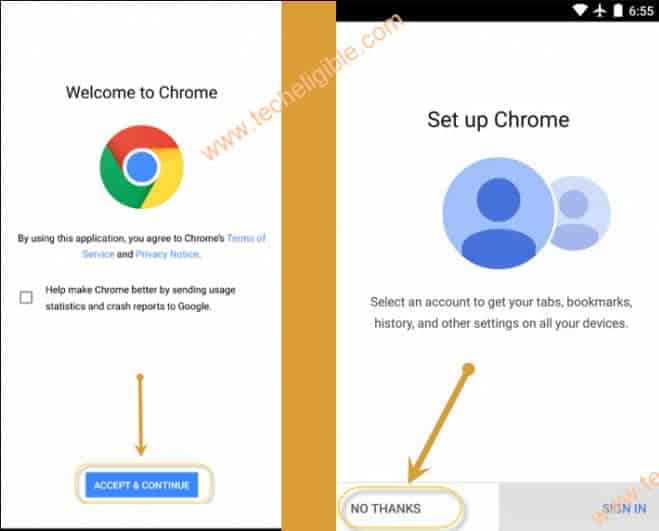
• Tap on “Accept and Continue”, and then “No Thanks”.
Download FRP Tools from Chrome Browser:
-Let’s go to techeligible site by searching in browser with “Techeligible“. After that, visit first searched result same as shown in below image.
-Afterwards, you have to hit over the “Menu” icon from top corner. Tap to “Download FRP Tools”.

• Download from there “Google Account Manager 6.0“, and also “Account Login” apk apps.
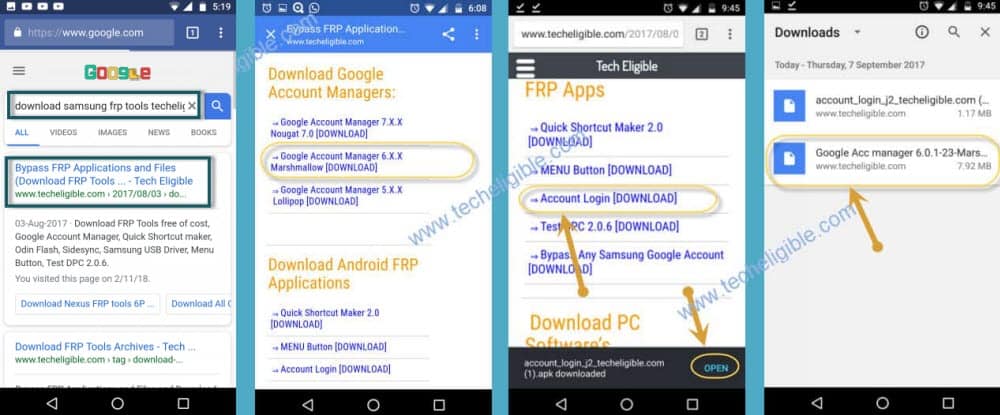
• Once downloading finish, you will get a popup bottom of your screen to open download folder, just tap on “Open” from popup.
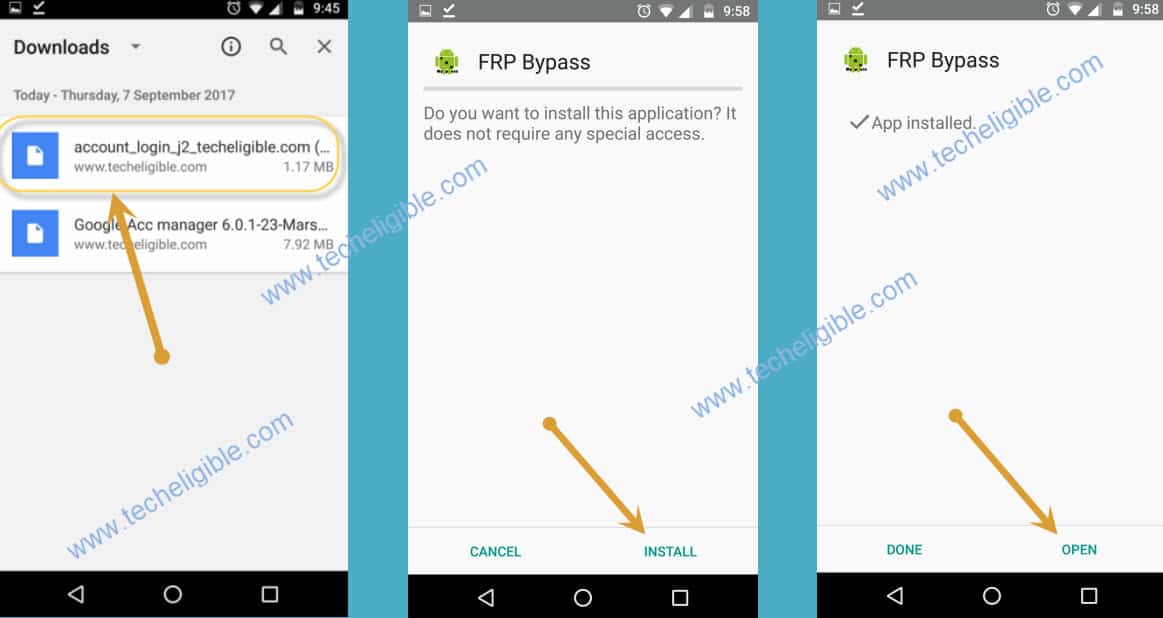
• From download folder, install “Google Account Manager” app.
Note: If you get any popup like “installation Blocked” etc, just tap on “Settings” from that popup, and then enable “Unknown Sources”.
• Go back to download folder, and then install “Account Login”.
• Tap on “Account Login”, and then “Install”, after that tap on “Open”.
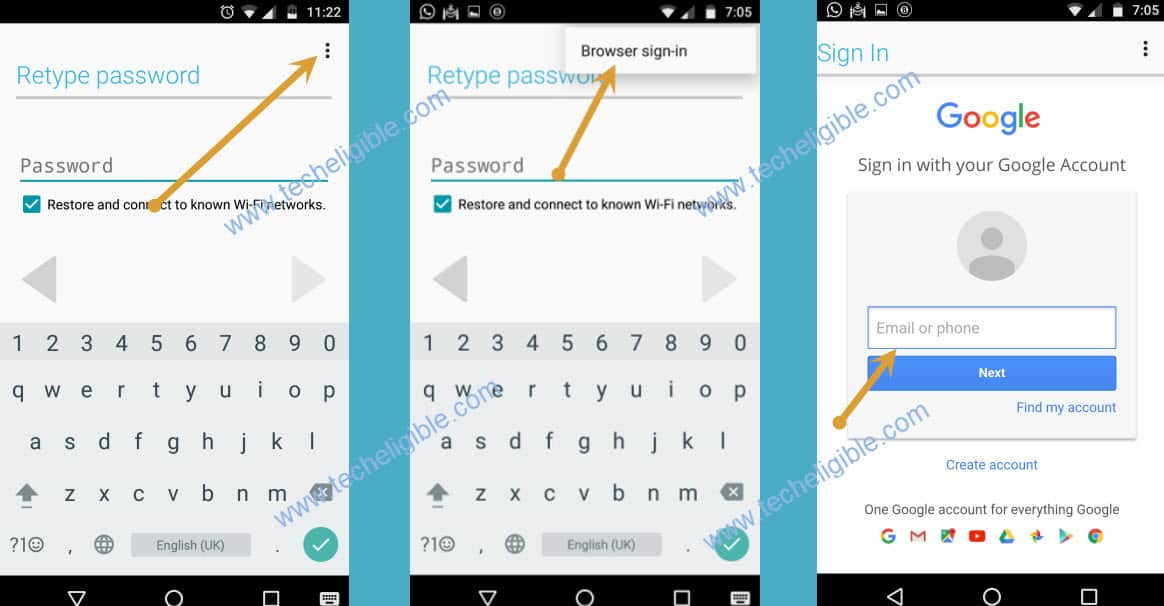
• You will be redirected to “Retype Password” screen.
• Tap on “3 Dots” from top right corner.
• Now tap on “Browser Sign-in”.
• Add new gmail account to Bypass Google Account Infinix Note 3 Pro.
• After adding account successfully. restart your device.
• Complete initial setup.
Read More: