If you are tired of searching for a working method to Remove Google FRP All LG Android 13, 12, and do not want to spend money to get your device free from FRP, so you can follow up this best and easiest method from here to get back your device without using any PC, and paid tool.
You need some tool before starting this method, you need a (WiFI Connection), and (Bluetooth Handfree), and (PIN Locked SIM card), otherwise you won’t succeed in this process, that is why, we’ve already mentioned all required tools, so that, you may not stuck in the middle of this method.
Warning: Do not try this frp method on a stolen phone, this is a serious crime, if you are trying to bypass frp on a stolen phone, you may also be jailed, this process is for device owner and for educational purpose only.
Let’s Begin to Remove Google FRP All LG Android 13, 12:
-We’re required a PIN locked SIM card to bypass frp from this LG phone, so setup 4 digits PIN lock in your any SIM using any other android device.
-Once this is done, just turn on LG device, and insert that SIM card in your LG phone.
-After inserting SIM card, you will start seeing your device lock screen, just press “Power” key once to turn off screen only.
-Press “Power key” again to wake up the screen.
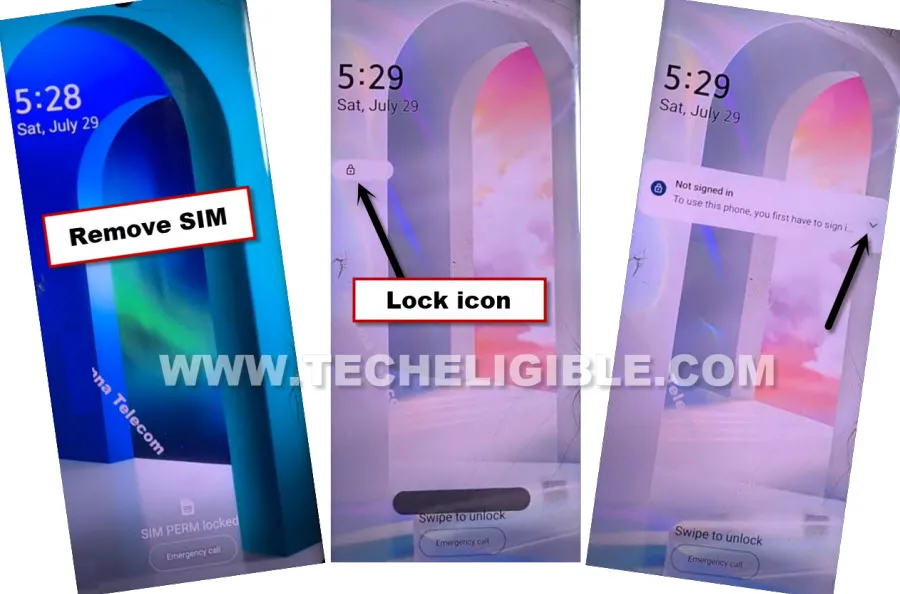
-Remove SIM card from your LG phone, and quickly press “Power” key once to wake up screen again.
-Long hold on “Lock icon”, and then tap to “Down Arrow” from not signed in message.
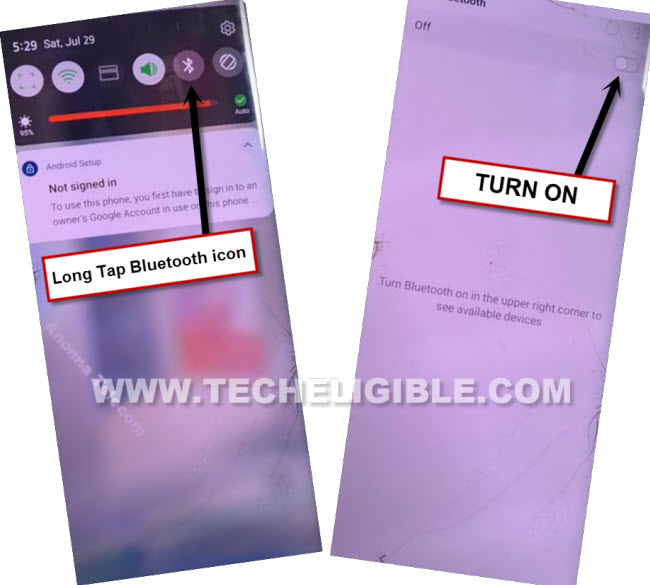
-The top notification bar will come down, just long hold on “Bluetooth” icon, and tap to (Turn on) Bluetooth from there.
-Here, we are required a (Bluetooth headphone/handfree/air pods) to connect with our LG device.
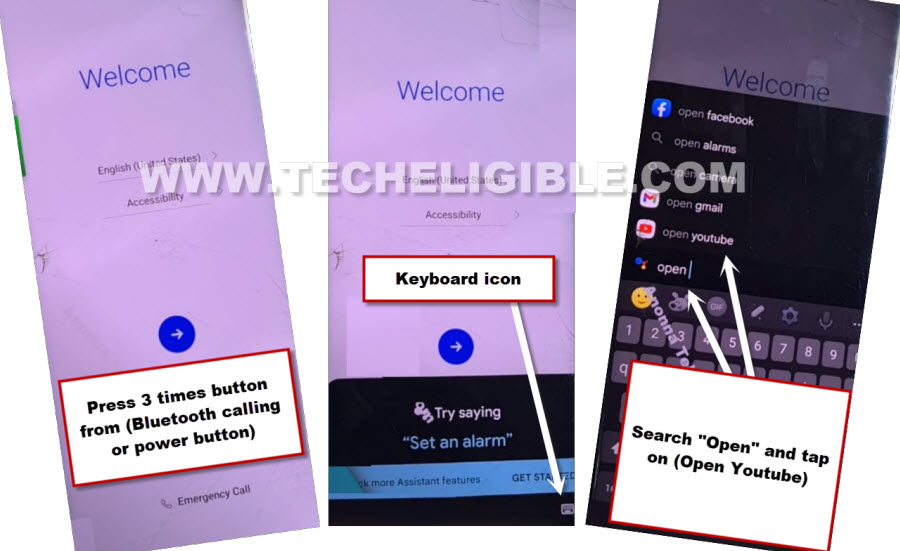
-So connect with any Bluetooth handfree, once the device is connected successfully, just go back on first (Welcome) screen, after that, press 3 times (Power button or calling button) from your bluetooth headphone or handfree, this will show you (Try Saying) popup in LG device.
-Tap to “Keyboard” icon, and type there “Open”, and then hit on “Open Youtube” option.
-Hit over (Profile) icon from youtube, and hit on “Settings”.

-Go to > About > Youtube terms of services.
Let’s Disable Few Apps from LG App List:
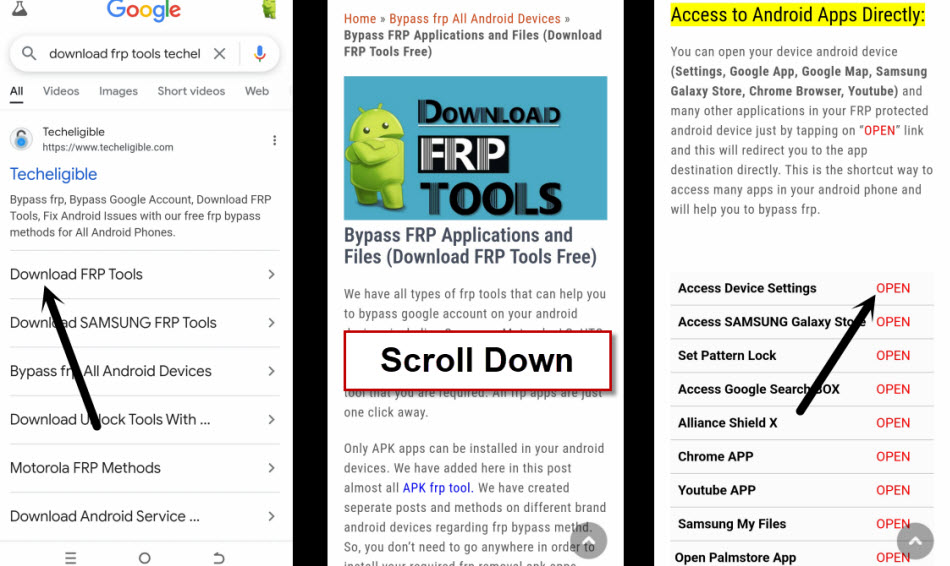
-We’re gonna access to frp tools page, firstly, search with “Techeligible” in browser search bar. After that, go to same searched result as shown in below image.
-From there, hit over the “Menu” icon from upright corner and then tap on “Download FRP Tools“.

-Tap to “Access Device Settings” to be redirected on your settings page.
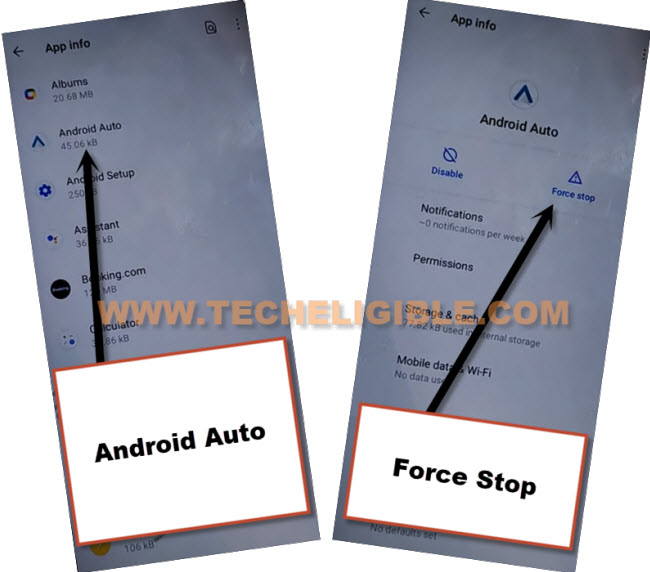
-From there go to > Apps > App info.
-Hit over > Android Auto > Force Stop > Ok.
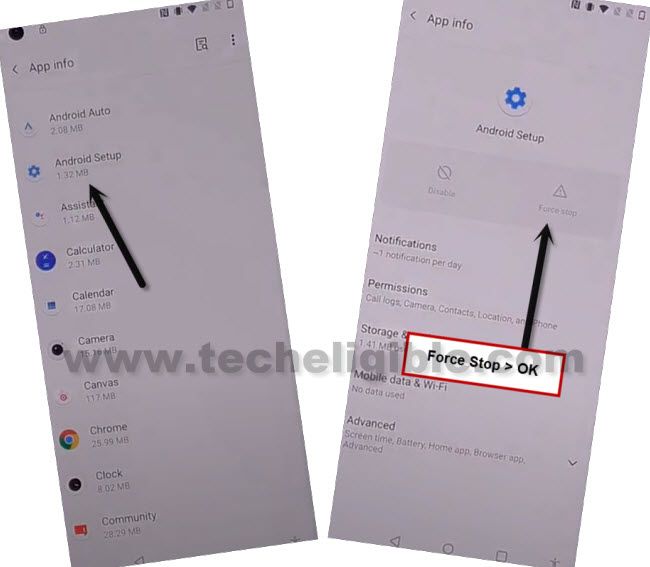
-Hit over > Android Setup > Force Stop > Ok.
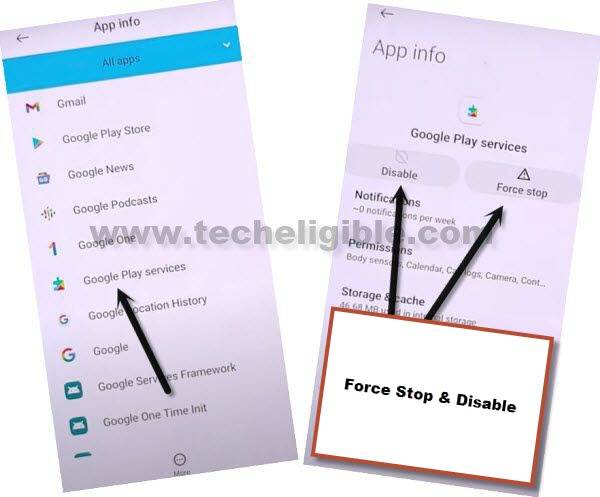
-Hit over > Google Play Services > Force Stop > Ok, after that, tap to “Disable” and then “Disable App”.
Go Back on Welcome Screen to Complete Initial Setup:
-Go back to first (Welcome) screen by hitting over back arrow few times.
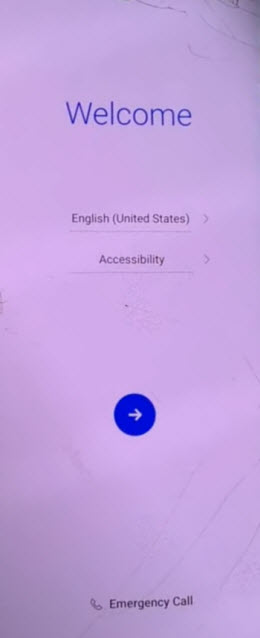
-Tap to > Next > Skip > Next > Next.
-You will have a (Just a few moment…) loadings screen, this will not done, just go back, and restart your device by long hold (Power button).
-Now again tap to > Next > Skip, and you will lead to (Set internet Connection..) screen, just turn off WiFi, and hit on > Next > Skip Anyway.
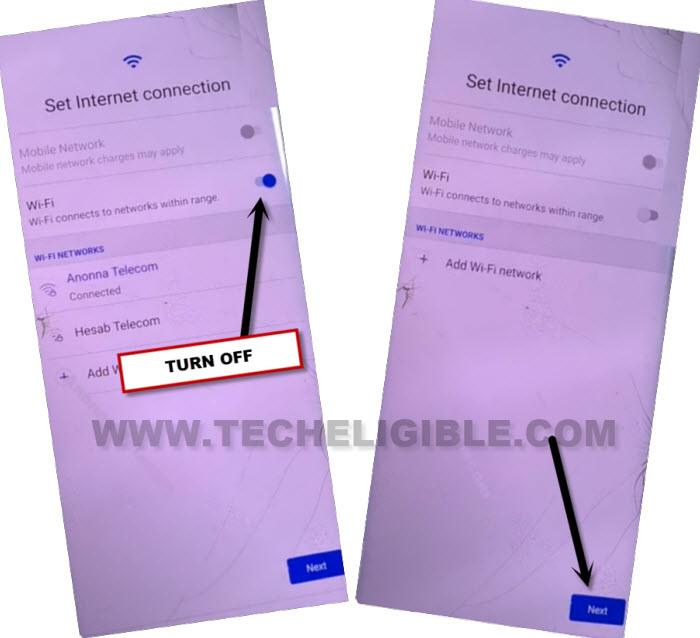
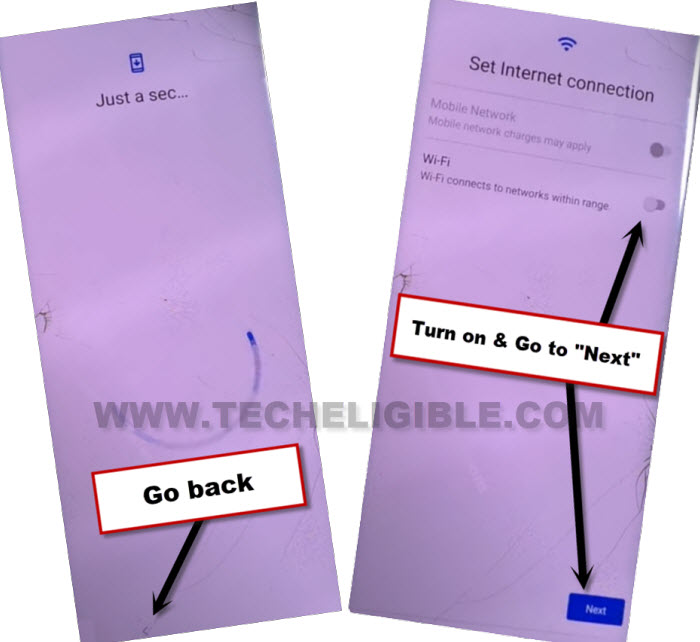
-You will start having (Just a sec…) screen, wait on this screen for 20-30 seconds, after that, hit in “Back Arrow” to go back to wifi screen again to Remove Google FRP All LG Android 13, 12.
-Turn on “WiFi”, and tap to “Next”, and “Skip anyway”.
-You will start having (Checking for update…) screen, now press 3 times (Power or Calling) button from your connected Bluetooth handfree.
-This will show you pop of (Try Saying), just quickly start tapping on “Bottom Right corner of that popup” window, because on that location “Settings” option will appear. So we have to hit over “Settings” option before it disappears to reach on google play services screen successfully.
Note: You may have to repeat this several times, because many times, the (try saying) window will disappear, or you won’t be able to hit over “Settings” option.
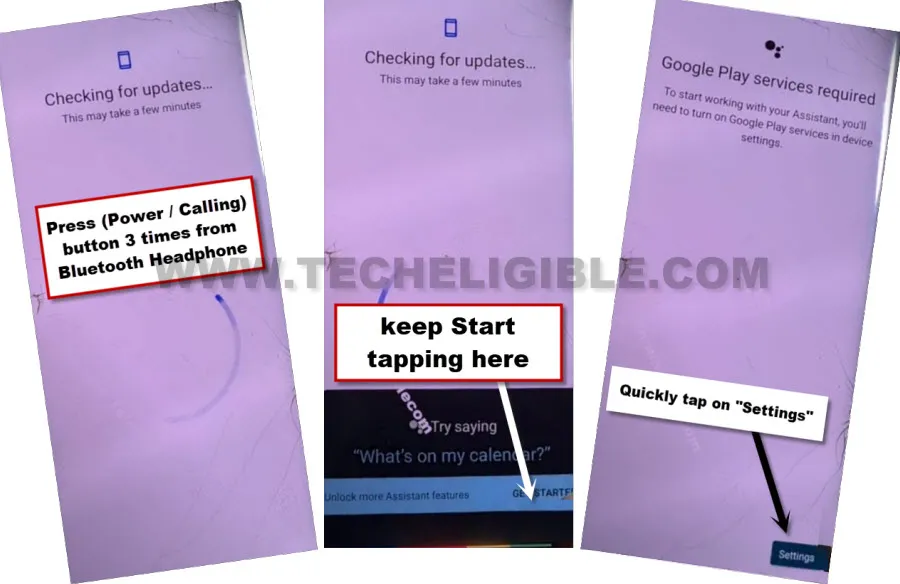
-Once you successfully hit on “Settings”, just tap over “Enable” button from google play services screen to enable that app to Remove Google FRP All LG Android 13, 12.
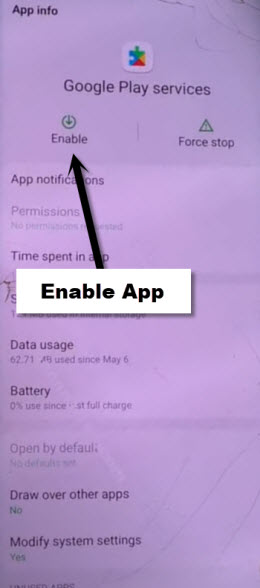
-Hit on “Back Arrow” twice to go back on (Checking for update…) screen, now wait there, this will complete shortly.
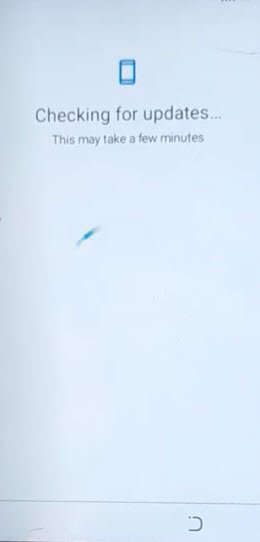
-You can now easily complete all remaining steps on your own, and access to your device main home-screen without signing in with previously signed in google account.