You can get back your device just by through Bypass FRP LG 5G Wing 5G. If you have lost access to your device after hard reset because of forgetting already signed in google account. In this condition, you should follow up guideline from this post to fix this problem and access to your device main home-screen and setup new google account. We have 2 best methods in this single post, you can follow up both methods one by one.
Note: This method is only for device owner and for educational purpose only.
| Method 1: Remove FRP LG Wing 5G [By SIM Card] |
| Method 2: Remove FRP LG Wing 5G [By Talkback] |
Method 1: Bypass FRP LG Wing 5G by PIN locked SIM & Headset
-Turn on LG Wing device & Connect first. After that, go all the way back on first (Welcome) page.
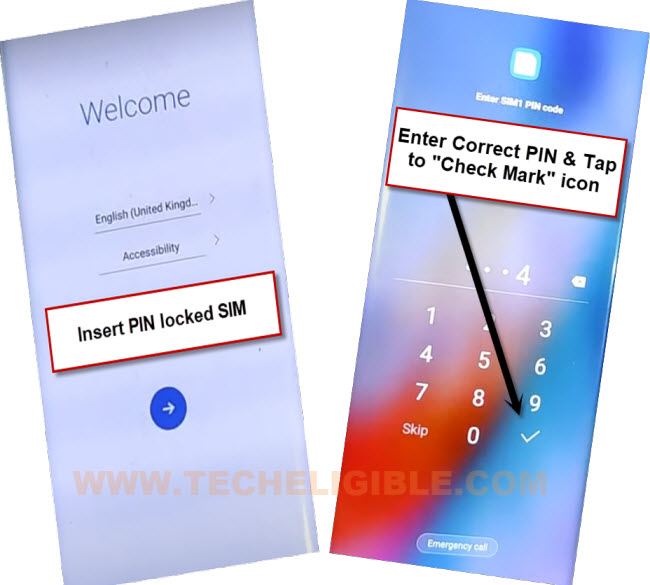
-Insert PIN locked SIM card in your device. Do make sure, your SIM card has PIN locked Setup already.
-After inserting the SIM card, you will be asked to enter SIM PIN. Enter correct SIM PIN, and hit on “Check mark” icon.
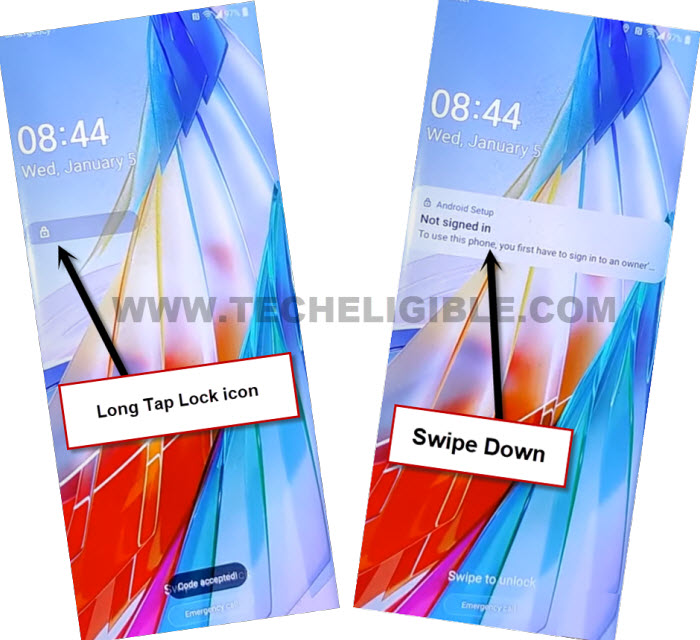
-You will see a lock screen, just double tap on “Lock” icon from there.
-After that, long tap and swipe down the (Not Sign in) message.
-You will be displayed a top notification bar. From there, tap on “Bluetooth” icon to turn on Bluetooth.
-After that, the device will auto start searching Bluetooth device.
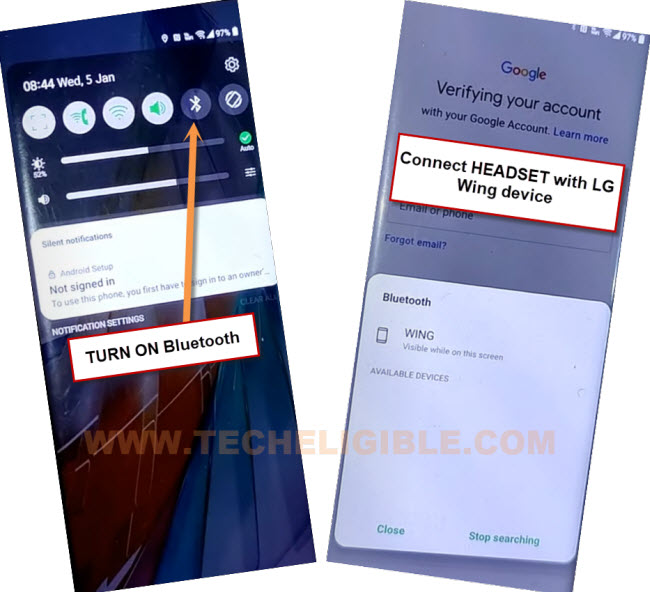
-Turn on your (Bluetooth Headset), and keep this nearby your LG wing 5G phone.
-Make pair with your (Bluetooth headset).
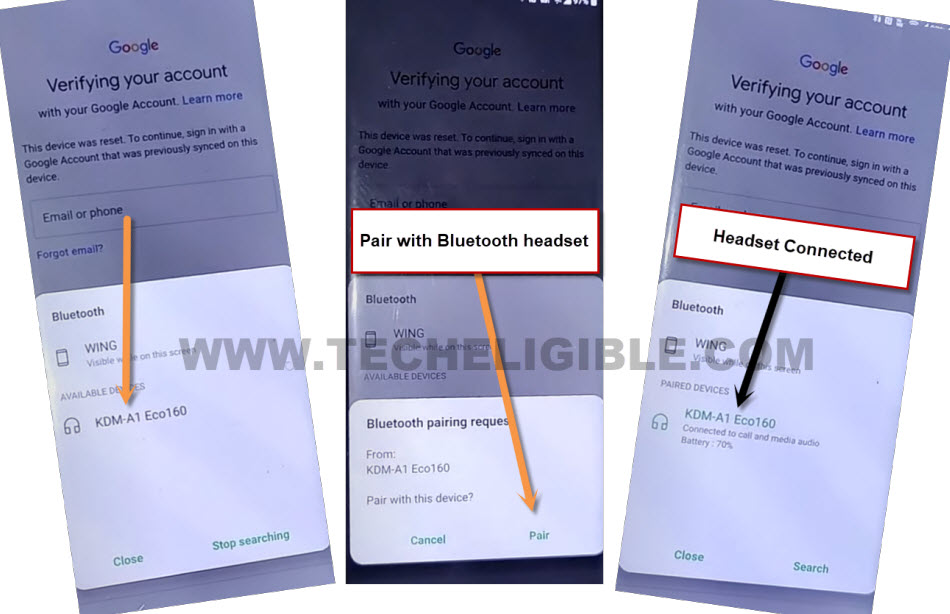
-After that, go all the way back to (Welcome) homepage.
-Long press & hold (Calling button) from your Bluetooth headset, by doing this, you will have a (Try Saying) popup window will appear up.
-From there, tap on “Keyboard” icon. After that, type message “open settings”. Tap to “Send” icon button.
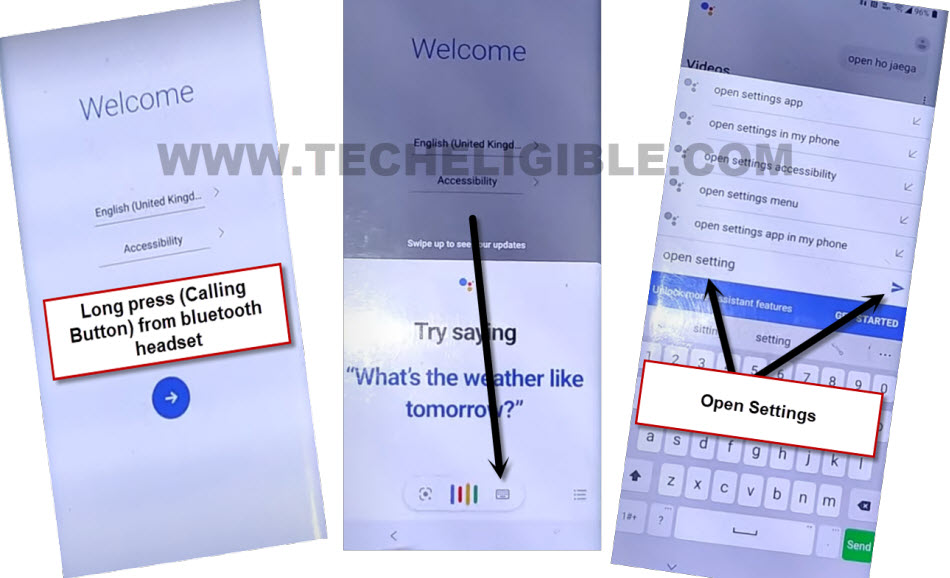
-Finally, you will get into your device main settings page. Now, we can easily Bypass FRP LG 5G Wing 5G.
Let’s Setup new Screen Lock:
-We have to setup new screen lock on this device to bypass frp completely.
-Scroll down little bit, from there, tap to > Lock Screen & Security > Screen PIN.
-Turn on “Screen PIN” option from there same as shown in below image.
-Turn on also “Pin with screen lock” option.
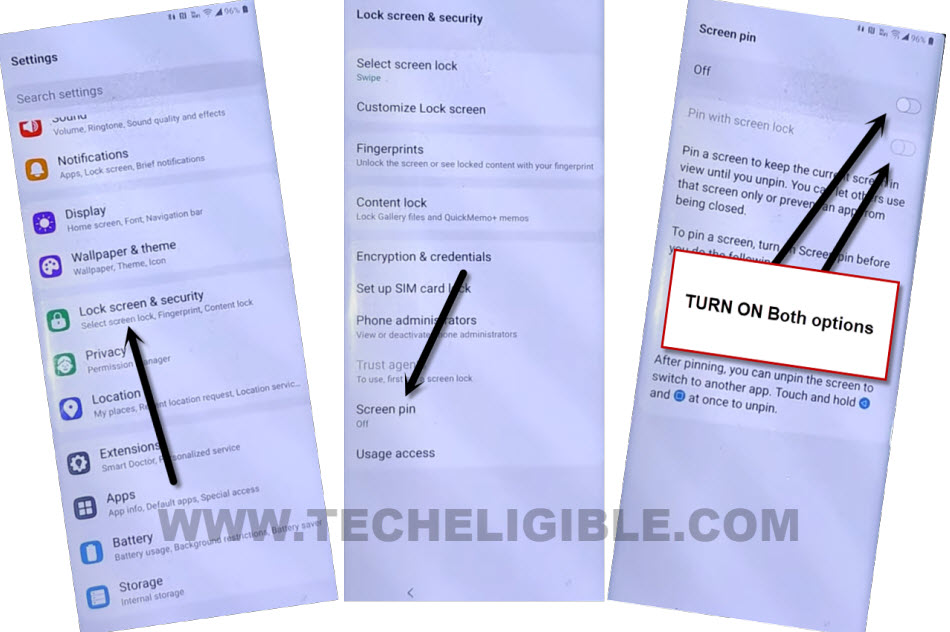
-After that, you will be redirected on a (Select Screen lock) page. From there, tap to “PIN” option.
-Setup your any desire PIN on this phone.
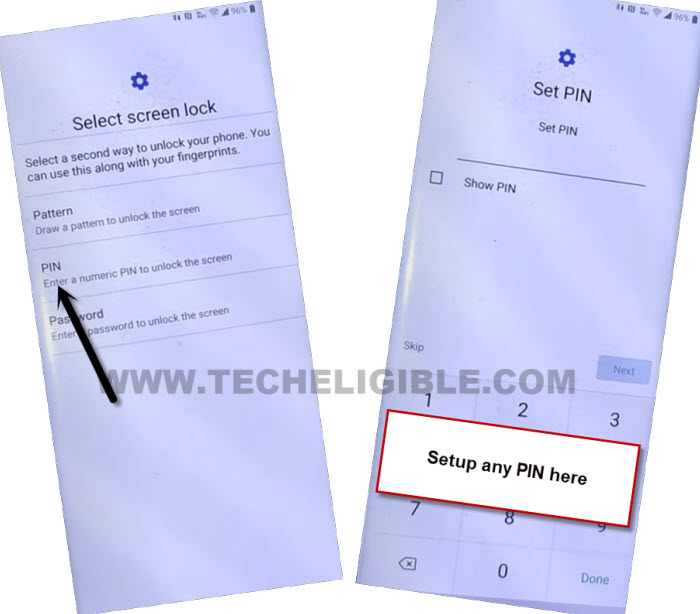
-After the PIN is setup successfully, you will be taken on a (Fingerprints) screen. That means, our PIN has been setup successfully.
Note: If you are not redirect to (Fingerprints) screen, and you don’t get any notification about (PIN is setup successfully) etc. You will have to repeat PIN setup process multiple times, and do this, as fast possible, just ap to > pin > setup pin again, by doing this, you will be able to setup PIN easily.
-Once the PIN setup process is done, just tap to “Next” from (Fingerprints) screen. Give your already setup PIN code.
-Setup your fingerprint.
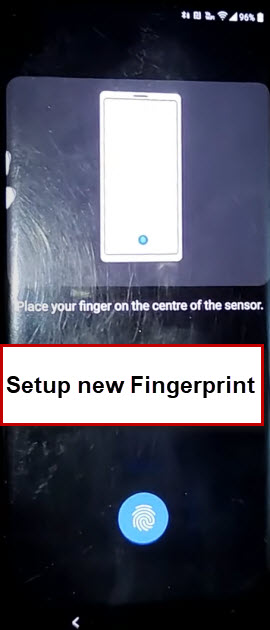
-Go all the way back to first (Welcome) page by hitting on back arrow several times.
-Reboot your device just by (Long hold) power button. After that, select “Power off and restart”. Select “Restart” option.
-Connect WiFi & go to (Verify your account) screen. There, you will be asked again to enter previously added google account. Just don’t worry. We have to hard reset our device here to Bypass FRP LG 5G Wing 5G.

Let’s Hard Reset LG Wing 5G:
-Long press both (Volume Down + Power off) button at the same time.
-After waiting few second, your device will power off, after waiting few seconds, your device will power on, and LG Wing logo appear up on screen.
-As soon as, LG Wing logo appears on display, just remove your finger from (Power off) button, and immediately press again (Power off) button.
-After that, you will get into (Factory reset) interface.
-Select “Yes” option by using volume down & power off button.
-Select “Yes” option again. After waiting few seconds, the device will start erasing process.

-After that, your device will start again. Connect WiFi to your device.
-Complete initial setup wizard. While completing the setup wizard, you will be asked to (Verify PIN). Enter correct PIN code on screen. After that, giving already setup PIN lock code, you will be redirected on a (Verify your account) screen.
-Skip your google verification screen, because, you have already verified yourself with PIN lock code.
-Rest steps, you can complete on your own. If you are unsuccessful with this process, you can follow up 2nd method from below.
Method 2: Bypass FRP LG 5G Wing 5G By Talkback
-Connect WiFi to your device & Go all the way back on first (Welcome) homepage. From there, we have to enable talkback feature by long press and hold (Volume UP + Volume Down) buttons together to activate talkback.
-If you get a popup window, just tap to “Turn on” option from there. After that, long hold again both (Volume UP + Volume Down) buttons together .
-Once you see (Talkback Tutorial) screen, that means, the talkback feature has been activated successfully. Release both volume up + down keys.
-We are going to make “L” shape on screen by swipe down and then swipe right. After that, double tap on “Talkback Settings” from popup.
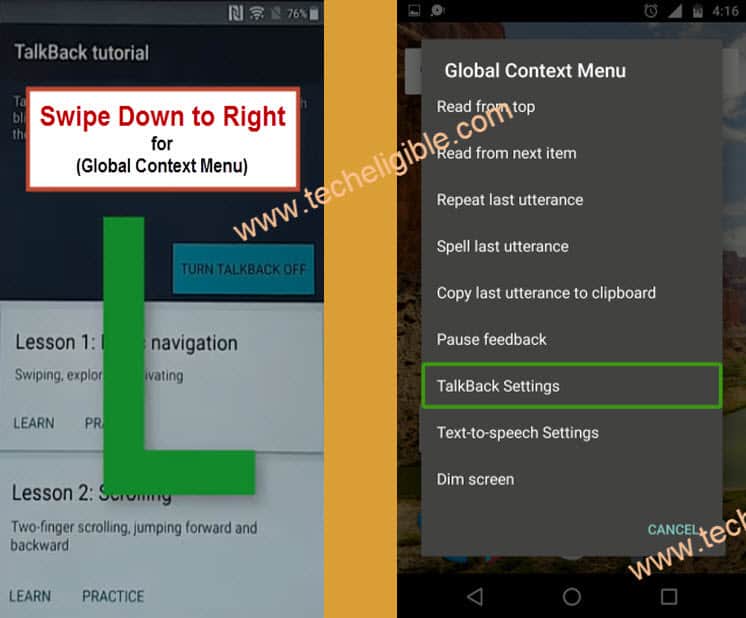
-Deactivate talkback by long press both (Volume UP + Down) buttons again.
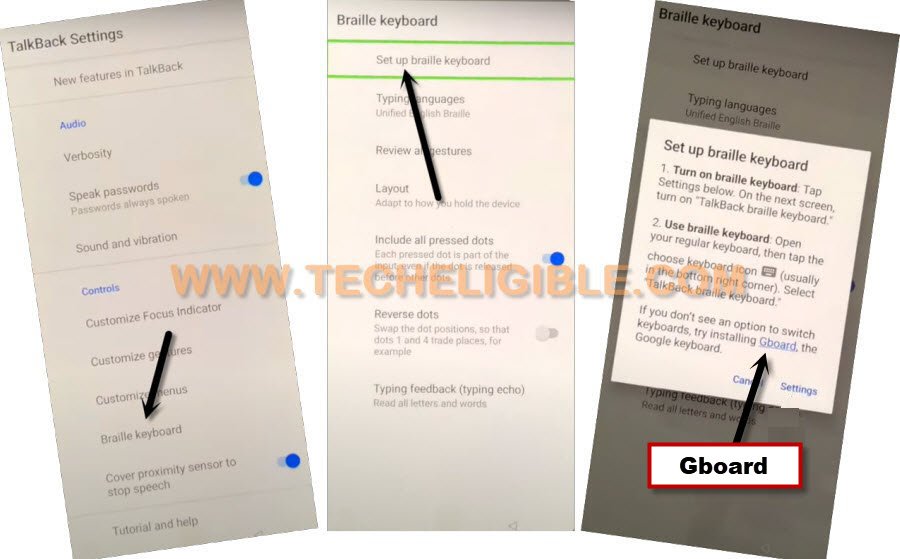
-Once the talkback is deactivated, just tap to “Braille keyboard” option from there.
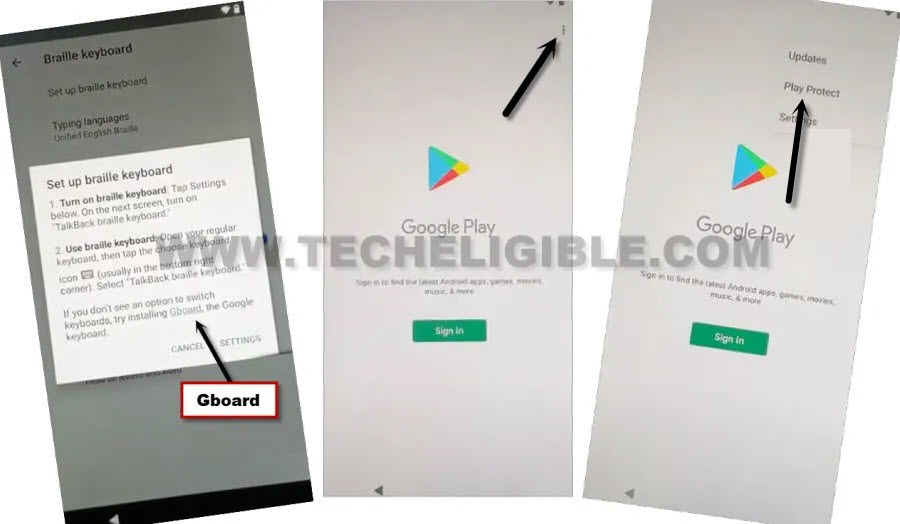
-Tap again on “Braille keyboard” from the top. After that, you will be shown a popup window, just tap to “Gboard” blue link.
-You will be redirected to a (Google Play Store) interface, from there, tap on “3 dots” from top corner. After that, hit on “Play Protect” option.
-Tap on “Settings” gear icon from top right corner. After that, go to “Permissions for unused apps”.
-Swipe to left top options same as shown in below image, after that, tap on “All Apps”.
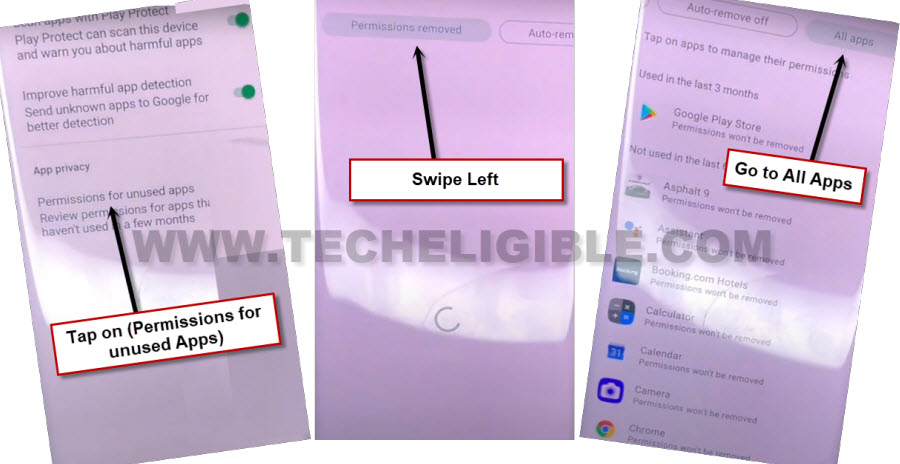
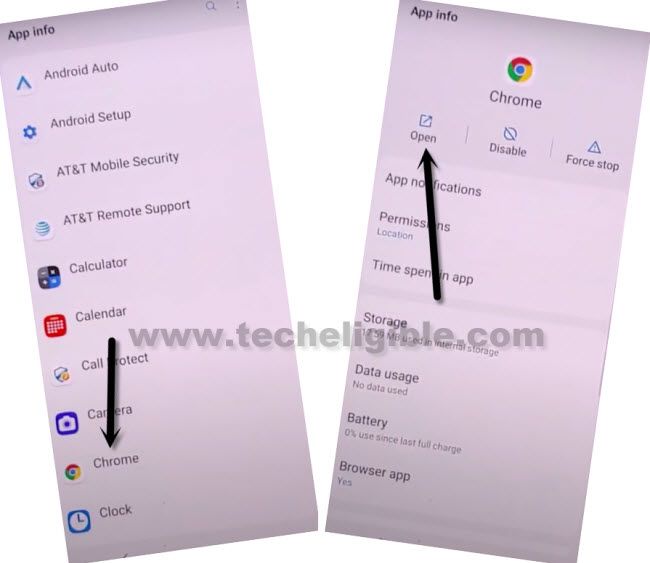
-Find and go to “Chrome” browser from app list. After that, tap to “Manage App permission”.
-Tap to > OPEN > Accept & Continue > Next > No Thanks.
Download Quick Shortcut Maker:
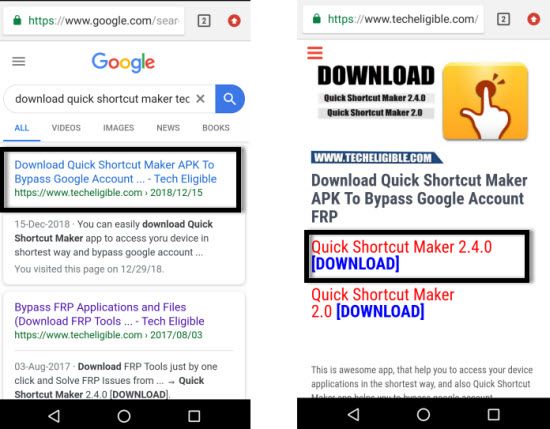
-Search in chrome browser with the text of “Download Quick Shortcut Maker Techeligible” to Bypass FRP LG 5G Wing 5G.
-Go to our website 1st searched result same shown in below screen shot.
-Let’s download from there an app “Quick Shortcut Maker 2.4.0“.
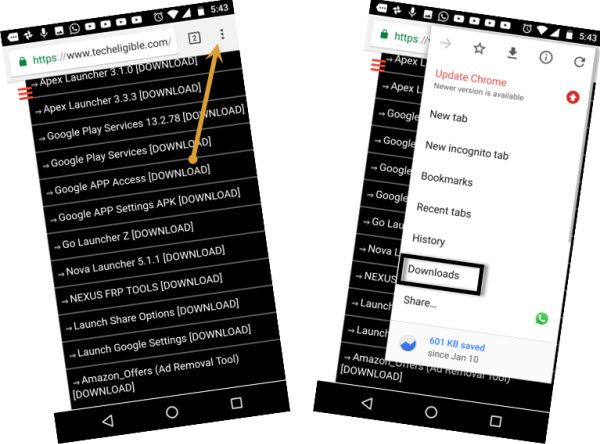
-Once the downloading process is done, just go to top of the chrome browser page, and tap to > 3 dots > Downloads.
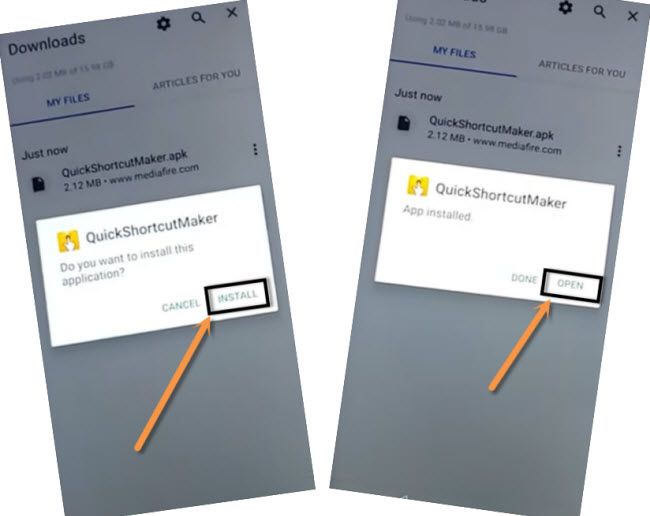
-We are going to install our downloaded app, just tap to “Quick Shortcut Maker”. You may get a popup window, just go to “Settings”, and turn on option “Allow from this source”.
–Go back, and tap on > Install > Open.
–Go down and tap on “Setup Wizard”, and then tap again on 3rd number “Setup Wizard” from the list, after that hit on “TRY”.
-Find there a purple colored (Setup Wizard) option.
-Tap on “Setup wizard”, this will collapse down and show you a complete list of setup wizard. From the the list, choose “3rd number” setup wizard same as shown in below image.
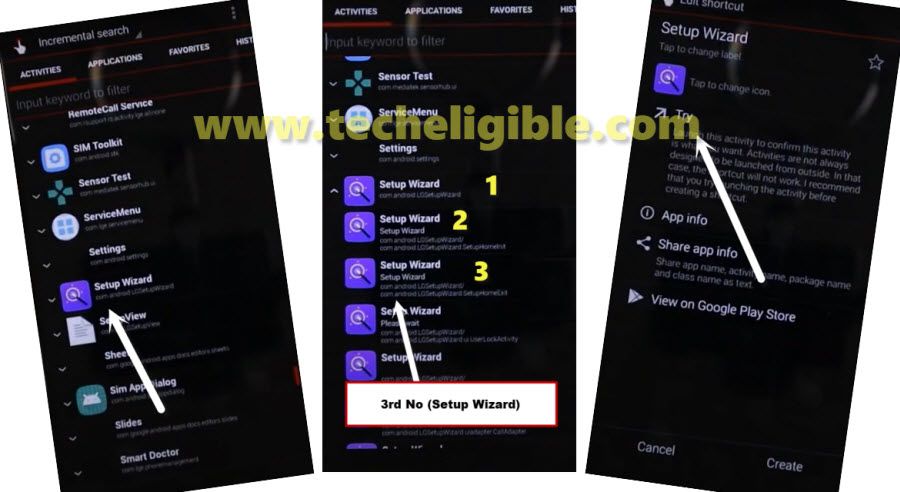
NOTE: You have to choose setup wizard from the list that is with (SetupHomeExit) at the last same as shown in below image. This setup wizard usually on (3rd number) from the list same shown in above image.
-Tap to “Try” option. After that, you will be redirected to your device main home-screen.
Note: If you go on screen, where is (LG Pay) app is select, just de-select that app, and tap to “Next”, from next page, de-select all apps, after that, tap to “Ok”.
-Tap again on “Try”. After that, you will be inside your device main home-screen. Just go to your device settings and setup new google account and new security lock. You are all done from Bypass FRP LG 5G Wing 5G. Thanks for visiting us.