Rushing to regain access to your device after forgetting your Google account and encountering FRP lock protection right after doing a hard reset? Don’t need to be worried about this issue; if you are the rightful owner and no clue to recall or retrieve your signed-in Gmail account, you can proceed with this method to Bypass FRP LG K52 devices through some additional straightforward and secure steps.
Disclaimer: This procedure for FRP Unlocking is intended solely for the individual who owns the device. It is designed for individuals who have lost access to their Google account following a factory reset.
Let’s Start to Bypass FRP LG K52
In this guideline, we are gonna switch the phone language to Russian, after that, will add some keyboard languages. Then, we will reach over the download frp tools page to download the FRP bypass app, finally, we will launched the (Setup wizard) application to complete startup steps easily. Check out all stepwise guide below.
Steps to Follow
-Turn on the phone, then, connect WiFi.
-Go back on the first (Welcome) screen and change the phone language to (РУССКИЙ) Russian.
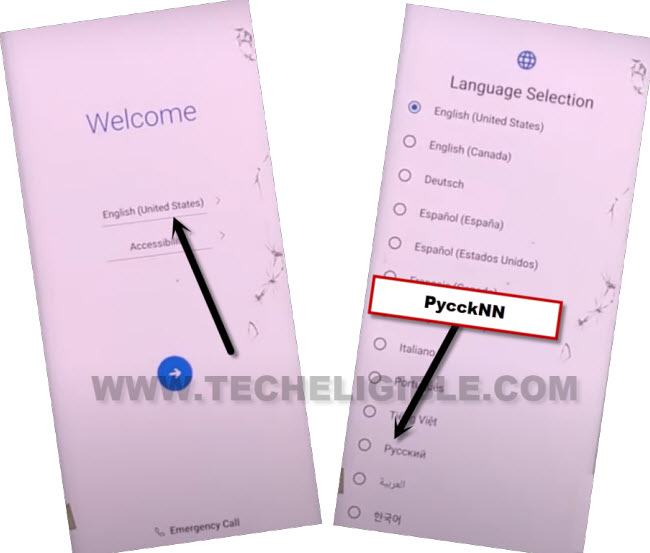
-After that, you will reach back to first startup page. From there, tap to “Next Arrow” icon to go to next.
-Hit on “Bottom Right” option.
-Once you reach on the loading screen, just quickly, tap over the “Back Arrow” icon.
Add Some Keyboard Languages
-You will reach on the WiFi screen. Just, tap at any random WiFi network name.
-You will see the LG Keyboard will popup on next screen, just, long hold at the “World” icon.
-After that, from popup window, tap on the last link.
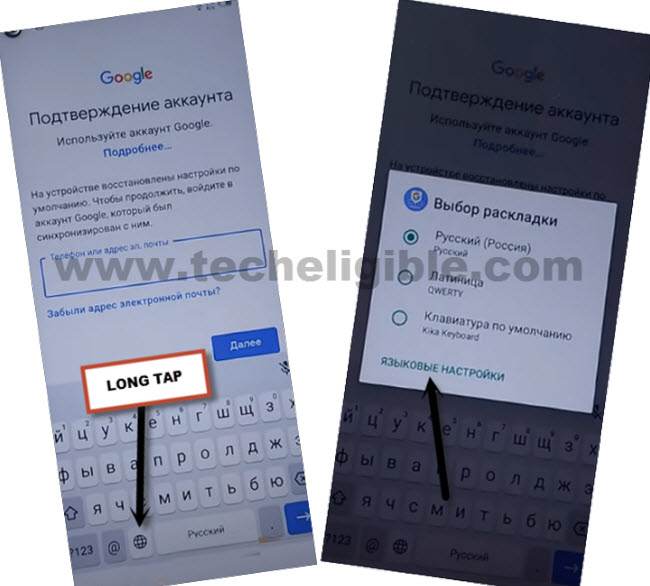
-Now, tap on the first (РУССКИЙ) option.
-Select all 3 options from next page and tap on the “Blue Option” from bottom.

Go back on Welcome Page & Change Lanuage
-Its done, let’s go all the way back again on first (Select Language) screen change the phone language back to (English).
-Tap to > Next > Skip. You will reach again on the WiFi page.
Note: If you get the loading screen, just hit on “Back Arrow” icon quickly, you will get back on the (WiFi screen).
-Let’s tap at any random WiFi network name to launch the phone keyboard.
-Long tap again on the “World” symbol and go to “Language Settings”.
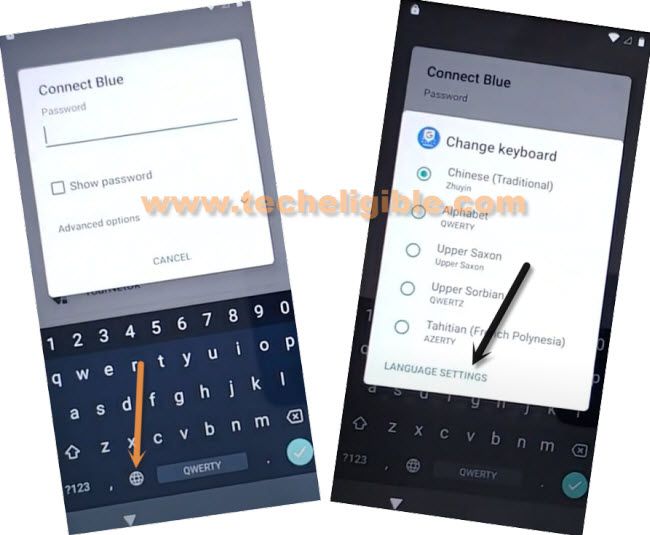
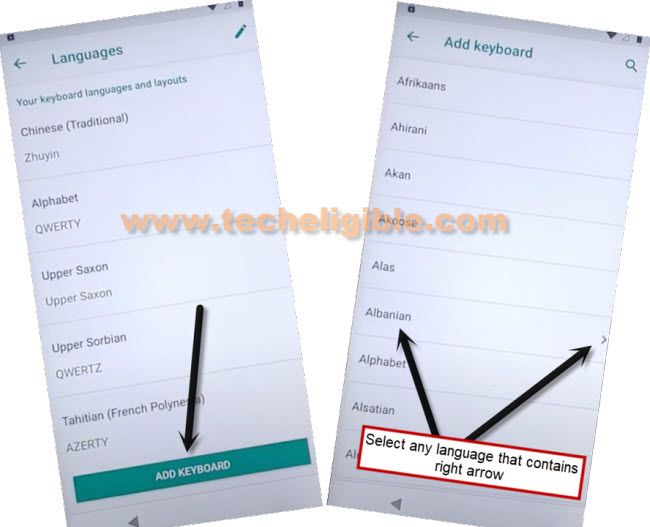
-Let’s access to the keyboard language settings screen just through tapping on the “Add keyboard” option. Then, hit on the arrow mentioned language named “Albanian”.
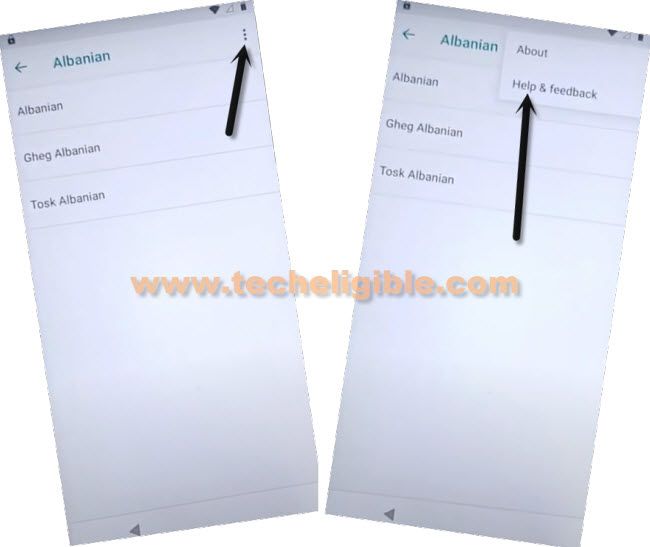
-Then, hit over the “3 dots” menu option from top corner, there some options will be displayed to you, from the, choose the “Help & feedback” option.
Reach to Chrome Browser & Install FRP App
-On next help page, hit on the article titled “Control your android device with switch access”.
-Then, on next screen, you will see the youtube video relevant to this content, just tap to “Play” option. After that, some more options will appear up. Just, hit on the “Youtube title” to access on the official youtube website.

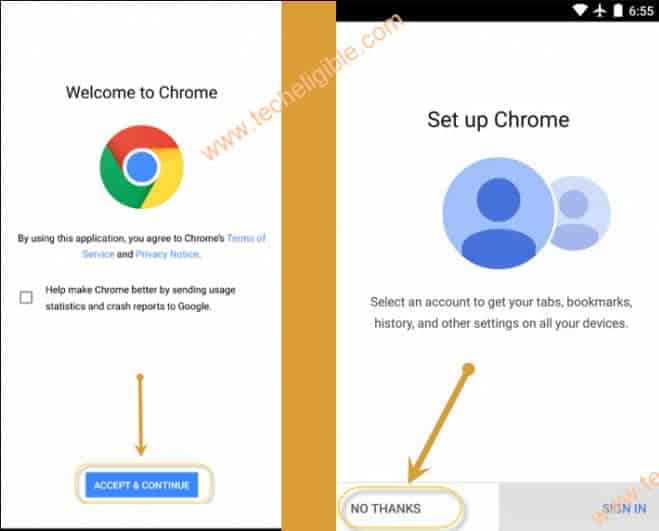
-From the next welcome to chrome page, tap on the > Accept & Continue > No Thanks.
-We need to download & install the frp bypass application on this phone.
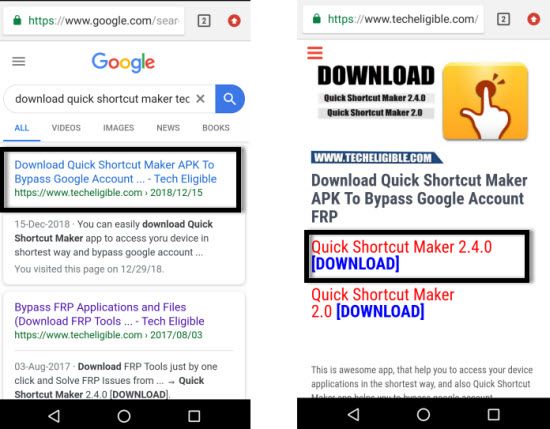
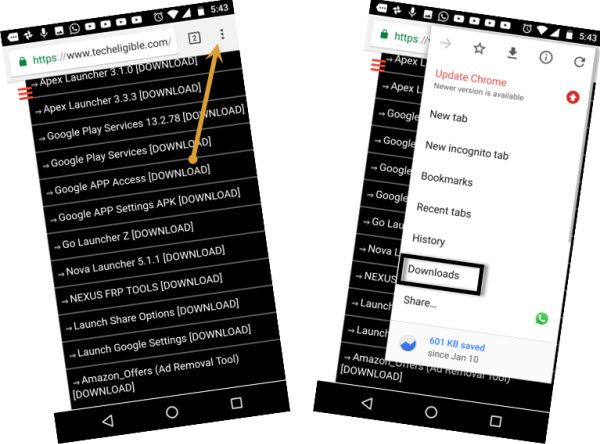
-Type on the chrome search bar “Downlaod Quick Shortcut Maker Techligible“. Go to same searched result as displayed in below image to access the techeligible official site.
-Download from there “Quick Shortcut Maker 2.4.0 and 2.0 apps”. Download both version of this app.
-After downloading is completed, go to top of the browser page and hit on “3 dots” option from top corner and then tap to “Download” option to reach download folder.
Install FRP App to Access the Setup Wizard
-There, you will be able to see both recently downloaded apps.
-Let’s install this app by tapping over the “Quick Shortcut Maker 2.4.0”.
-You may have a popup window of (Installation blocked), just tap at “Settings” and turn on “Allow from this source” option.
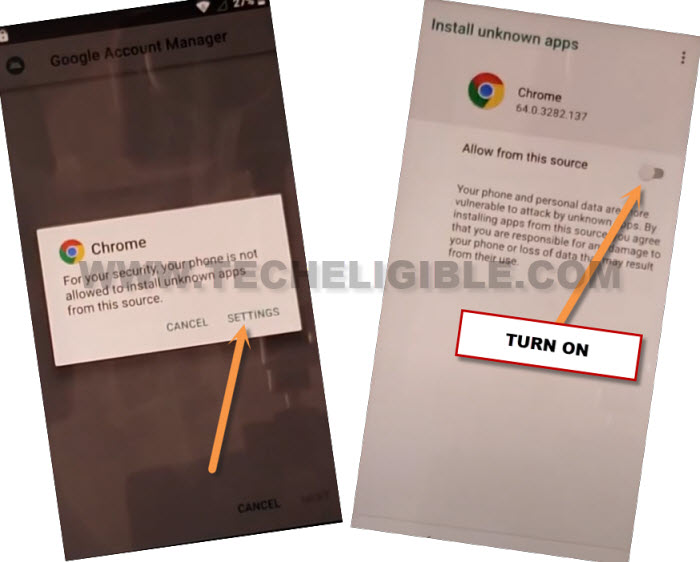
Note: If the 2.4.0 version is not working, then, try with “2.0” version.
-Finally, you will be able to install this app easily, hit on the “BACK Arrow” icon from bottom to go back on the installation page, from there, tap to > Install > Open.
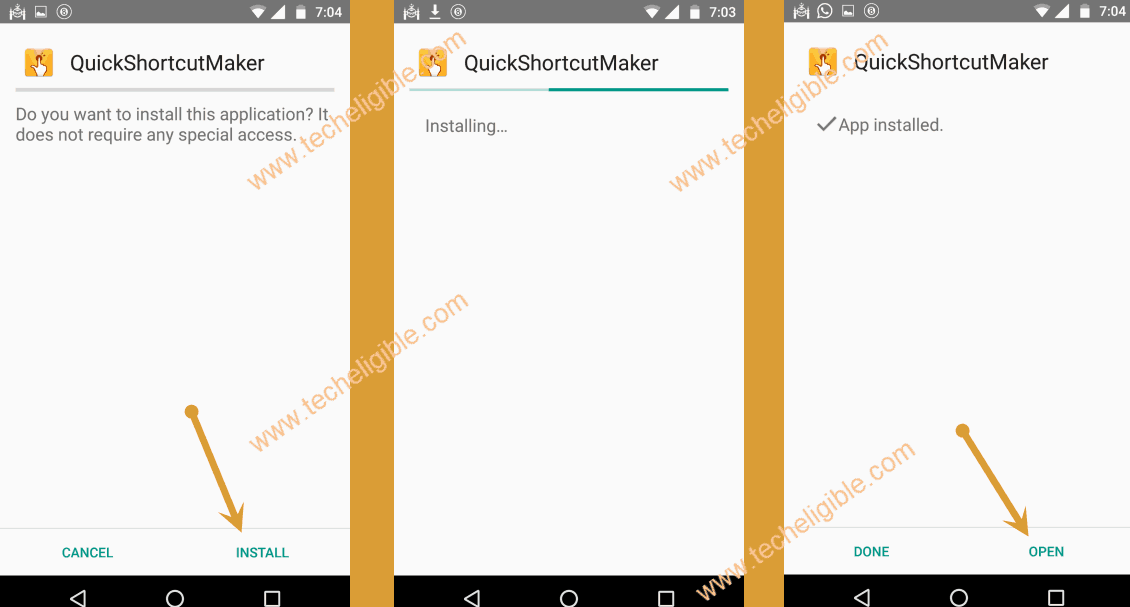
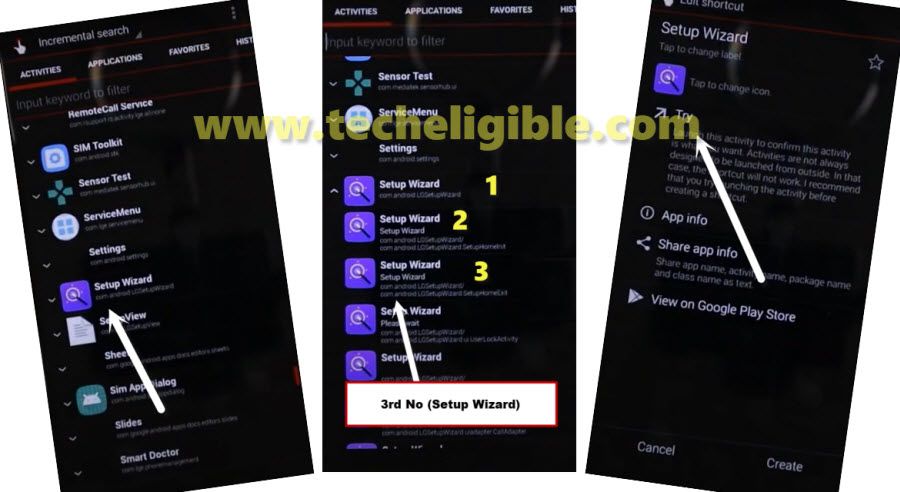
-We’ve accessed inside the quick shortcut maker application successfully. Let’s find and tap over the “Setup Wizard” application same as mentioned in below image.
-The app will collapse down and show you further list, choose the 3rd number “Setup wizard” app among them.
-After that, tap over the “Try” option.
-The device will auto restart after hitting on the (Try) option.
-You can easily complete all setup wizard steps on your own without connect to WiFi network.
Note: When you reach on the (WiFi) screen, you just skip this WiFi setup page. Don’t connect to WiFi.
Conclusion
We followed up simple steps, firstly, we altered the phone language from English to Russia, then, added some keyboard languages and got back to (Welcome) page, from there, we switched back to (English). Then, accessed over the chrome browser through youtube video.
Downloaded & Installed the (Quick Shortcut Maker) application on the phone from frp tools page, after that, we launched the frp apps on the phone after giving permissions. Finally, we launched the (Setup Wizard) application directly from quick shortcut maker application and completed FRP bypass process.