
Have you stuck on the google verification screen because of not remembering your already logged in gmail account? If this is the case, then, you might have put your LG phone on a FRP locked protection. After performing hard reset process, it is essential to login back with same Gmail account that was setup earlier to complete the verification process. Otherwise, you will have to follow up another way, that is to Bypass FRP LG W30.
Disclaimer: This procedure for FRP Unlocking is intended solely for the individual who owns the device. It is designed for individuals who have lost access to their Google account following a factory reset.
Bypass FRP LG W30 (Without PC)
-Turn on your LG device. Then, simply, go to WiFi screen and connect to WiFi network.
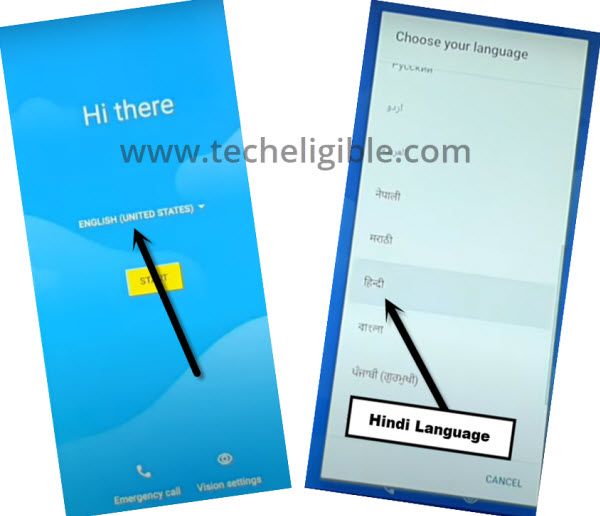
-Get back over the (Hello) startup page. Then, switch to your any regional language.
-In this method, we are going to show you the frp bypass process with the language changed ot Hindi (हिंदी)
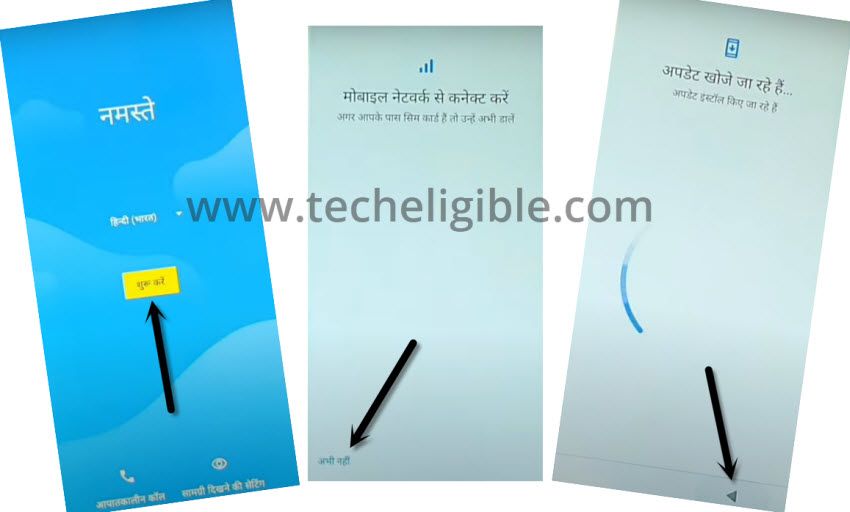
-Once the language is changed successfully, let’s choose options > Yellow Button > Bottom left option > Back Arrow.
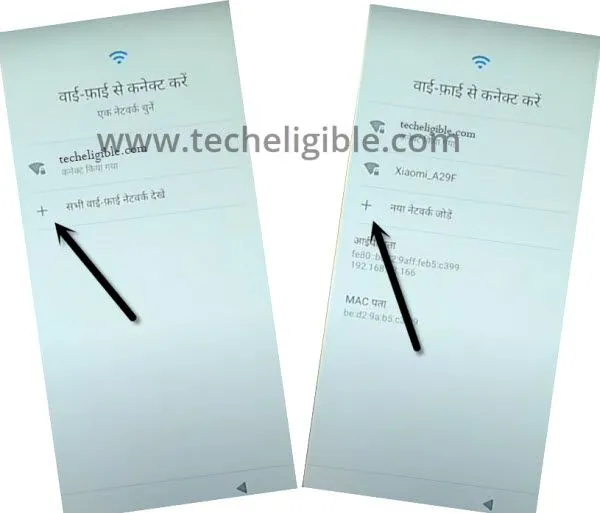
-We will be on a WiFi page, from there, tap to “+ option”. rom next page, tap again on “+ option”.
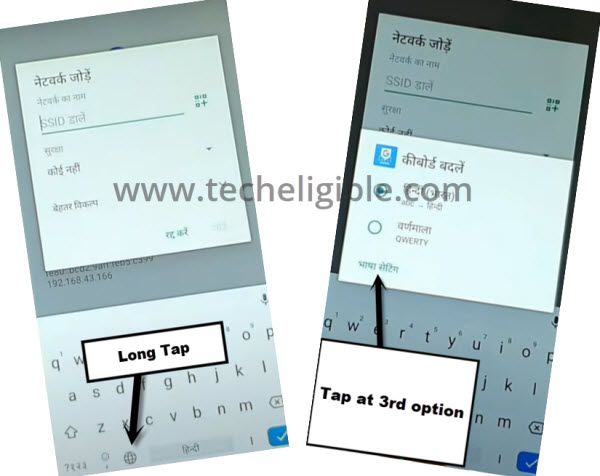
Go to Keyboard Language Page
-On next screen, you will be shown a (Keyboard), from there, long tap on the “World” symbol.
-Once you see the popup window, just tap to last link option from there (See below image).
-Reach on the keyboard language list screen through tap over the “Center option”.
-Then, choose any language that has an arrow symbol.
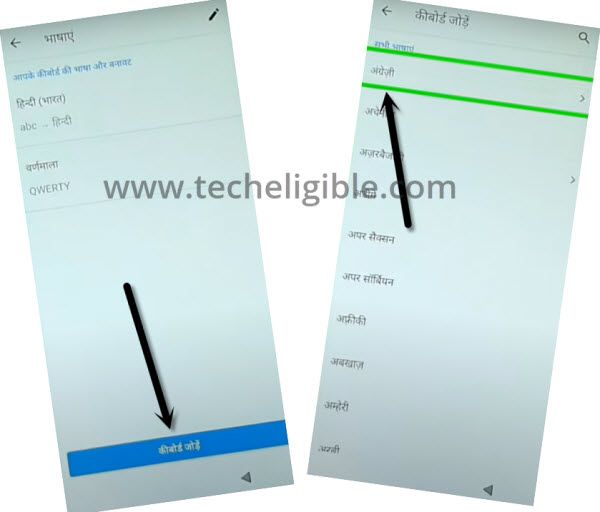
-From the extreme top right corner, tap on the > 3 dots > 2nd option.
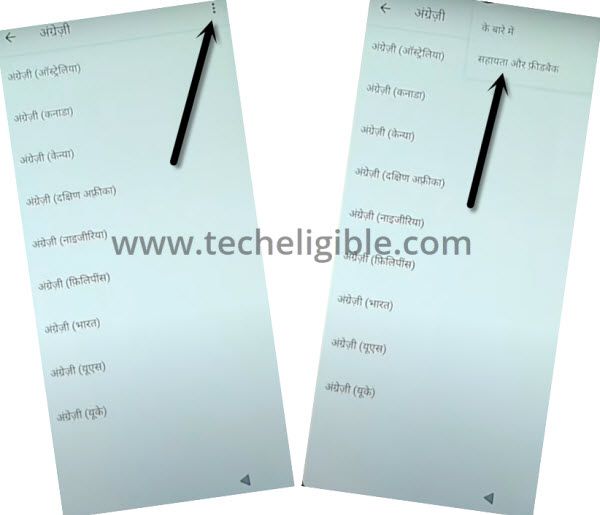
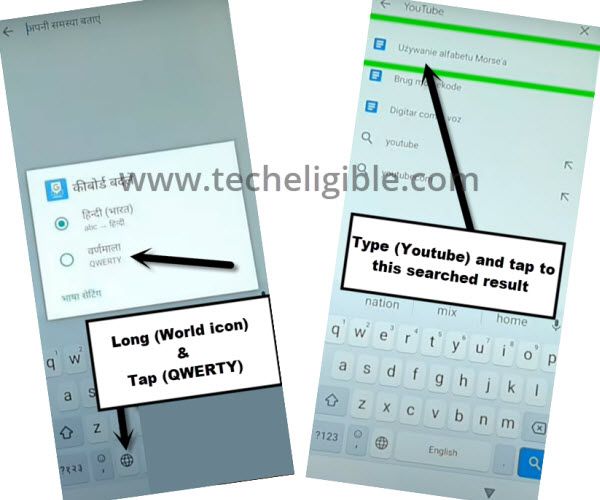
-Let’s hit on the “Search” bar to get your phone keyboard popup.
-If your keyboard language is not in English, then, tap once on the “World icon” or long tap “World icon” then, select “Qwerty”.
-Finally, search there with “Youtube”. Go to 1st searched result same as displayed in below image.
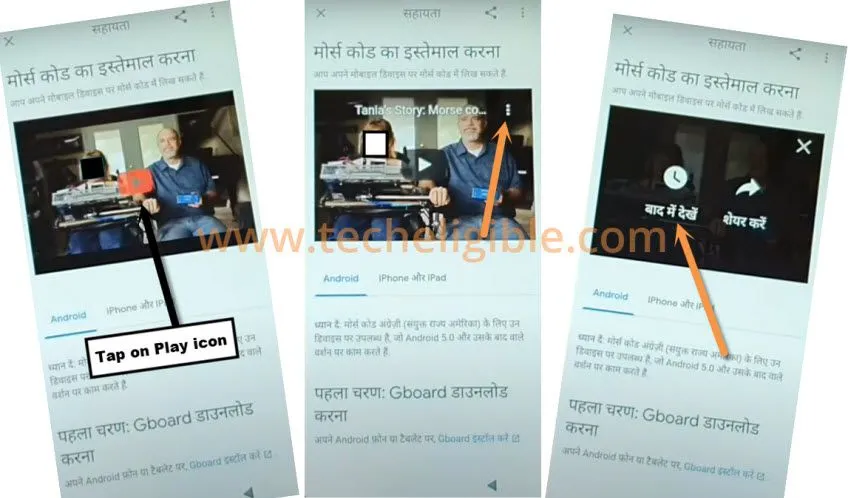
Access on the FRP Tools Screen
-From the youtube video, tap over the “Play option”.
-Tap on the “3 dots” icon from corner of the video. Then, hit on the “Clock option”.
-You will be taken on the google chrome browser app. Just go to > Blue button > Blue button > left option.
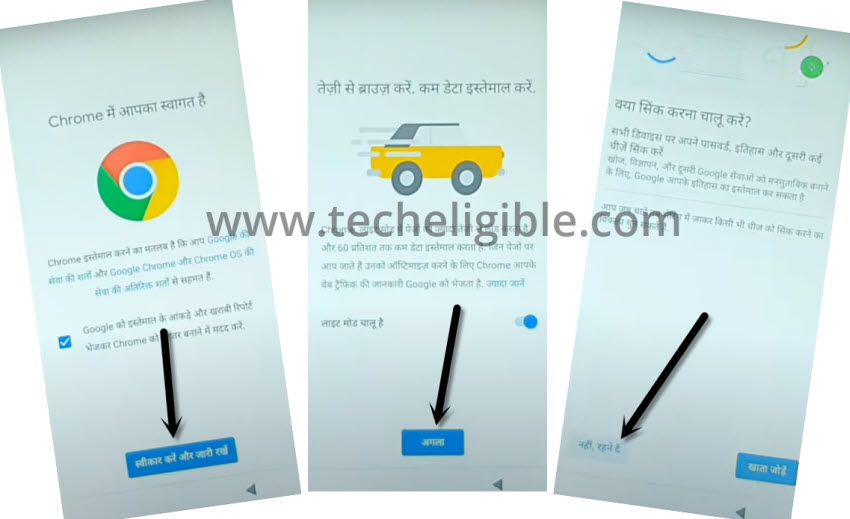
-We need to access over the official frp tools page of techeligible. For this, type and search with “Techeligible” text.
-Go to 1st searched result and then, tap on “Menu” option from extreme top right corner. Then, tap at the “Download FRP Tools” option.

Add Another Pattern Lock
-From the frp tools screen, tap on the “Set Pattern Lock” option to setup the phone pattern lock and bypass frp.

-Tap on the “1st option” to reach on the pattern lock setup screen. From there, draw your any pattern and hit on “right option” from bottom.
-Draw same pattern again and hit again on the “right option” to confirm your new pattern lock.
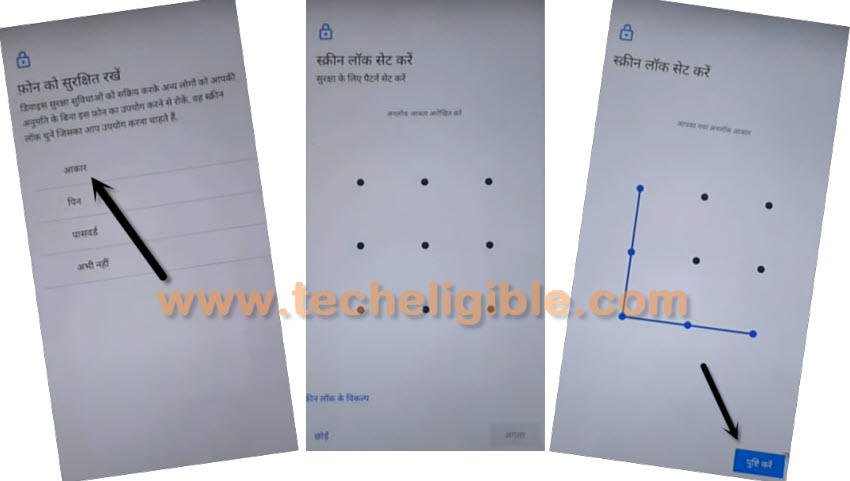
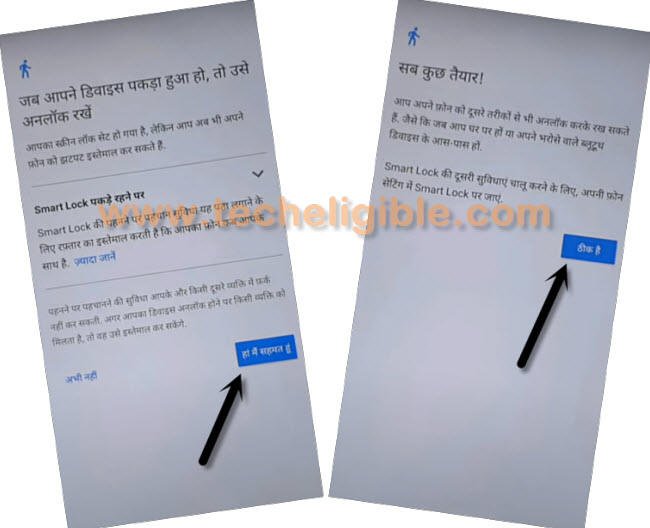
-Once you have to page same as shown in below image, that means, your LG W30 phone has accepted the pattern lock successfully and we can easily setup our phone again. The FRP has been bypassed successfully.
-After that, tap to > Bottom Right Option > Bottom Right Option.
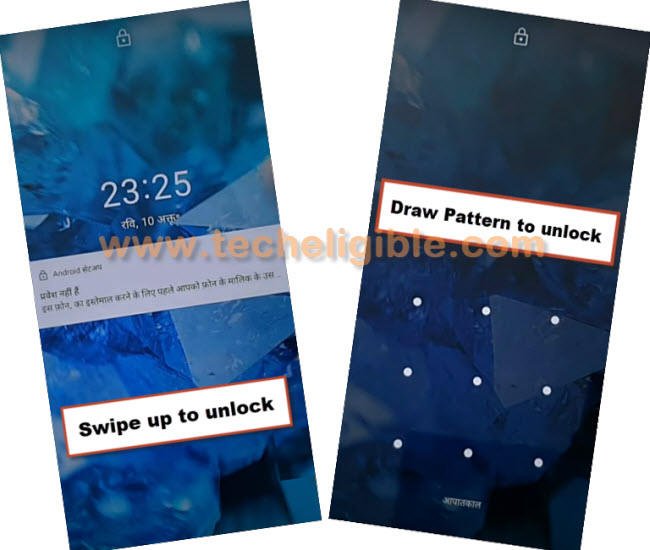
-To confirm, whether pattern is accepted or not, just press once the “Power” key to lock the phone screen.
-Press again the “Power key” and there, you will be asked to put pattern lock first, just draw your already setup pattern lock and the device screen will be unlocked.
Change Language to English & Finish Setup Wizard Steps
-Get back to the first (Hi there / Hello) startup page by tapping numerous time on the back arrow icon.
-From there, change your device language back to (English).

-Now, go to “Start” option. Then, wait on a loading page, and tap to “Don’t Copy”.

-From pattern lock verification page, draw your recently setup pattern lock.
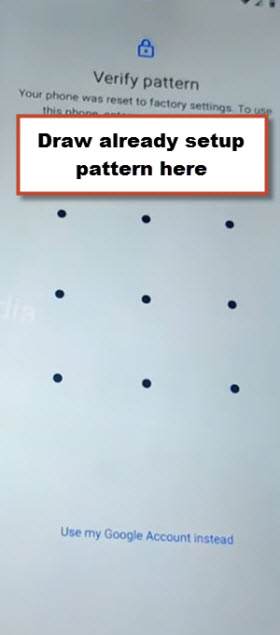
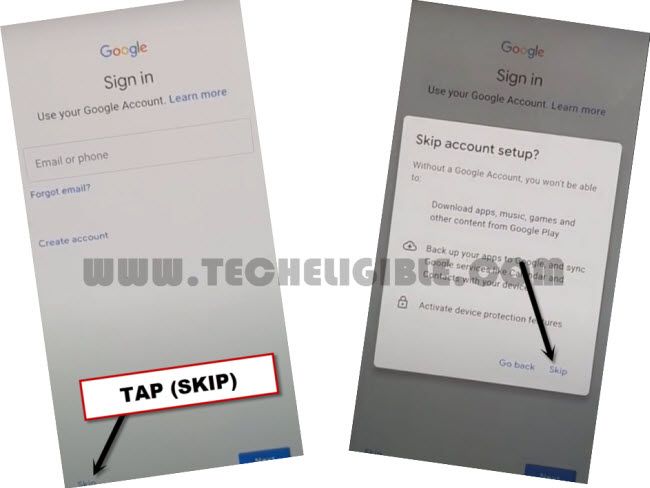
-Finally, you reach back to (Google Sing-in) screen. But, this time, you will have a skip option on bottom left corner. Because, we have already verified ourself through pattern lock. Let’s skip this screen now by tapping on > Skip > Skip.
Conclusion
In this method, we just connected the phone to WiFi and changed the phone language to (Hindi). Then, accessed to the keyboard language page, from there, we successfully accessed over the youtube webpage. After that, Opened the pattern lock setup screen from the frp tools page. Setup latest pattern lock and then, completed all setup wizard steps after completing the verification process through pattern lock.