Have you forgotten your Samsung A30/A30s phone logged in Gmail account after factory reset?. Then, you will be facing big challenge in accessing back to your device. There are 3 ways for you fix up this issue. 1st is, try to recover your lost gmail account. 2nd is, contact on Samsung support, and ask for there help in reaching back to your device and login with updated gmail account. 3rd is to follow up frp bypass steps from here.
Read Also: Bypass frp Galaxy A40 FRP Remove (Android 9)
What is the Legal way to Bypass FRP on Samsung A30/A30s?
This is an Android phone security feature that is compatible with all Android phones. With Android 5.1, this feature was added to handle owner phone access following a factory reset. You will be prompted to check in with your Google account to finish ownership verification when completing the initial startup procedures after the phone has finished the factory reset. If not, a FRP lock will be applied to your device.
Surely, you have your legal right to reach back on your fpr locked Samsung A30 phone. That could happen with anyone, if you purchased 2nd hand phone or someone gifted you the phone without removing the google account. In this condition, you could face FRP lock protection anytime right you go for hard reset or factory reset operation.
Here are 3 legal methods available those you can safely apply on your frp locked Samsung phone A30/A30s one by one according to the device android version.
Disclaimer: This method is only for Device Owner, and for educational purpose only to guide the device owner in recovering their Samsung A11 back with new FRP lock setup.
Method 1: Bypass FRP Galaxy A30 By using Galaxy Store App (Android 11) [New]
–Connect WiFi & Get back to first homescreen, enable talkback just by long press both buttons (Volume UP + Power) simultaneously.
–Hit on “USE” option from the popup window which will appear right after you long hold keys.
Note: In case, if you are unable to turn on talkback, so try with long press both (Volume UP/Down) keys, if this works, then use these keys to turn on or turn off talkback instead of (Volume UP + Power), even then, if you are failed to turn on talkback, then you will have to use your PC to launch browser directly, for that click here to launch browser via PC.
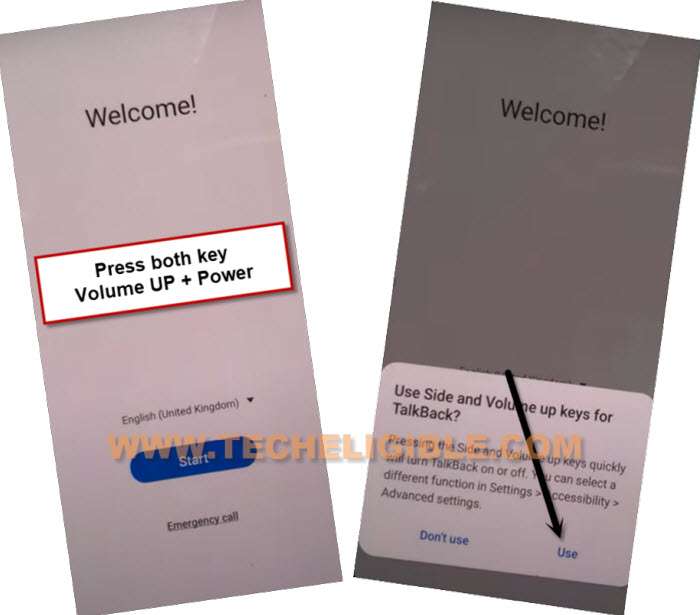
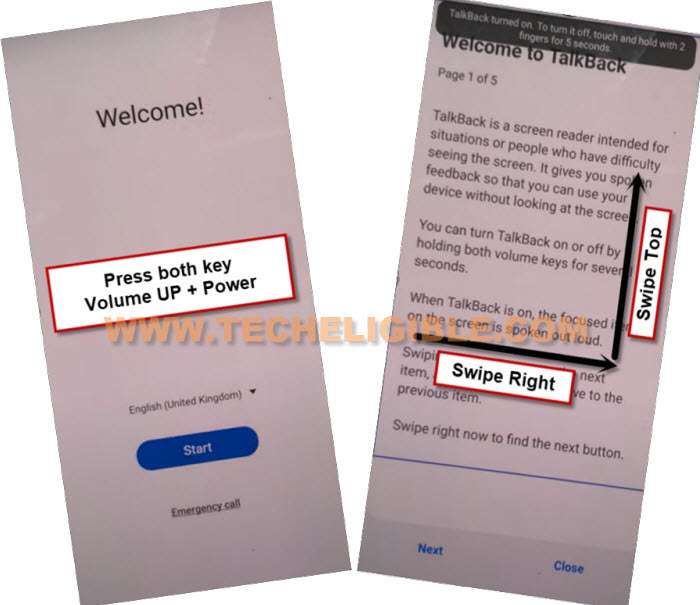
–Long press both buttons (Volume UP + Power) buttons, and you will see popup flash message of (Talkback turned on….), that means, now we can easily move forward.
–You have to draw “L” shape by swiping on screen from right to left, and then swipe top. (See below image).
–From the popup window, select only “while using the app”, now double tap on anywhere on screen.
–Tap once on “Use Command Voice” option, and again double tap on popup box.
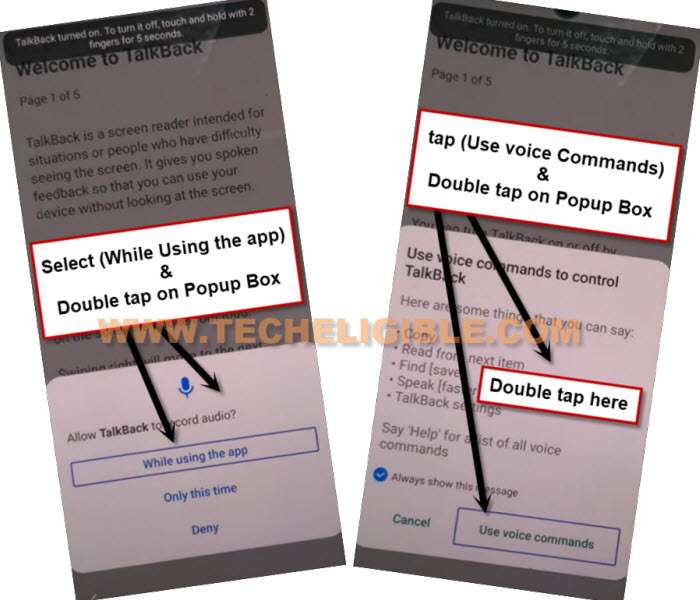
–Lets open google assistant by Speaking loudly (Google Assistant).
–Long press both buttons (Volume UP + Power) to just turn off talkback feature, if these 2 keys do not work for you, so press both (Volume up/down) keys, and the talkback will turn off successfully.
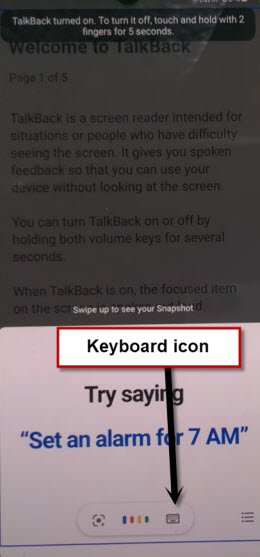
-Go to “Keyboard” icon same as shown in below image.
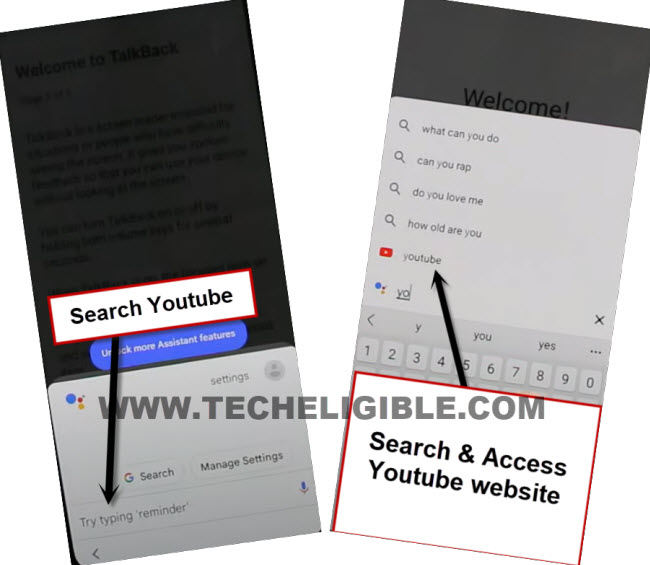
–Search “You”, and hit on “Youtube” icon from searched result to be redirected to Youtube website.
–You will see a human icon at top corner, just tap on that > Profile icon > Settings.

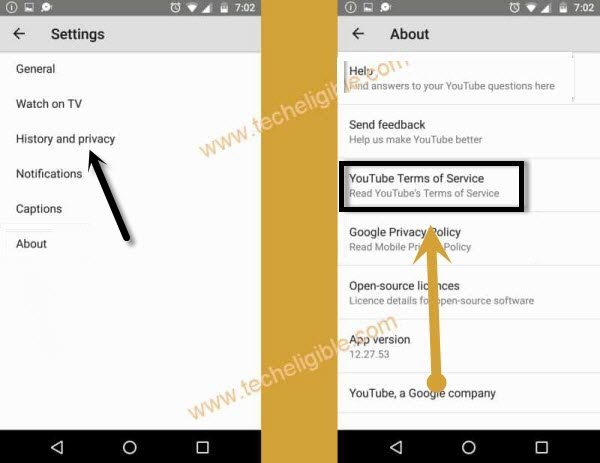
–Tap to > History and Privacy > Youtube terms of service.
–Go to > Accept & Continue > No Thanks.
Open Galaxy Store to Bypass FRP:
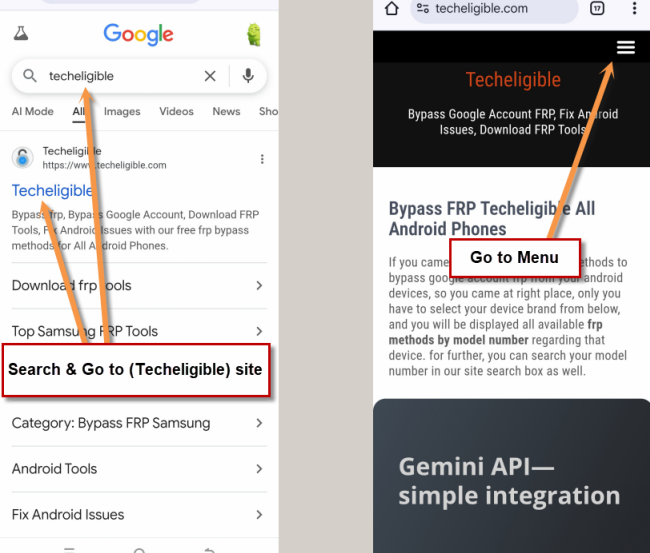
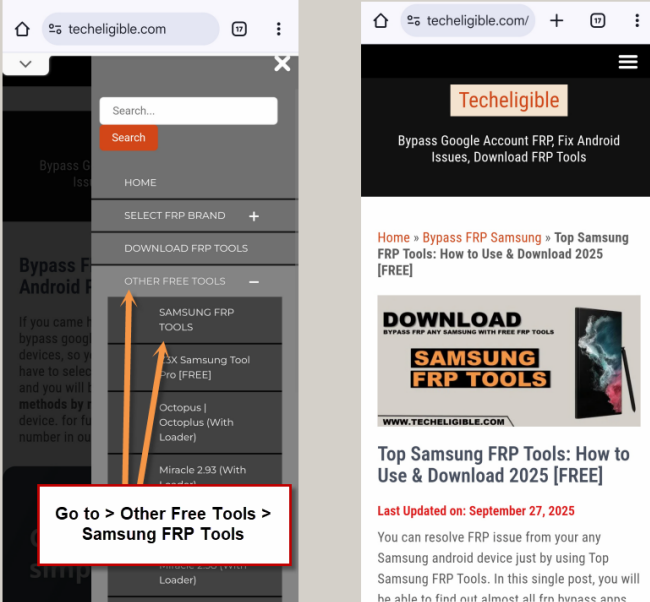
-Access to Samsung frp downloading page by searching in browser with “Techeligible“. After that, visit 1st searched result from there same as instructed in below image.
-Hit on “Menu” option from top corner of the site.
-You have to hit on > Other Free Tools > Samsung FRP Tools.
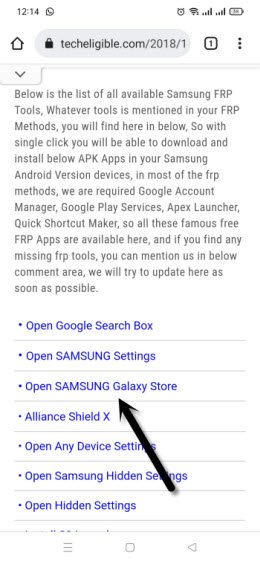
–Scroll down and tap on “Open Samsung Galaxy Store“.
–Select “Get news and Special Offer”, and then tap to “Agree” option.
–You will have galaxy store update screen, tap on “Update”, just wait, as soon as you see “Installing…” screen, quickly tap on “Back Arrow” from bottom left corner before the installing finish.
Note: Do not let installing.. process complete, just tap on “Back Arrow” as soon as you see “Installing..”.
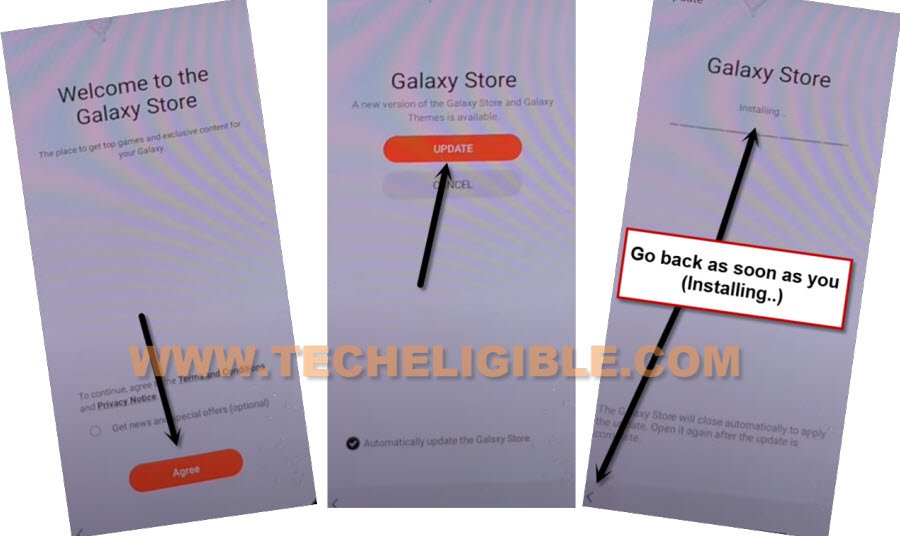
–You will see there galaxy store has opened, but wait for 1 minutes, you may could see again (downloading…) screen, if you see again, just wait there, hit again on back arrow as soon as you see “Installing….”, and you will get back to “frp tools” page.
–Tap again on “Open Samsung Galaxy Store” again, and this time without updating, you will reach inside Galaxy Store.
–Tap to > Continue > Skip.
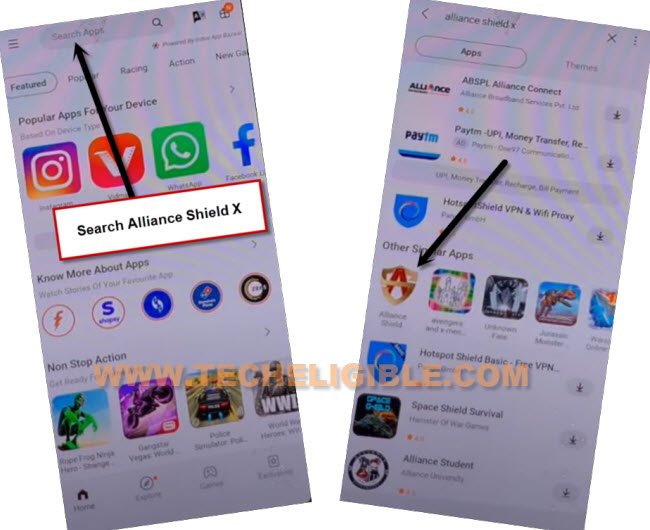
–Give some app permissions by tapping on > While Using the app > English.
–Type in search box “Alliance Shield X”, and then tap to “Alliance Shield X” app icon.
–Tap on “Install”, and hit on “Later” from sign in window to Bypass FRP Galaxy A30, A30s Android 11 without restore and Samsung Account.
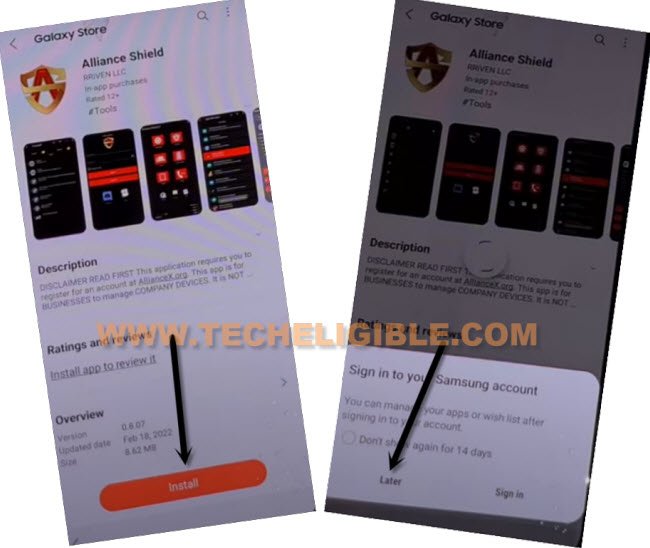
–Tap to “OPEN” button to reach Alliance Shield X app, if you don’t have an account, so you can register new account by tapping on “Resister” option, otherwise just sign in.
Turn on ADB + MTP Option on Samsung A30:
–If you don’t own any Alliance Shield x account, so you can Register your new account to login with.
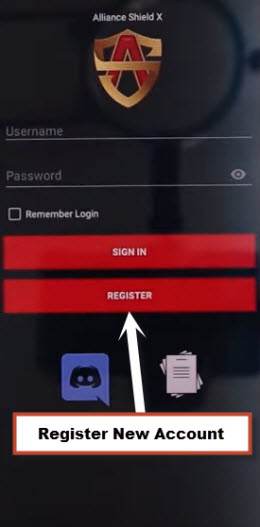
–Sign-in with your registered account in (Alliance Shield X) app, after that, give any device name, and tap “Next”.
–Turn on “Device Admin”, and hit on > Activate > Next.
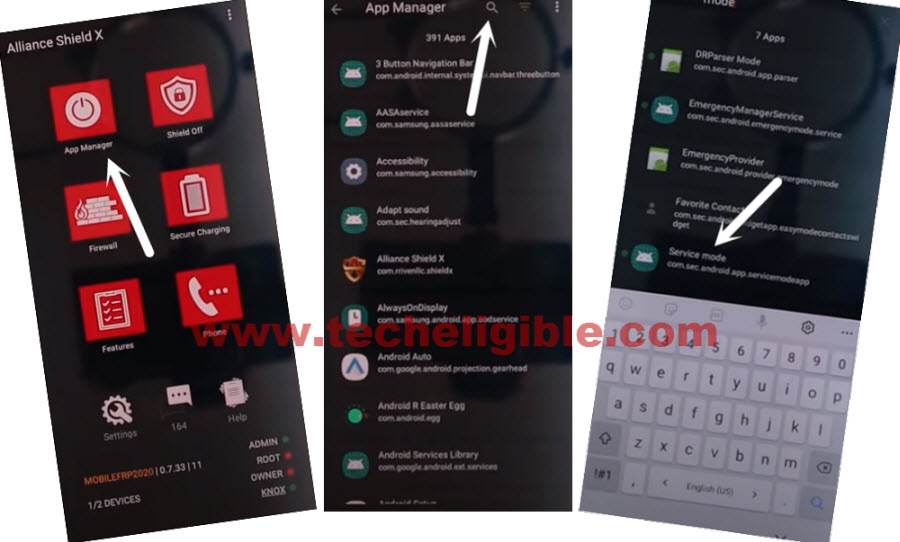
–Turn on “Knox”, and select option (i have read and agree…), and tap to > Confirm > Next > Finish, now hit on “App Manager”, and then tap “Close”.
–Tap to “Search icon” from top corner, and search there “Mode”, and tap to “Service Mode” from list.
–From top tab, hit on “Activities”, go down and tap 3rd last option (com.sec.android.app.modemui.activities.usb.settings).
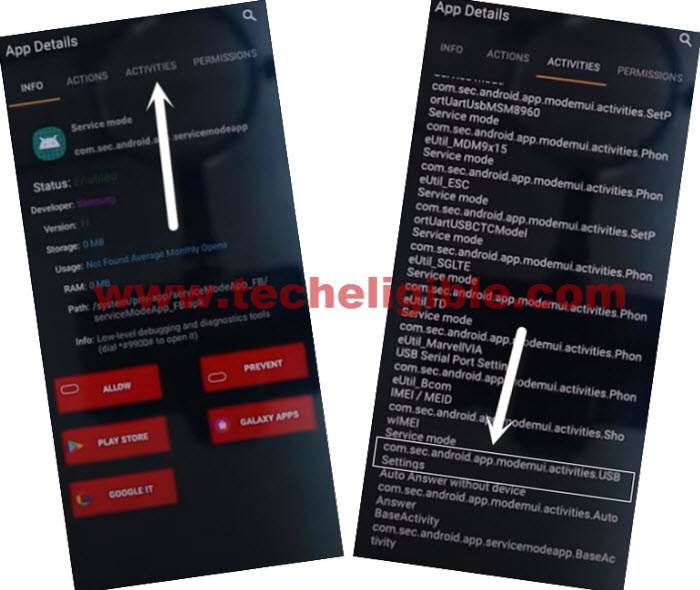
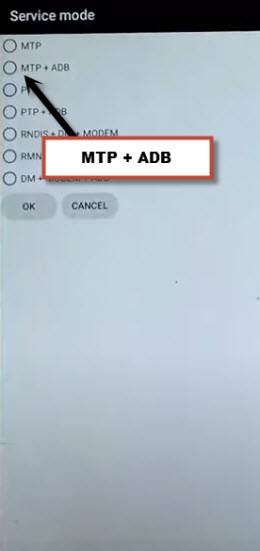
–Tap again on (com.sec.android.app.modemui.activities.usb.settings), and again hit on “OPEN”, and then select (MTP+ADB).
Note: If you cant enable “MTP+ADB”, you can easily enable that from outside, as soon as you hit on 3rd option from the last, you will see popup window, just tap on “Enable” option from there instead of “Open”.
Use Samfirm Tool for FRP Bypass One Click:
-First download Samfirm too in PC.
⇒ Samfirm Tool. V3.0 [DOWNLOAD]
–Connect Galaxy A30, A30s device with PC, connect WiFi also in your device.
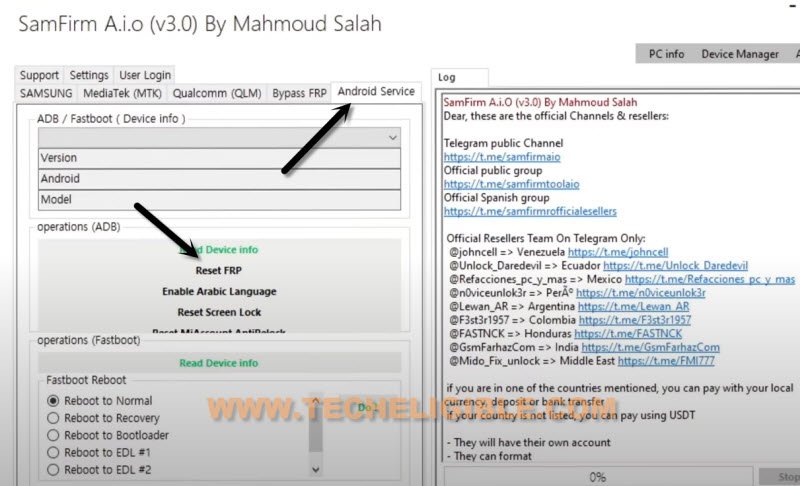
-Open Samfirm tool, and go to > Android Service > Reset FRP.
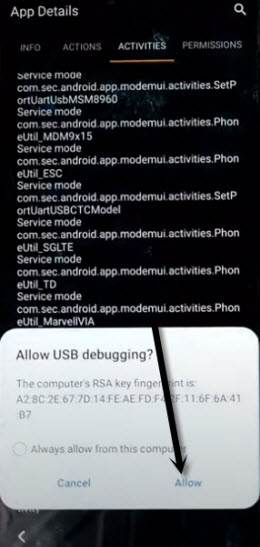
Note: You will have (Allow USB Debugging) popup window, just tap to “Allow” button from Samsung A30, A30s.
Method 2: Bypass FRP Galaxy A30/A30s By SIM Card Using (Android 10)
A Latest method for Bypass FRP without Bluetooth and any frp bypass APP, just through a single PIN Locked SIM, you can bypass google account easily, we will only enable PIN Windows for adding New PIN in our device, so follow steps from below FRP Unlock.
Note: This method has successfully been applied on Samsung Galaxy A30s (Android 10). if you are not aware of your device android version, you can check your device android version from (Android Recovery Mode), that is very easy way, just find method on YouTube by searching (How to Enter into Recovery Mode Galaxy A30s).
Let’s Start to FRP Bypass Guide:
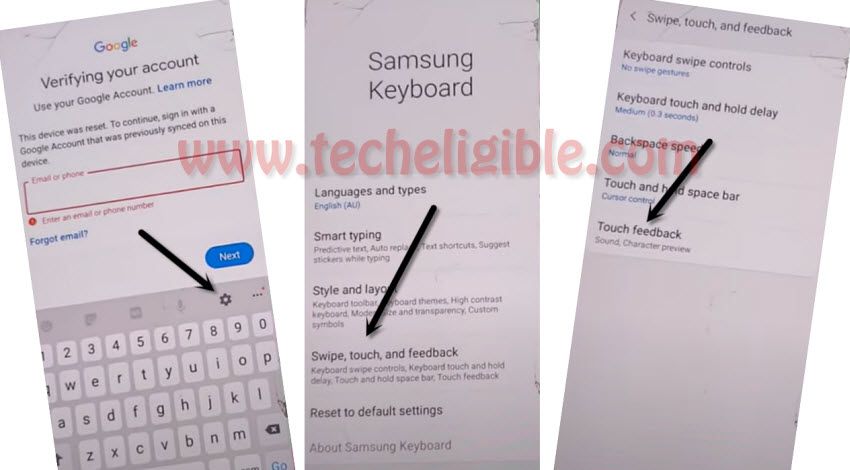
⇒ Connect to WiFi > Go to “Verifying your Account” screen > Tap to “Email or Phone” tab > Tap to “Settings gear icon”.
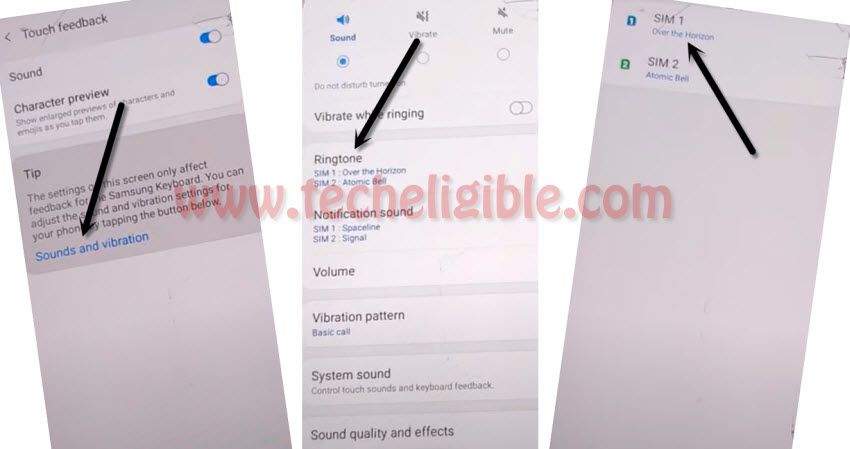
⇒ Afterwards, we are going to > Swipe, Touch and Feedback > Touch Feedback.
⇒ Now next step is just to tap on > Sound & Vibration > Ringtone > SIM 1.
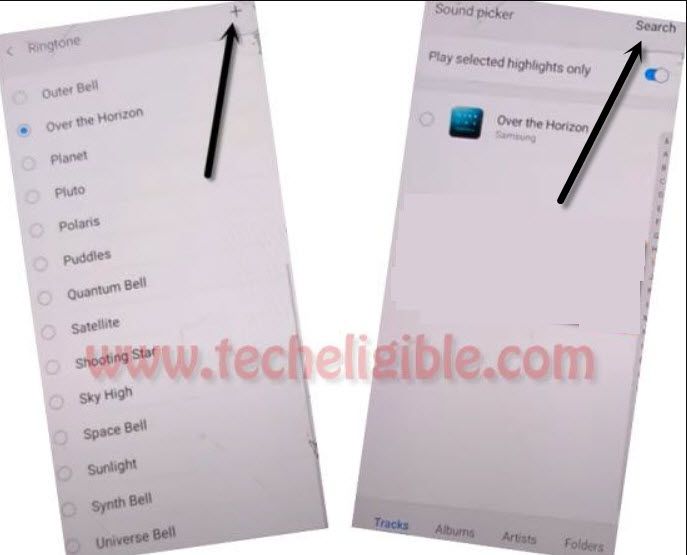
⇒ On top right corner, there a (Plus) sign so just Hit on “+” sign, and then tap on “Search”.
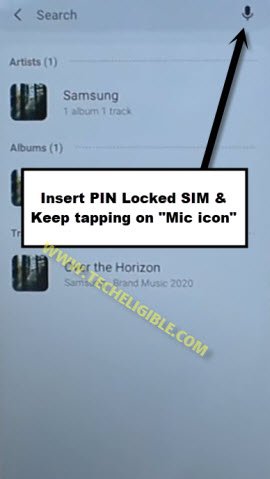
⇒ Now, we are going to insert (PIN Locked SIM) in Samsung Galaxy A30, A30s Android 10, if you do not have PIN locked SIM, so you can setup in a PIN in your SIM using other phone, and use that in our frp locked device.
⇒ Once the SIM is inserted, wait 2-3 seconds & Start Tapping on “Mic icon” quickly until you have a screen of “Enter SIM Card PIN”.
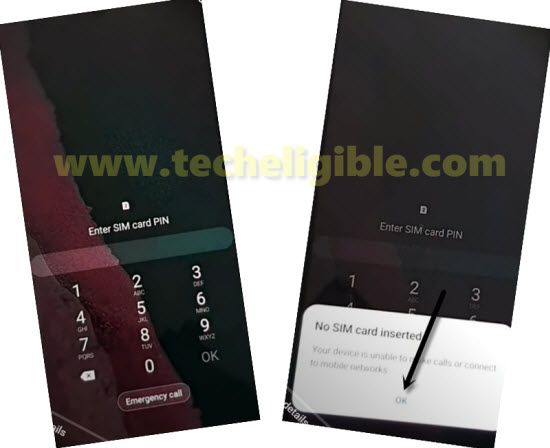
⇒ Popup or Remove SIM tray.
⇒ Tap on “OK” from “No SIM Card inserted” popup window.
Apply Below 3 Steps Very Fast:
1st: Quickly Swipe date & time to right side, keep tapping on that (Date & Time).
2nd: Using other finger, drag down “Lock icon“.
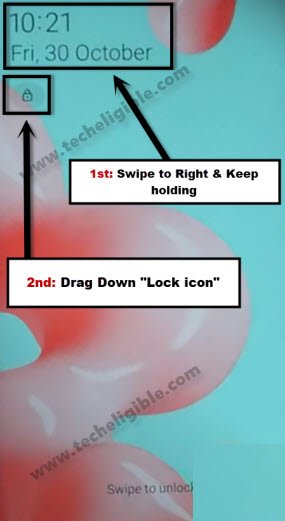
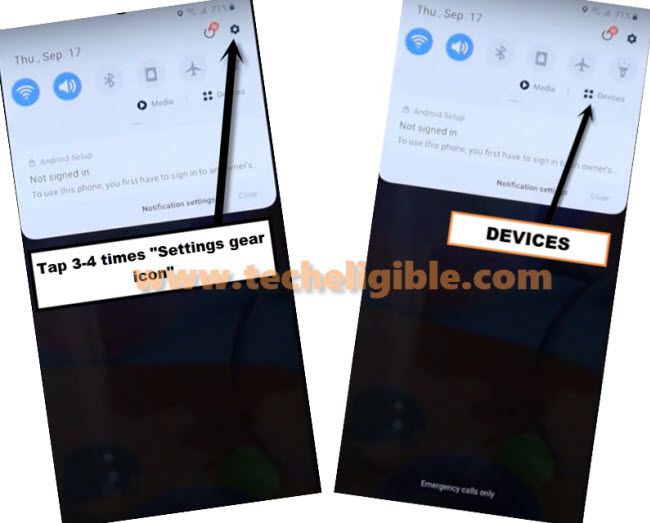
3rd: Tap on “Settings gear icon” from top right corner of the notification bar.
Note: If you have (Previous Screen), where from we hit on “Mic icon” in the background of “No SIM Card inserted” popup window, so try again, if this screen appears each time, then you will have to restart your phone and try again. (See below image).
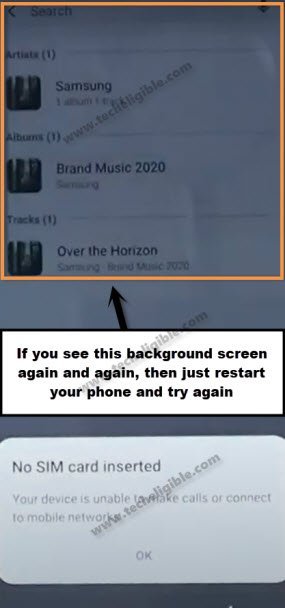
⇒ Awesome, the hardest part of this method, we’ve completed successfully.
⇒ Tap to “Devices” from notification bar.
⇒ Now tap to > 3 dots > Settings.
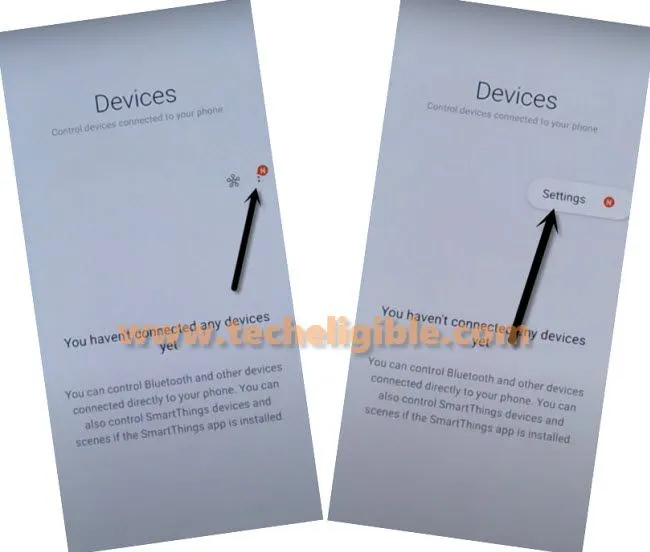
⇒ After that, tap to > About Media and Devices > Exclamation Sign from top right corner.
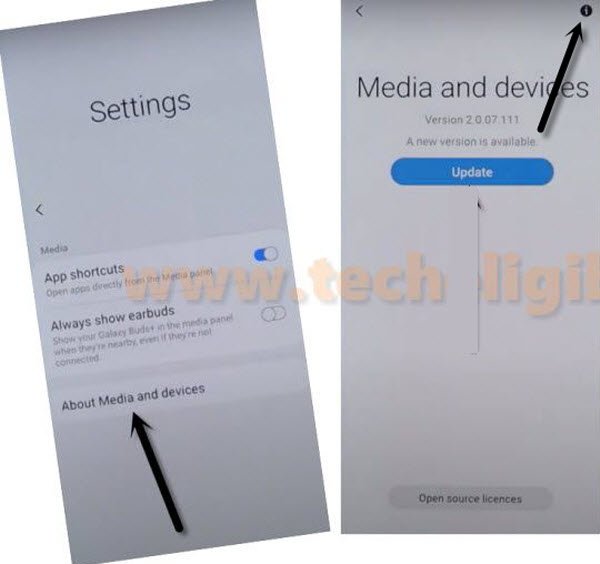
⇒ Now Tap on “Permission”.
⇒ Let’s tap on “Search icon” from top right corner & search “Pin Windows”.
⇒ Tap on “Pin windows” from the searched result.
Add PIN Lock Protection on Samsung A30 Phone:
⇒ Go down, and enable “PIN Windows” button.
⇒ Tap on “Pin Window”.
⇒ Now, turn on option “Use screen lock type to unpin”.
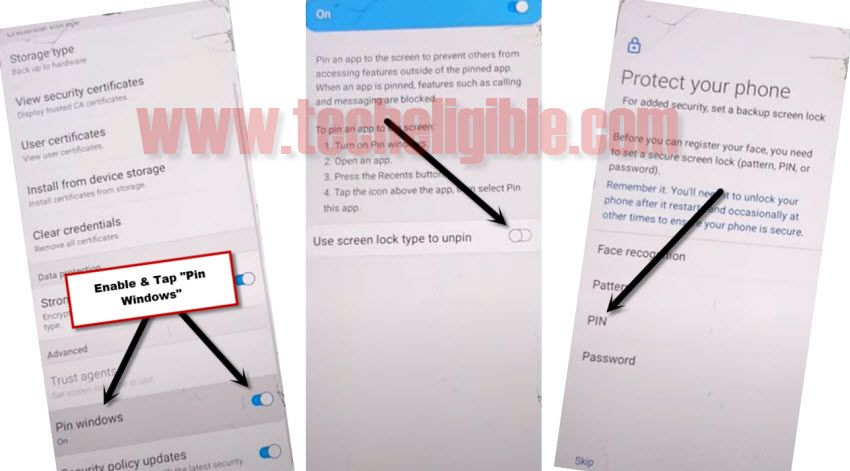
⇒ Select “PIN”, and set your 4 digit pin code “1234”, and then tap on “OK”.
⇒ Once you setup PIN successfully, in this condition, either you go back to very first screen “Welcome” by tapping on back arrow too many times, Or you restart your device, and then complete your Setup Wizard.
⇒If you are asked for PIN, just enter your 4 digits pin code instead of Gmail account.
Method 3: Remove Google Account Samsung Galaxy A30/A30s By FRP Bypass Applications
Apply latest method to on Samsung Galaxy A30, A30s, We have to access chrome browser and after that download frp bypass tools from there, after that we can easily add new Gmail account in our Samsung Galaxy A30 device for permanently bypass google account, lets follow below steps to bypass frp.
-First Connect Wi-Fi in your device.
-Eject your SIM Card tray and then insert any active “SIM CARD”.
-After that, you will see “Enter SIM Card Unlock Pin”.
-Now at the same time you have to eject Sim Tray and Press “Power Key” quickly to turn off screen.
-So now eject “SIM TRAY”, and then quickly press “Power Key”.
Note: Make sure, you are doing this process quickly and you have to eject SIM TRAY and Press Power Button at the same time.
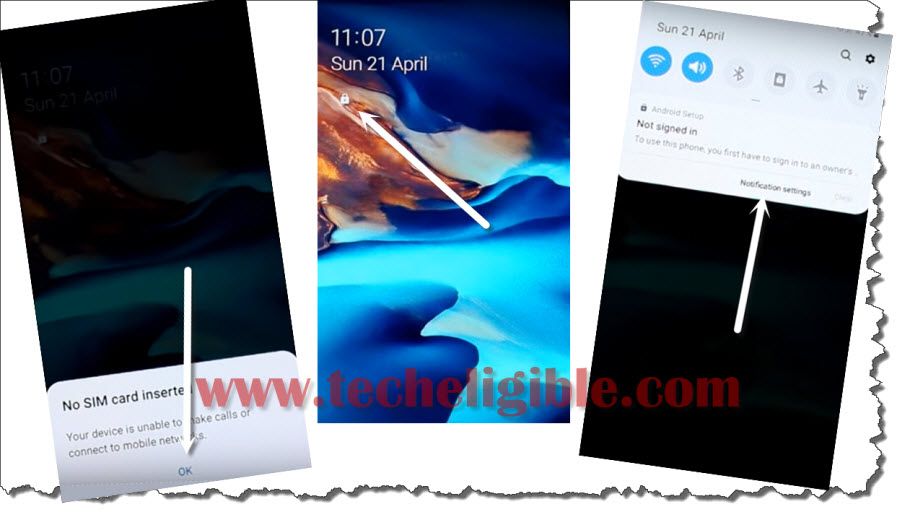
-Now again press “Power Key” to wakeup your device, and then you will see popup message of “No Sim Card Inserted”, just press on “OK”.
-Tap on “Lock icon”.
-Now hit on > Notification Settings
-After that, tap on > See All > Most Recent > All.
-Go all the way down, and then tap on “Youtube”.
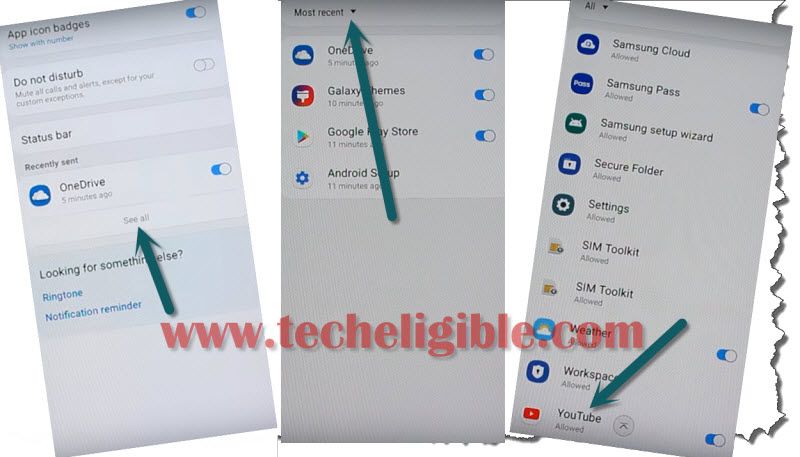
-Now tap on > in-app-notification Settings > About > Google Privacy Policy.
-From the chrome popup window, just hit on > Accept & Continue > Next > No Thanks.
-Congrats, you have accessed to the chrome browser.
Download 2 FRP Apps:
-Type in address bar “Top Samsung FRP Tools Techeligible“.
-Go to 1st search result same shown in below image.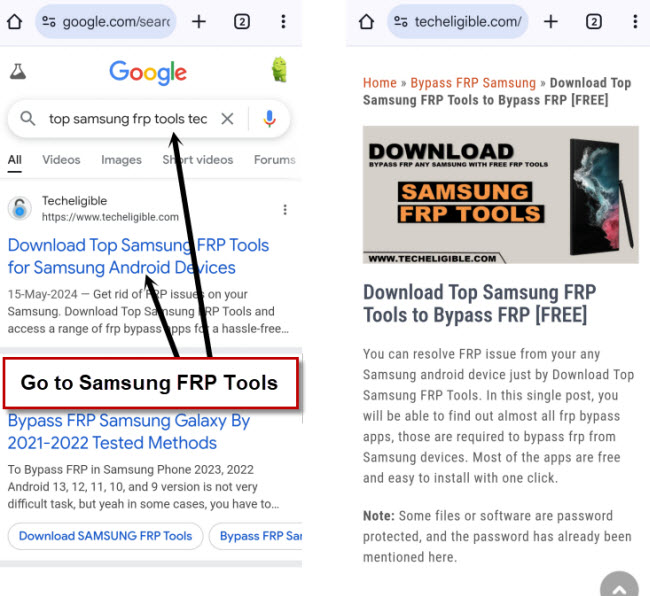
-Download from there below 2 applications.
1-Account Login.
2-Google Account Manager 8.
-Wait until downloading process finish.
-Go to very top of the page.
-Access to chrome browser by tapping on “3 dots” from top right corner & select “Downloads” option.
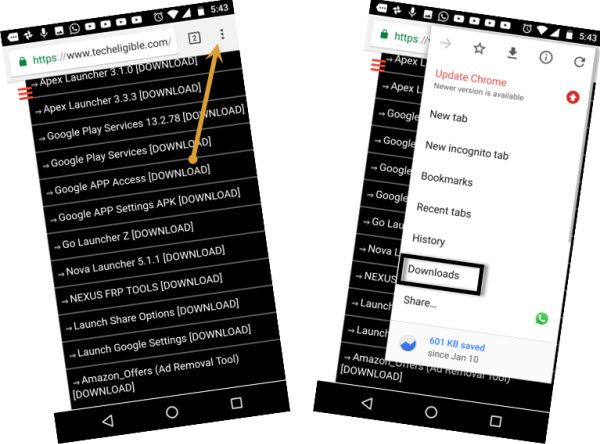
-You will be redirected to the download folder, where you can see both downloaded apps.
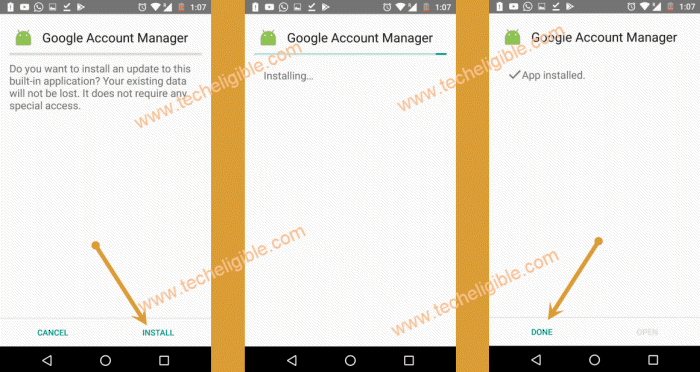
-Tap on “Google Account Manager 8”.
-You will see chrome popup window, just hit on “Settings”, and enable option of “Allow from this sources”.
-Tap on “Back Arrow”, and then tap on > Install > Done.
-Perfect, we have successfully installed google account manager.
Final Step to Login with New Google Account:
-After that, tap on “Account Login” app, and then tap on “Install”, after that tap on “OPEN”.
-You will see “Retype Password” screen, now just tap on “3 dots” from top right corner & select “Browser Sign-in” option.
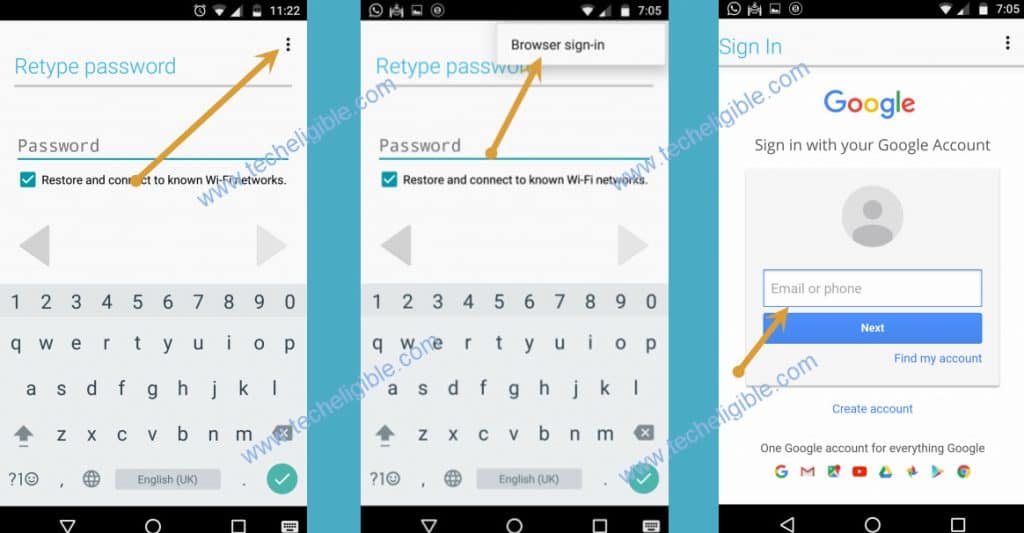
-Afterwards, you will see google sign in screen, sign in there with any valid Gmail Account to Bypass FRP.
-Once you are done, congrats, you can now restart your Samsung Galaxy A30 device and then complete initial setup.
FAQs About Samsung A30/A30s FRP:
There 4 frp bypass tools we used on Samsung A30/A30s phone to bypass frp. All are safe to use. Although, you need bit cautious using (Samfirm) pc tool. Do make sure, your connected device has full charging. Do not disconnect the phone while frp bypass is in progress. You must remove your logged in google account by going to > Settings > Accounts & Backup. If you don't wanna remove the google account, then, keep your logged in google account details in your mind, such as login id and password. So that, while completing the setup wizard, you may not face any trouble in signing in again with Gmail account after factory reset. You can try to access back to your frp locked Samsung phone by contacting to Samsung Support.Are FRP Bypass Apps Safe to use to bypass frp Samsung A30/A30s?
What steps should i take before doing factory reset to my Samsung A30/A30s phone?
Is there any other way to access back to FRP locked Samsung A30 phone without FRP Bypass Steps?